

-
(Optional) It is recommended to update the system with latest security patch.
For RHEL

# dnf upgrade
If you are using existing or pre-installed openssl then skip step 2, 3, 4, and 5.
2. Install dependent packages for openssl.
For RHEL

# dnf install make gcc perl pcre-devel zlib-devel
-
Download the latest version of openssl on Linux machine from https://www.openssl.org.
# wget https://www.openssl.org/source/openssl-3.5.1.tar.gz
-
Extract the downloaded file.
# tar xvf openssl-3.5.1.tar.gz
-
Go to openssl directory and run the following commands to build and install openssl.
# cd openssl-3.5.1
# ./config --prefix=/usr/local/openssl
# make
# make test
# make install
# export LD_LIBRARY_PATH=/usr/local/openssl/lib:$LD_LIBRARY_PATH
# export PATH=/usr/local/openssl/bin:$PATH
# openssl version -a
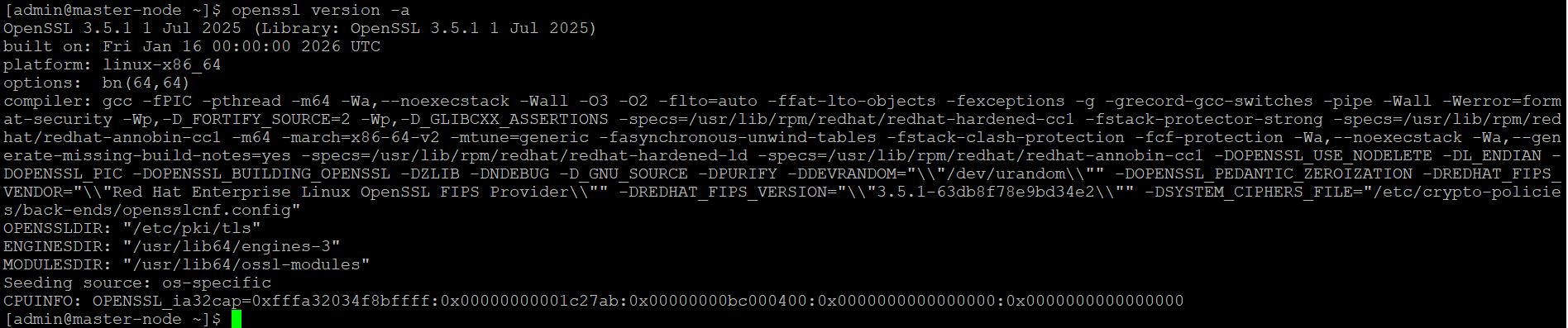
OpenSSL version output
After rebooting the server, export the library path every time.
# export
LD_LIBRARY_PATH=/usr/local/openssl/lib:$LD_LIBRARY_PATH # export PATH=/usr/local/openssl/bin:$PATH