

This section describes the installation and configuration of the Nginx web server, which is used to handle HTTP/HTTPS requests and assist in validating the Keyless SSL setup.
-
Install the Nginx package using the following command:
sudo dnf install -y nginx
-
Enable the Nginx service to start automatically on system boot, and start the service.
sudo systemctl enable nginx
sudo systemctl start nginx
sudo systemctl status nginx
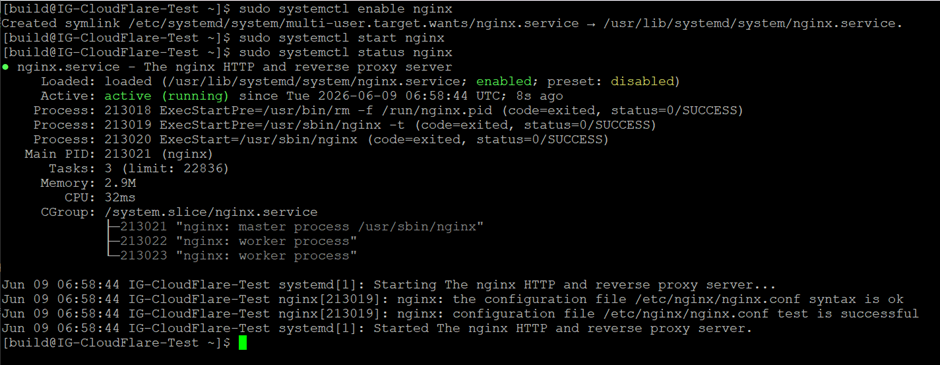
Starting and verifying nginx service
-
Open the required firewall ports to allow HTTP and HTTPS traffic.
sudo firewall-cmd --add-service=http --permanent
sudo firewall-cmd --add-service=https --per
-
Ports 80 (HTTP) and 443 (HTTPS) must be accessible to allow incoming client connections.
-
This ensures that the web server can receive traffic for testing and validation of the SSL setup.
-
Verify that Nginx is successfully listening on the required ports.
ss -tulnp | grep -E '80|443'
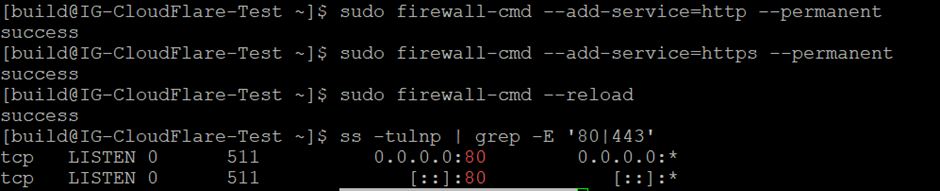
Firewall configuration and verification of HTTP/HTTPS ports