

-
Log in to ESKM.
-
Click the Device tab and click the Log Configuration link under the Logs & Statistics section.
-
Click the Edit button under the Syslog Settings table.
-
Select the checkboxes under the Enable Syslog column for the logs that need to be displayed in Elasticsearch.
-
Enter the machine IP where Elasticsearch and Kibana are installed under the Syslog Server #1 IP column, and enter the port number (default – 514) in the Syslog Server #1 Port column.
-
Click the Save button.
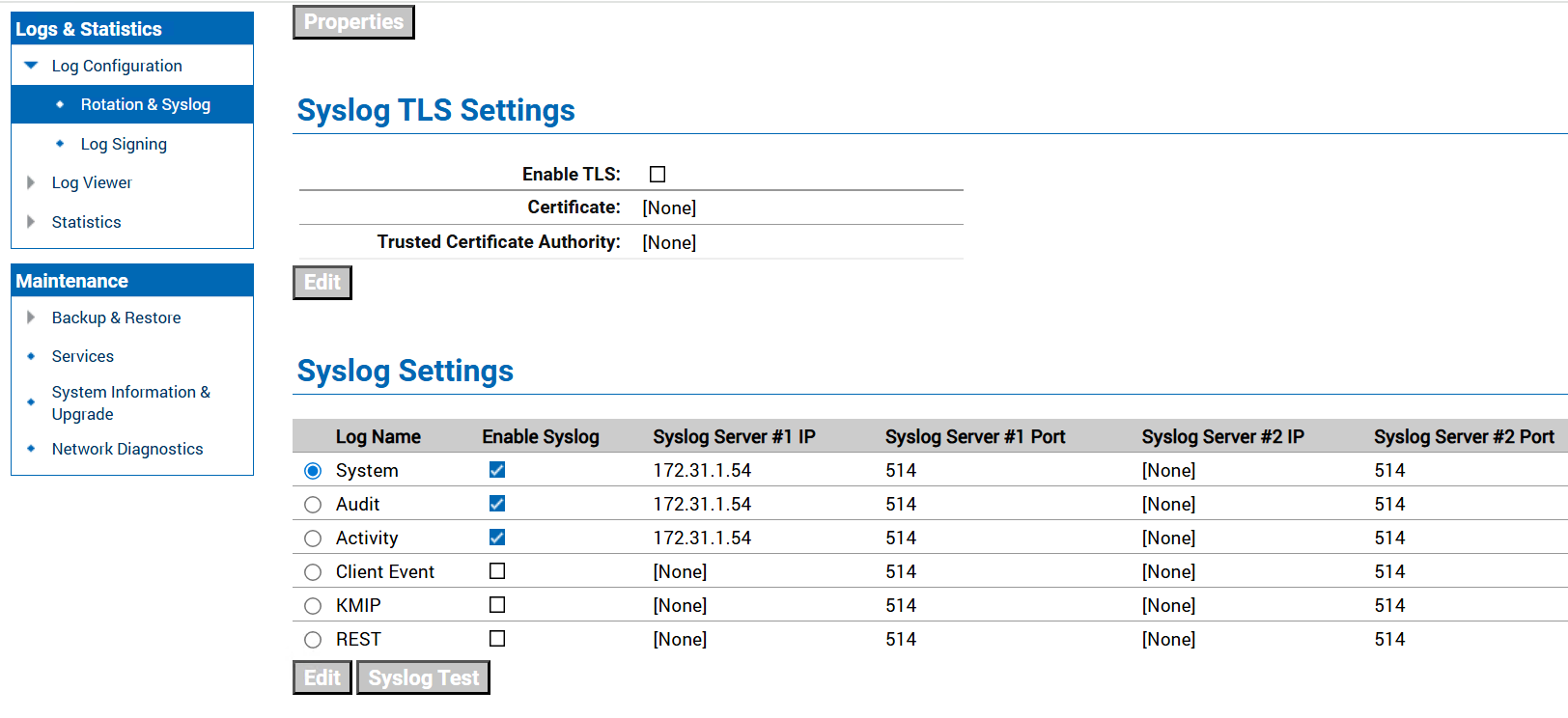
ESKM Log Configuration