

The last step is to make the keys available to your users. This heavily depends on whether you already have a u.trust LAN Crypt environment to simply add keys from SGN to, or whether you’re doing a fresh migration from SGN to u.trust LAN Crypt.
In the first case, just add the keys to existing groups or create a few new ones. In the latter case, it makes sense to re-create your encryption structure in u.trust LAN Crypt.
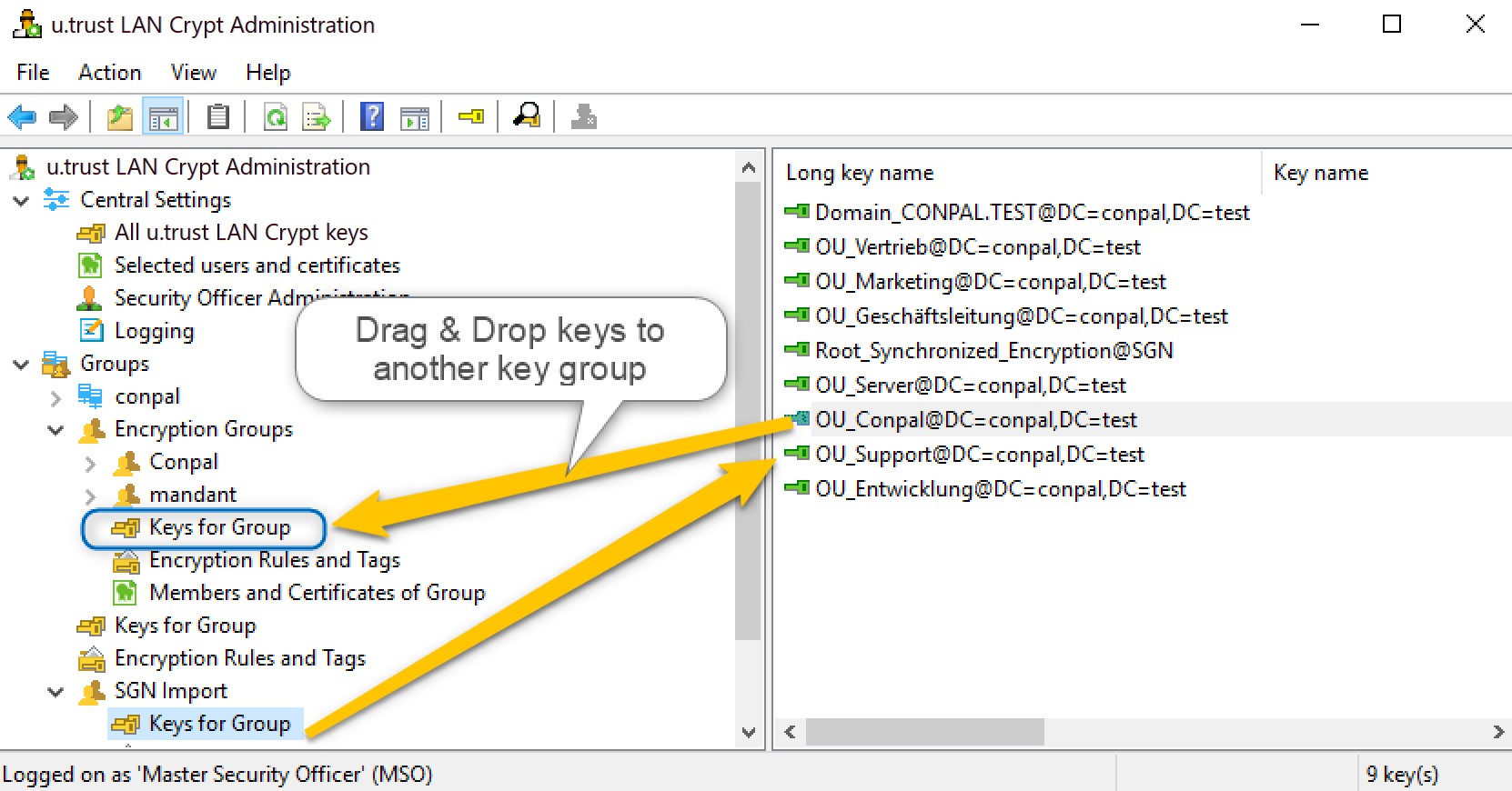
Assigning a key to another group can be done by drag & drop.
If you require assistance on this, please contact support.
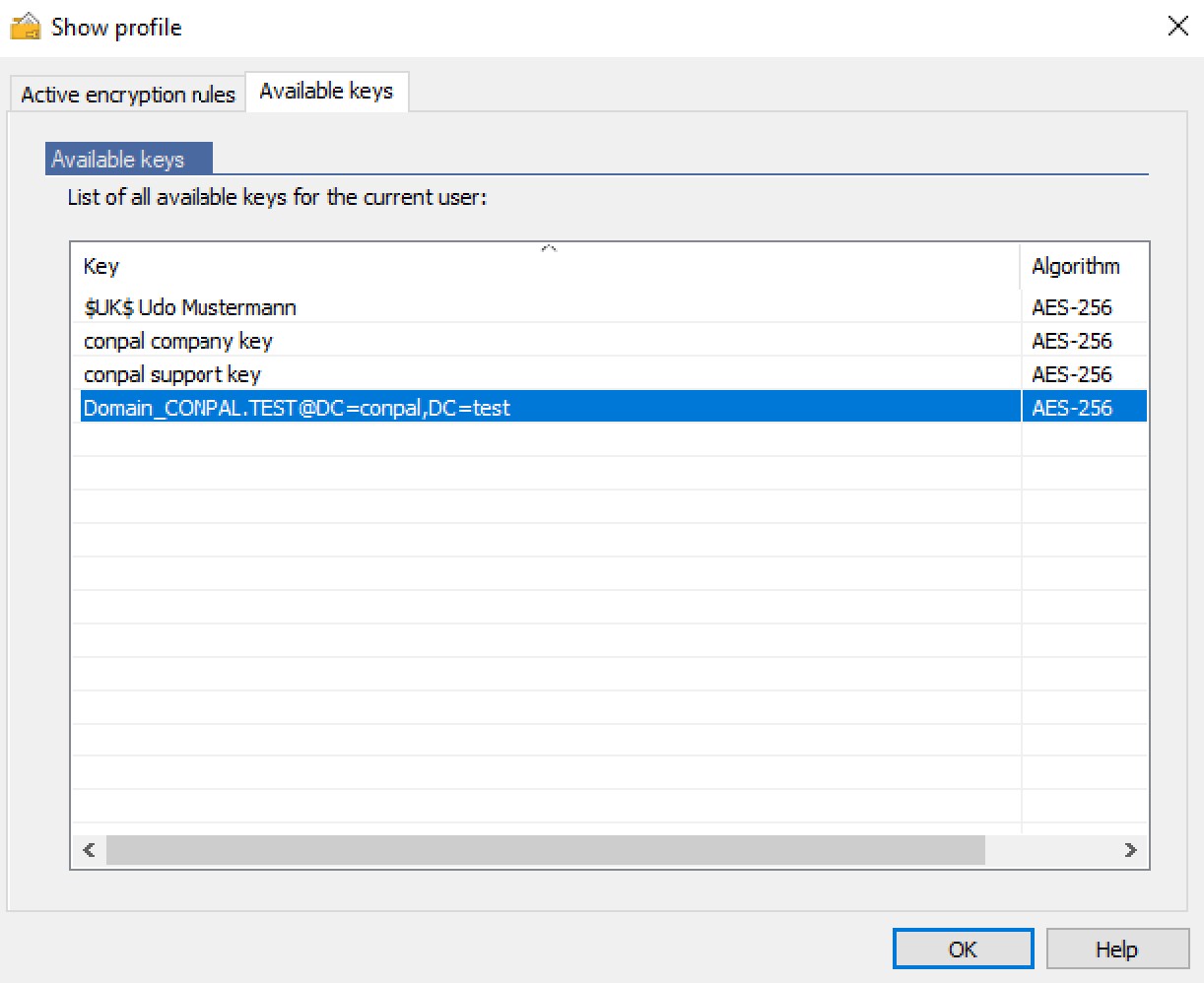
After re-assingning the keys, you can build a user’s profile and verify whether access to the SafeGuard encrypted files is possible. On the client side, you can also verify whether the imported key found its way into the user’s profile:
Don’t forget to reenable login the console if it’s still switched off!
And that’s it. You’re done. All SafeGuard encrypted files are now accessible with u.trust LAN Crypt.