

-
Go to the Key Management page in the Cloud Console.
-
Click the name of the Target key ring.
-
Click Create import job.
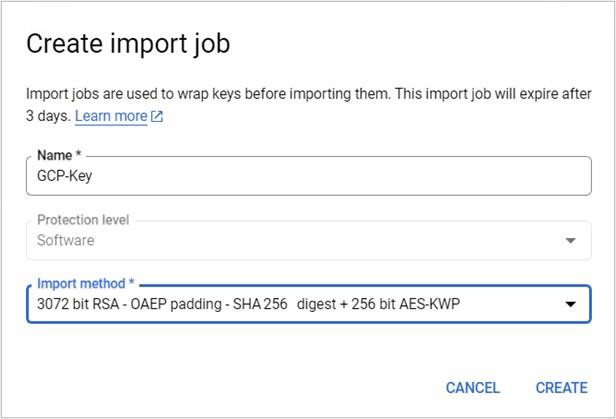
Create import job window
-
In the Name field, enter the name for your import job.
-
From the Import method dropdown menu, set the import method to either 3072-bit RSA or 4096-bit RSA -OAEP padding -SHA256 digest +256bit AES-KWP.
-
Click Create.
-
Click DOWNLOAD WRAPPING KEY.
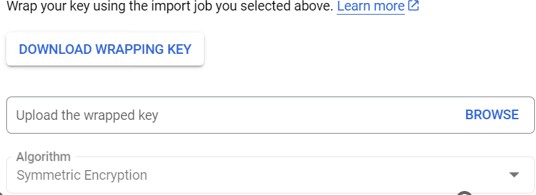
Downloading wrapping key
-
Alternatively, you can click on Import Job tab and select the import job that you have just created and follow below steps to download wrapping key.
-
In the Actions column click the three vertical dots.
-
Click Download wrapping key.
-
The <name_of_import job>.pem file is automatically downloaded to your workstation.