

Please perform the following steps to configure the HPE Smart Array Controller.
-
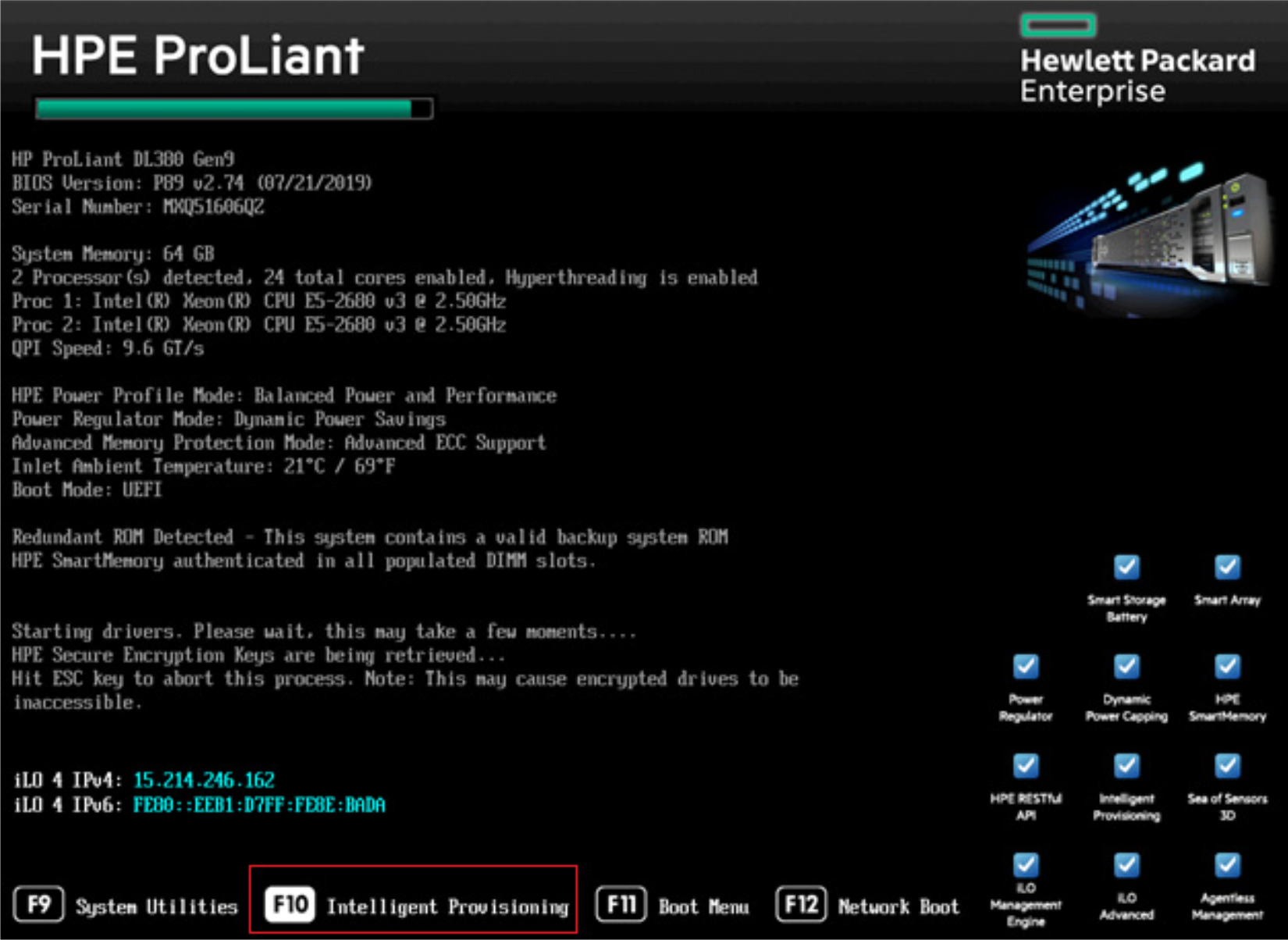
Boot the server and continuously press F10 to enter Intelligent provisioning.
-
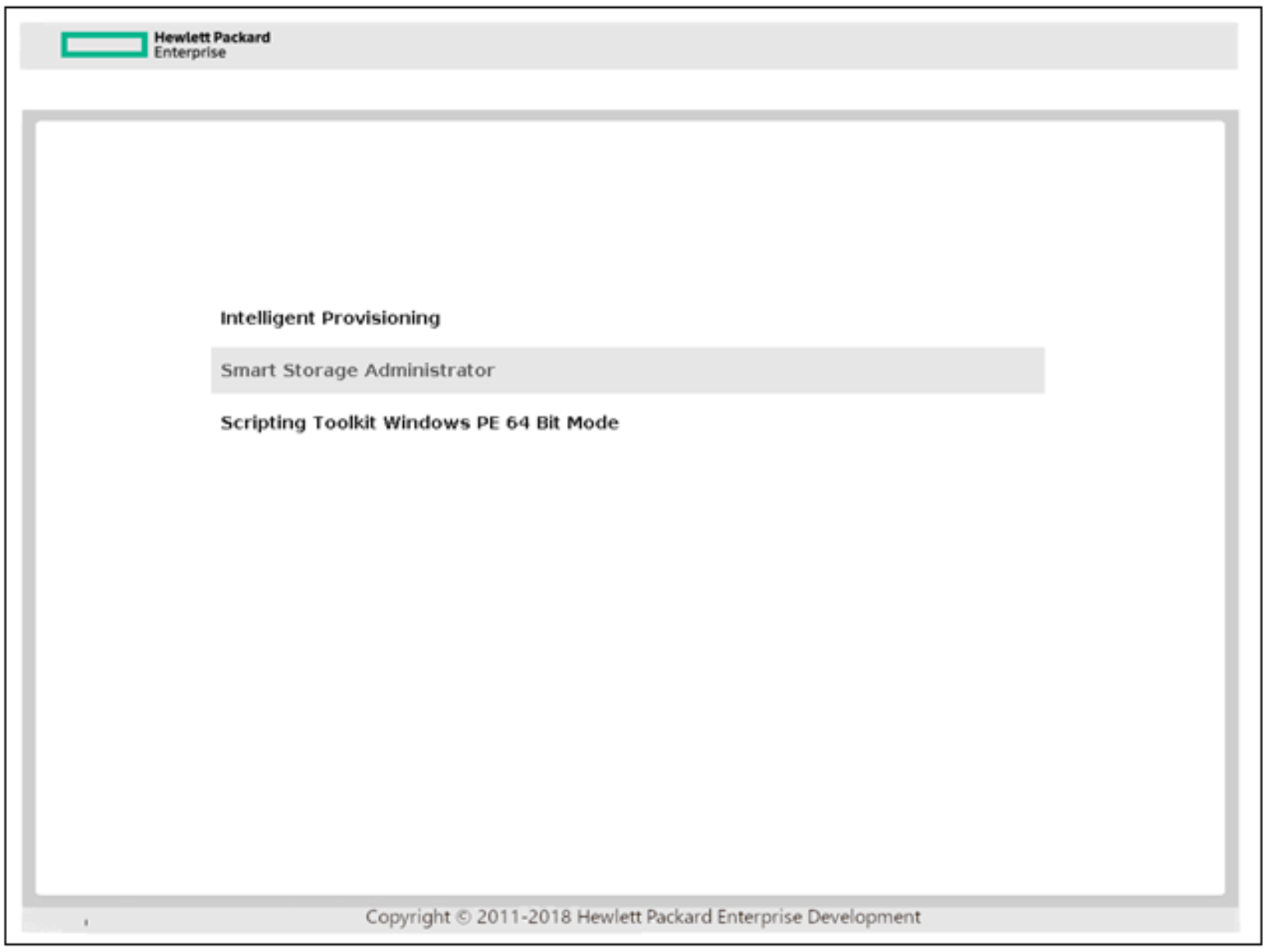
Open the HPE Smart Array Controller.
Please refer to the “HPE Smart Storage Administrator guide” for more details using the following link: https://support.hpe.com/hpsc/doc/public/display?docId=c03909334.
-
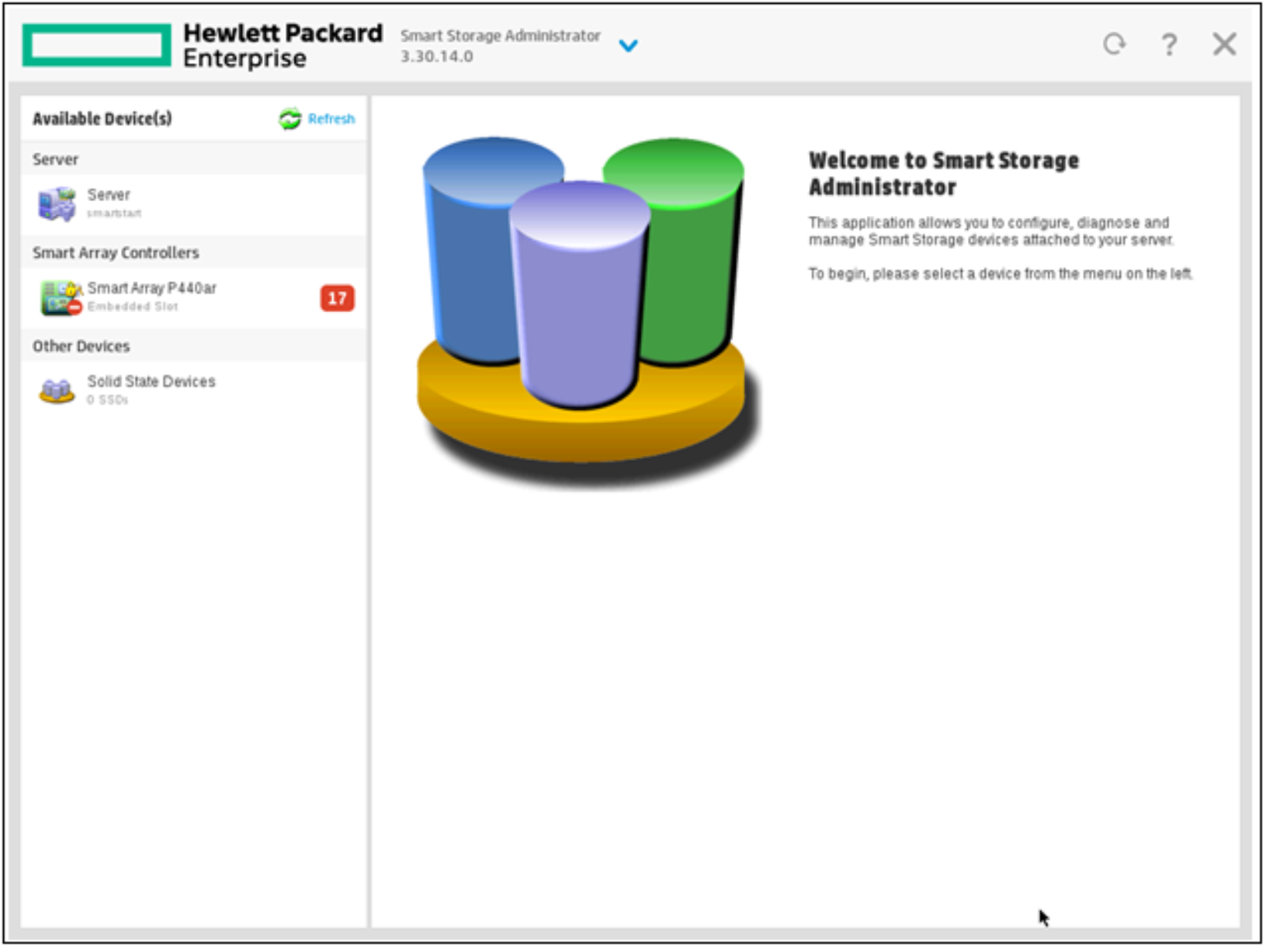
Select a controller that is compatible with secure encryption.
-
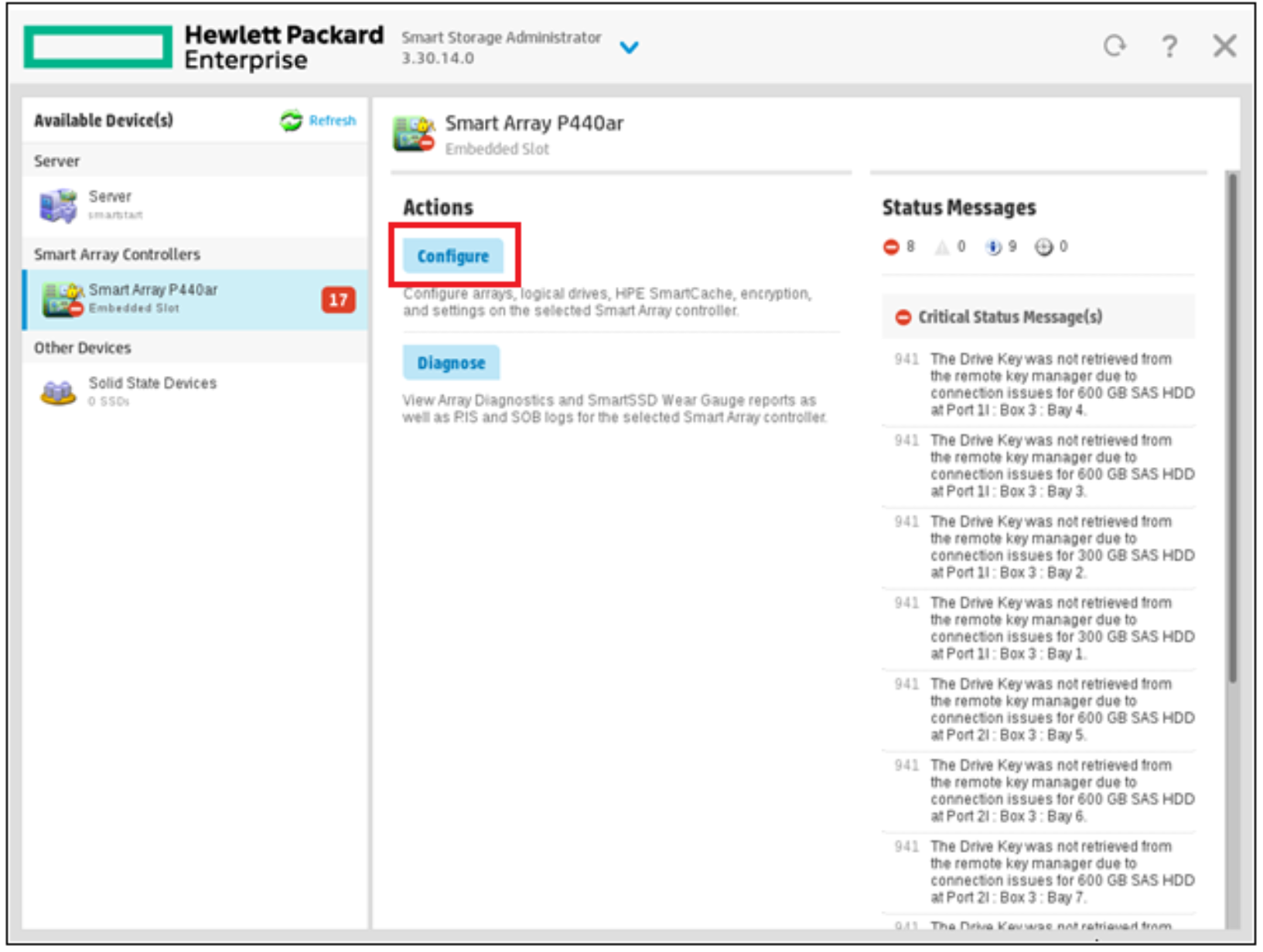
Click on Configure.
-
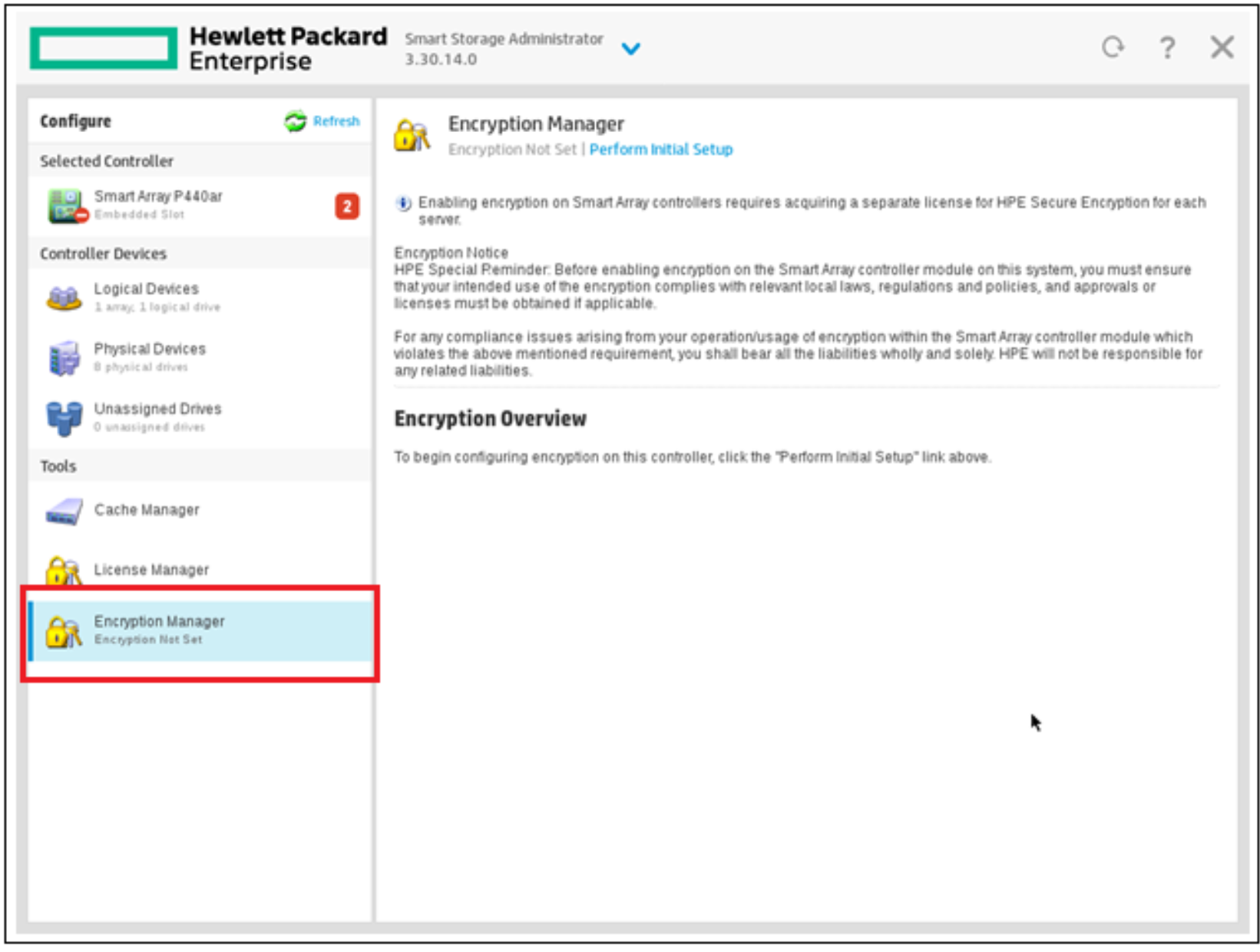
Go to “Tools” and click on “Encryption Manager” to open it.
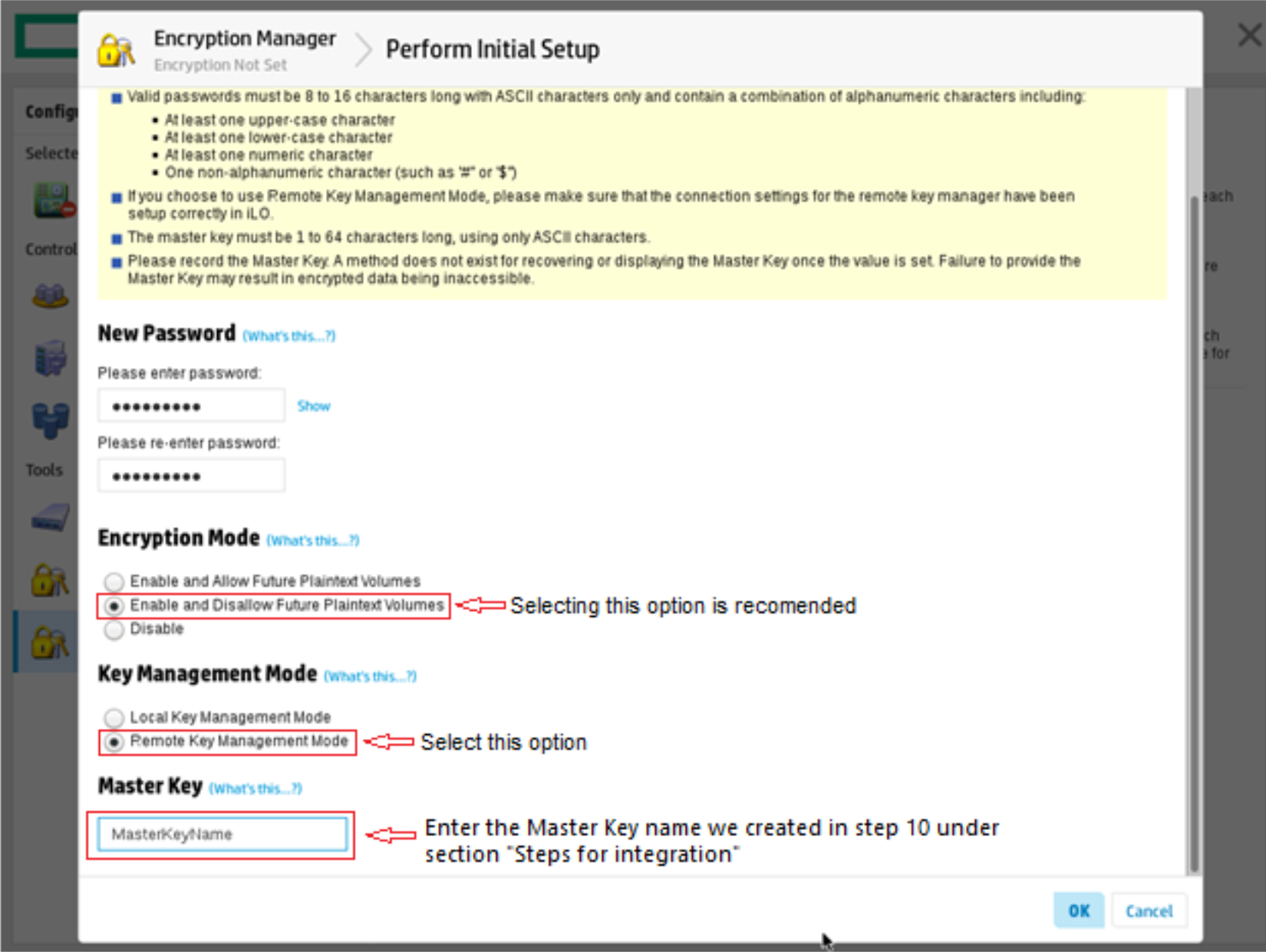
a. Create a new crypto officer password.
b. Perform the initial setup.
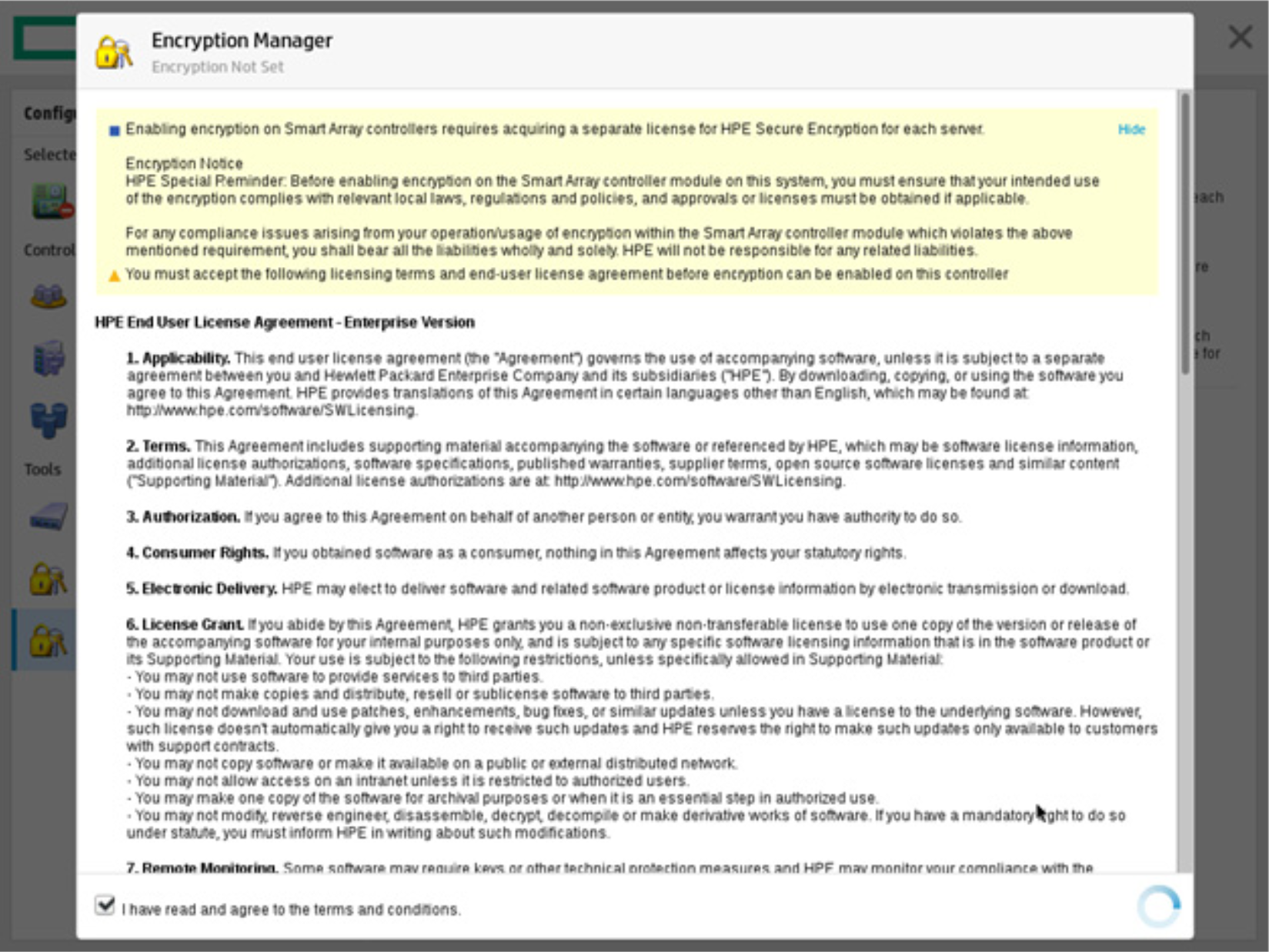
c. Perform the full setup.
d. Enter a crypto/security officer password.
Please make sure that these are admins for Secure Encryption and must be trusted employees.
e. Enable and disallow future plaintext volumes (Recommended).
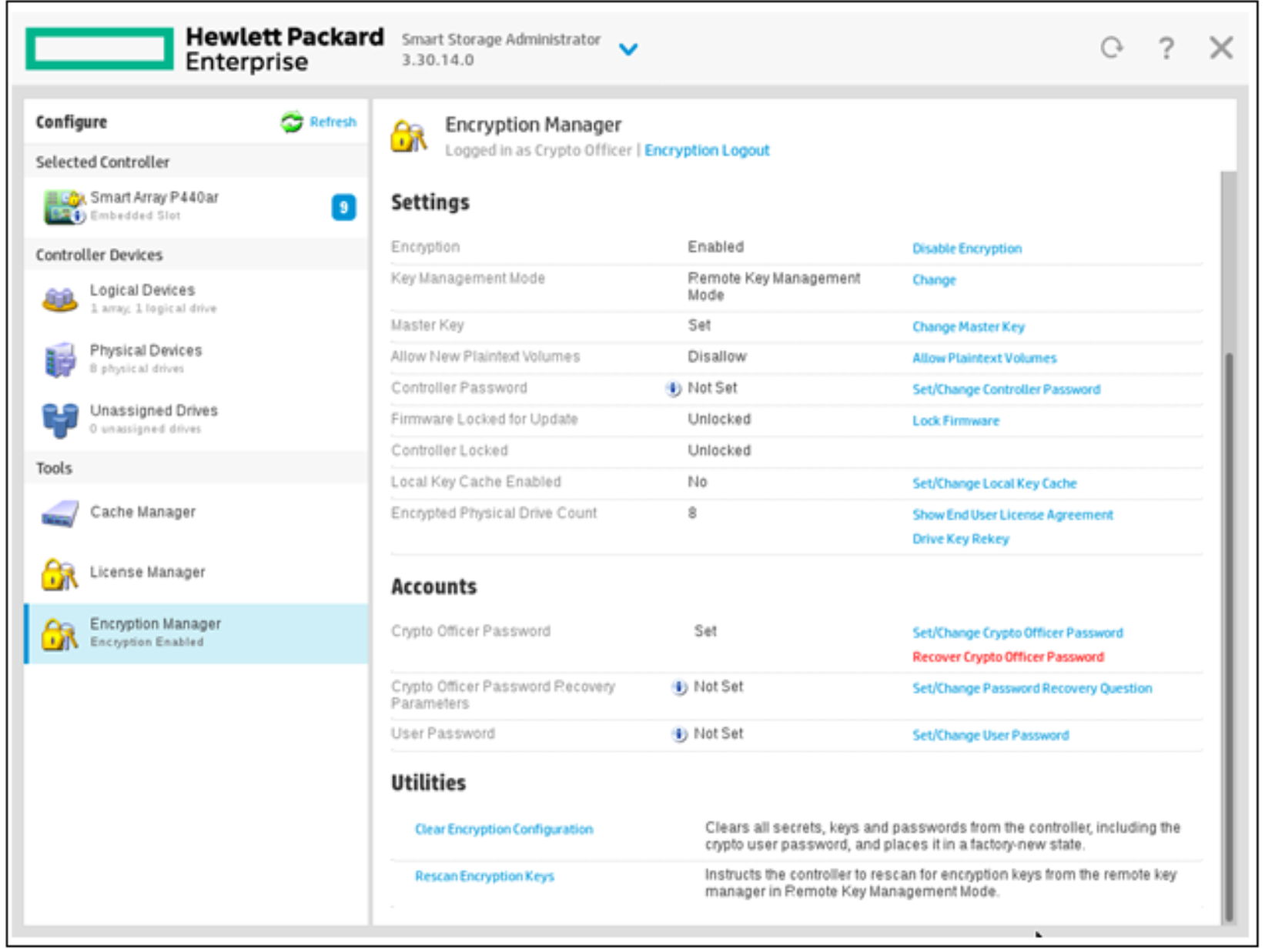
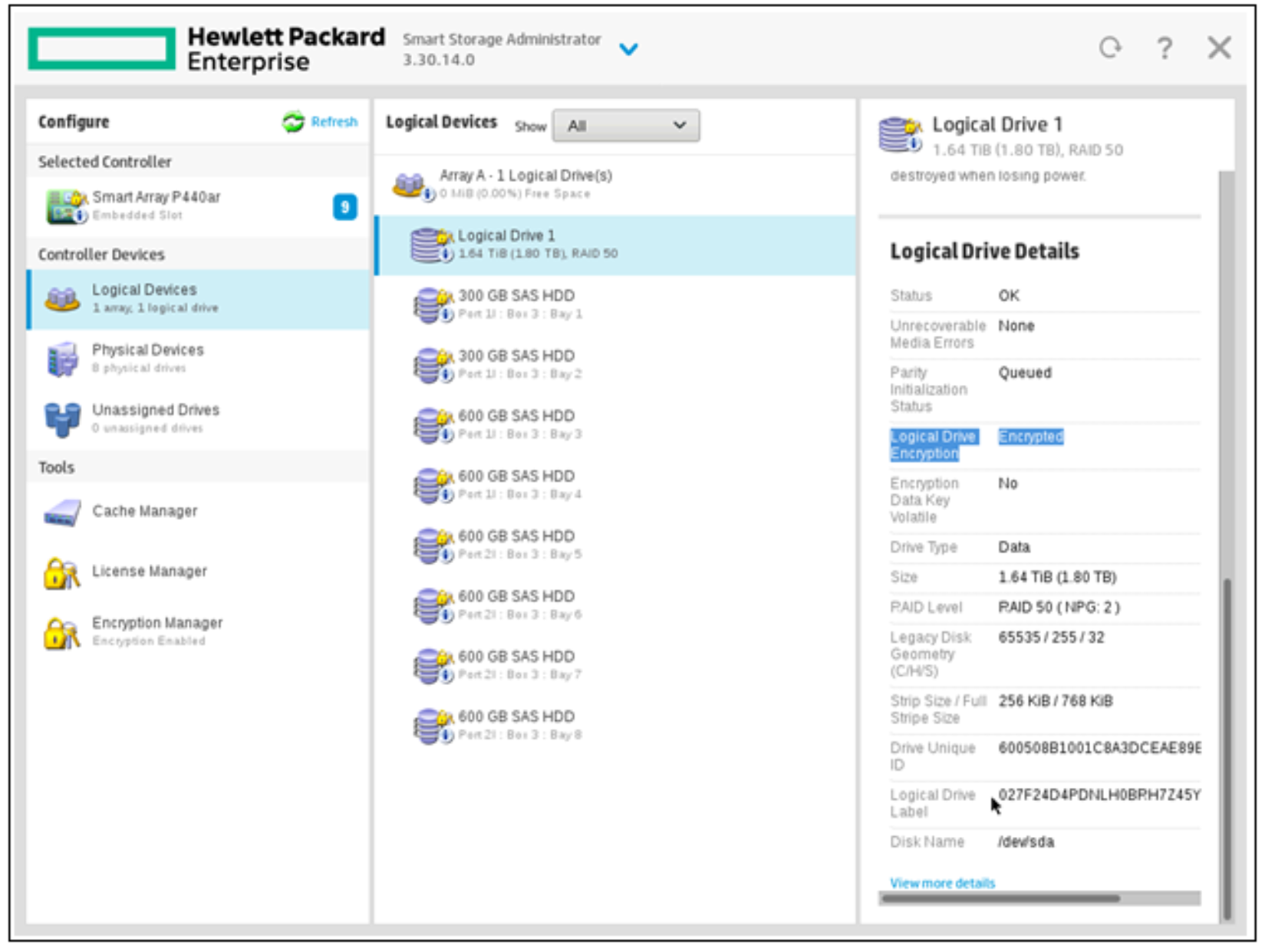
With this, ESKM will be successfully integrated with ProLiant by following the procedure described above.