

Please perform the following steps to configure HPE Smart Array Controller.
-
Boot the server and continuously press F10 to enter Intelligent provisioning.
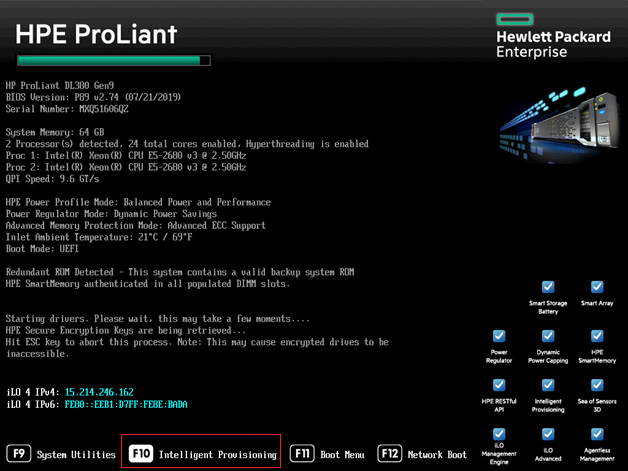
HPE ProLiant Boot Menu
-
Open the HPE Smart Array Controller.
Please refer to the “HPE Smart Storage Administrator guide” for more details using the following link,
https://support.hpe.com/hpsc/doc/public/display?docId=c03909334
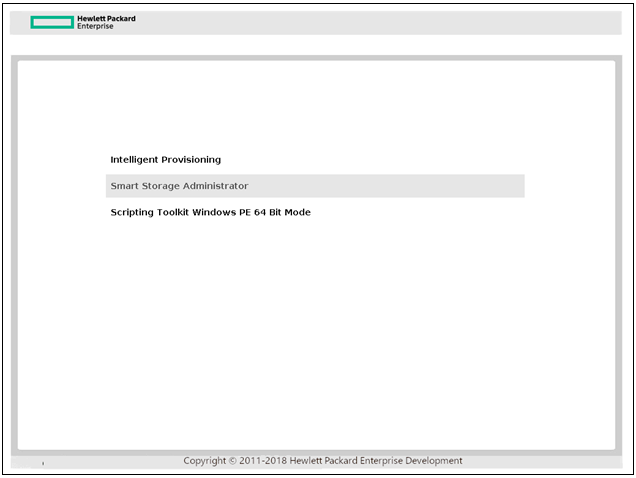
HPE Smart Array Controller
-
Select a controller that is compatible with secure encryption.
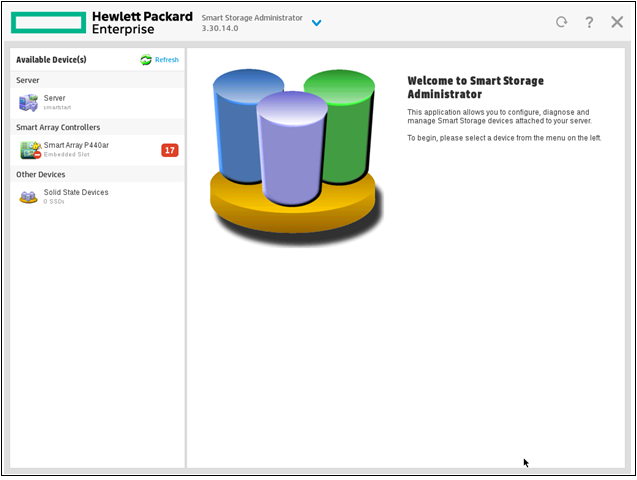
Smart Storage Administrator
-
Click on Configure.
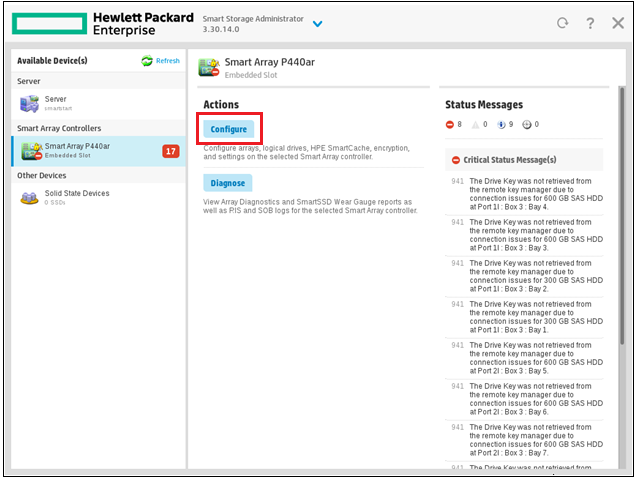
Smart Array Administrator
-
Go to “Tools” and click on “Encryption Manager” to open it.
-
Create a new crypto officer password.
-
Perform the initial setup.
-
Perform the full setup.
-
Enter a crypto/security officer password.
-
Enable and disallow future plaintext volumes (Recommended).
-
Please make sure that crypto/security officer are admins for Secure Encryption and must be trusted employees.
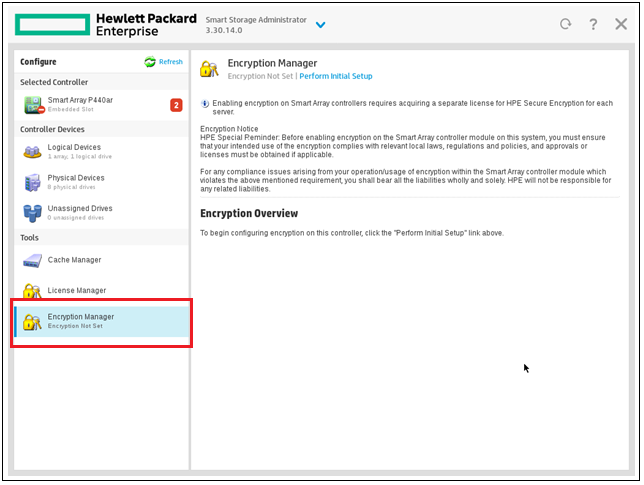
Encryption Manager
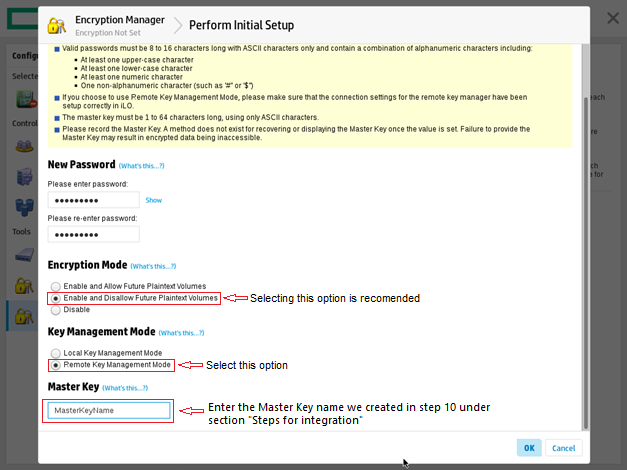
Encryption Manager - Initial Setup
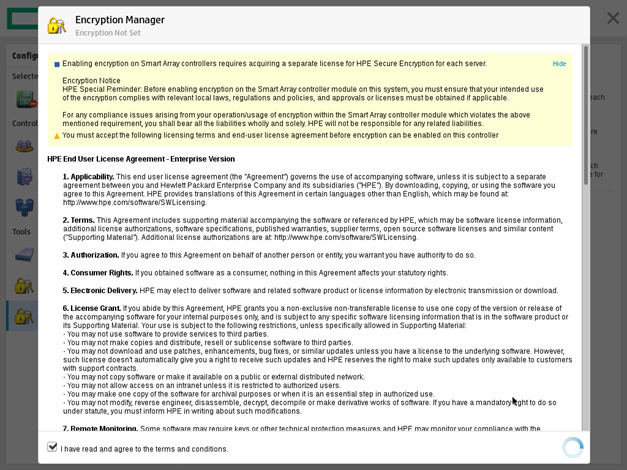
Encryption Manager - End User License Agreement
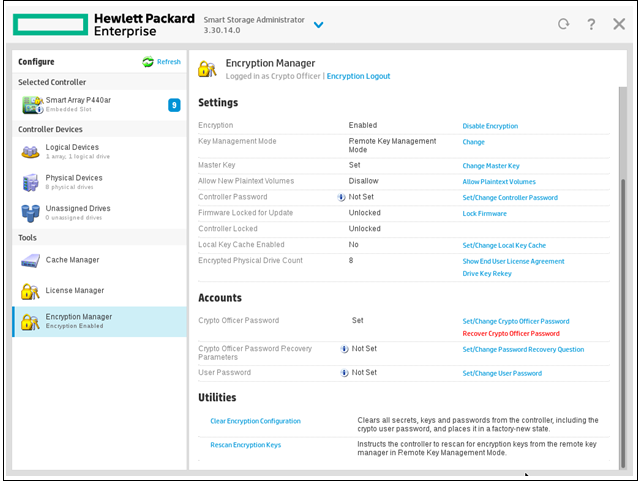
Encryption Manager - Settings
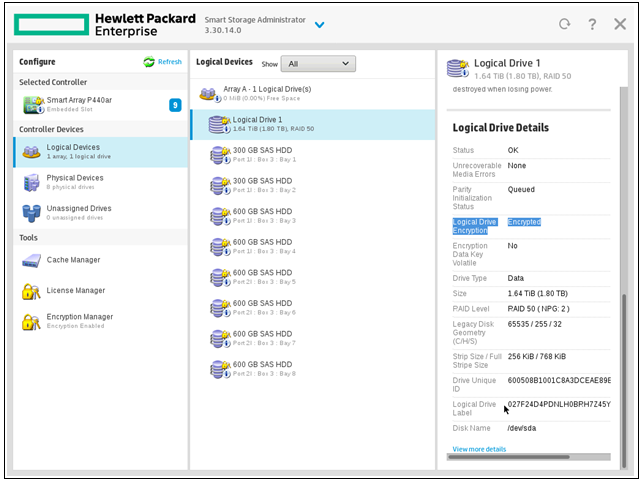
Encryption Manager - Logical Devices
With this, ESKM will be successfully integrated with ProLiant by following the procedure described above.