

-
List all the slots using the command below.
|
›_ Console |
|---|
|
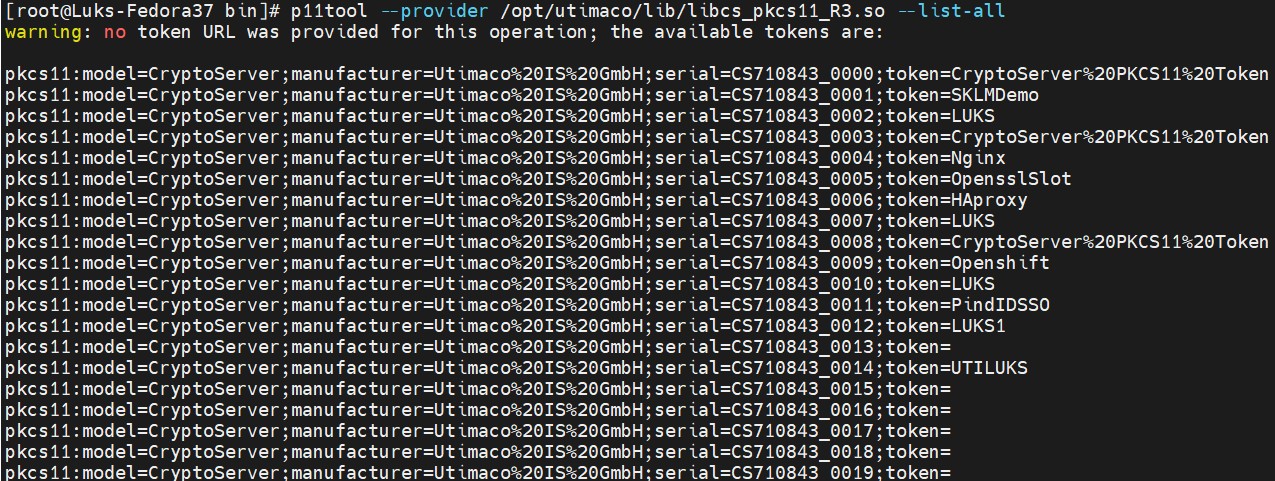
Slot information
-
List the objects on the slot and note down the URL of the certificate and private key.
|
›_ Console |
|---|
|
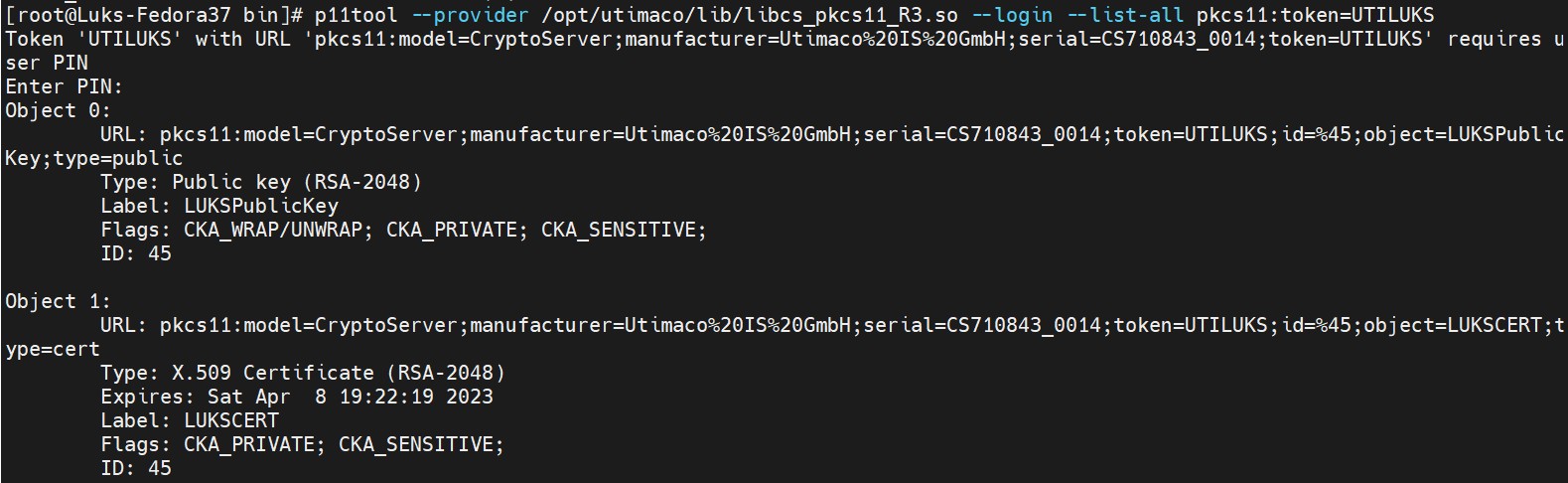
Slot objects list
-
Add pkcs11 module in
/etc/pkcs11/modules/utpkcs11.modulefile.
|
›_ utpkcs11.module File |
|---|
|

Content of utpkcs11.module
-
Enroll the certificate on LUKS drive using
systemd-cryptenrollcommand.
|
›_ Console |
|---|
|

systemd-cryptenroll command output
Provide slot PIN when prompted.
-
Verify that the pkcs11 url is added to the luks partition in the tokens section.
|
›_ Console |
|---|
|
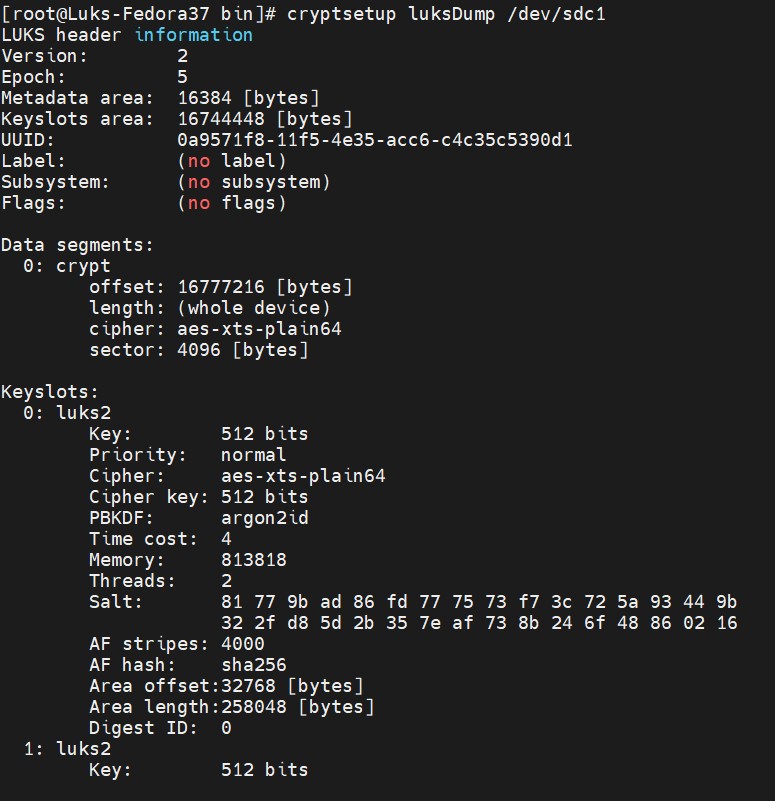
Encrypted volume information
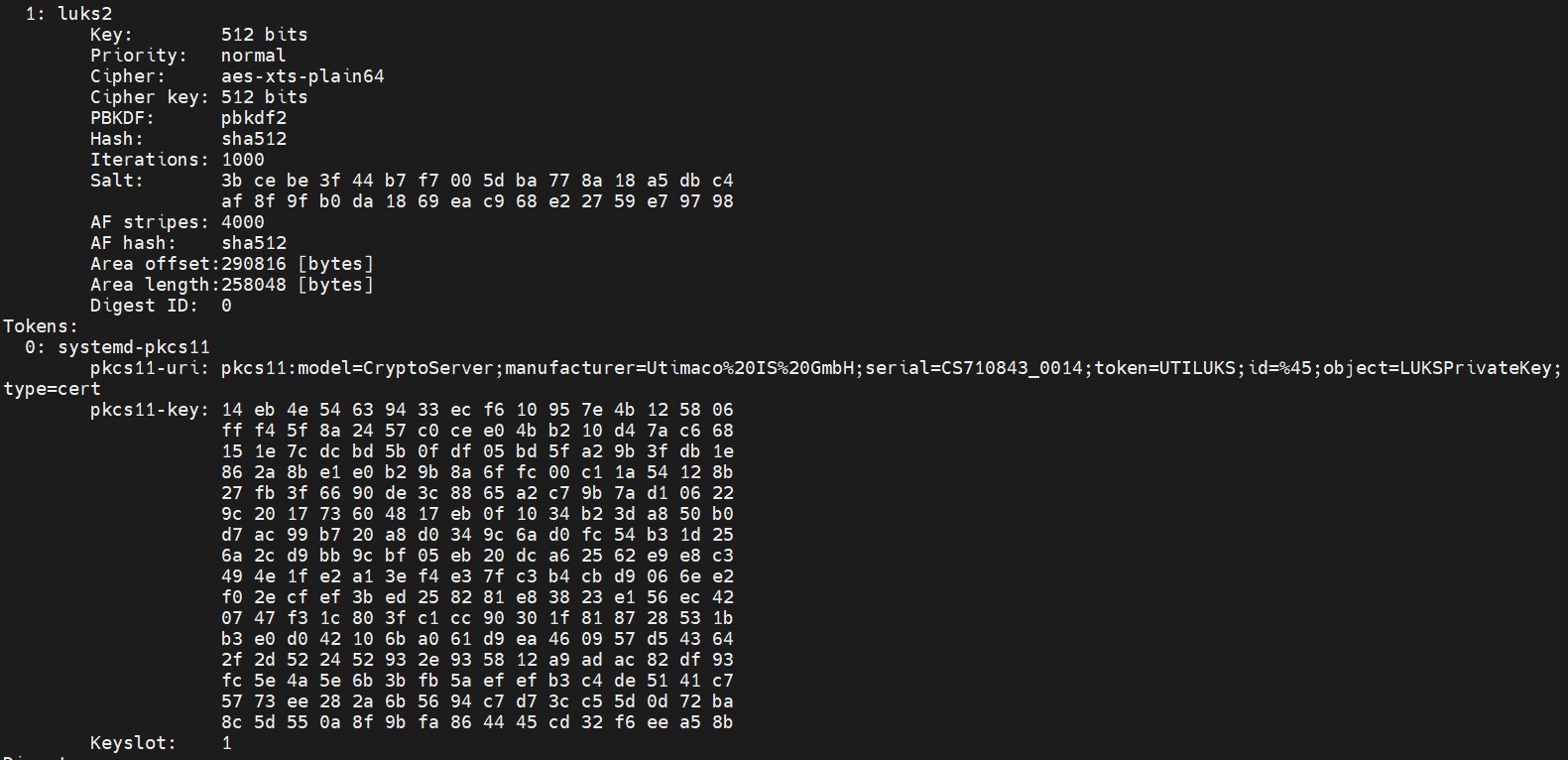
Encrypted volume information
-
Open the luks volume as mybackup disk.
|
›_ Console |
|---|
|

luksopen command output
-
Export token using the command below to
header.jsonfile.
|
›_ Console |
|---|
|

Exporting token id information
-
Open
header.jsonfile and replace thepkcs-uriwith type=private url.
Example
|
›_ header.json file |
|---|
|
-
Import the
header.jsonfile.
|
›_ Console |
|---|
|

Importing token id information
-
Verify token id 1 using below command.
|
›_ Console |
|---|
|
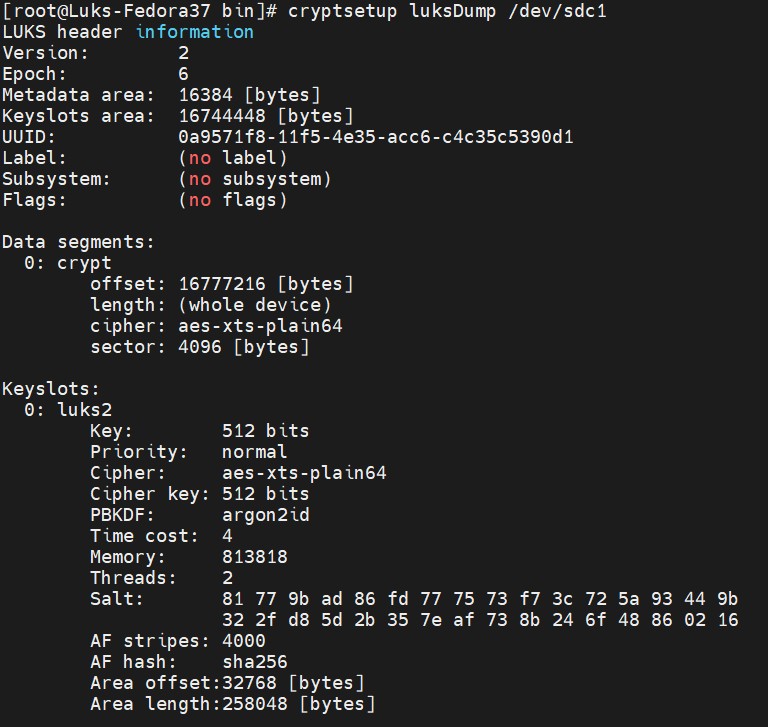
LuksDump output
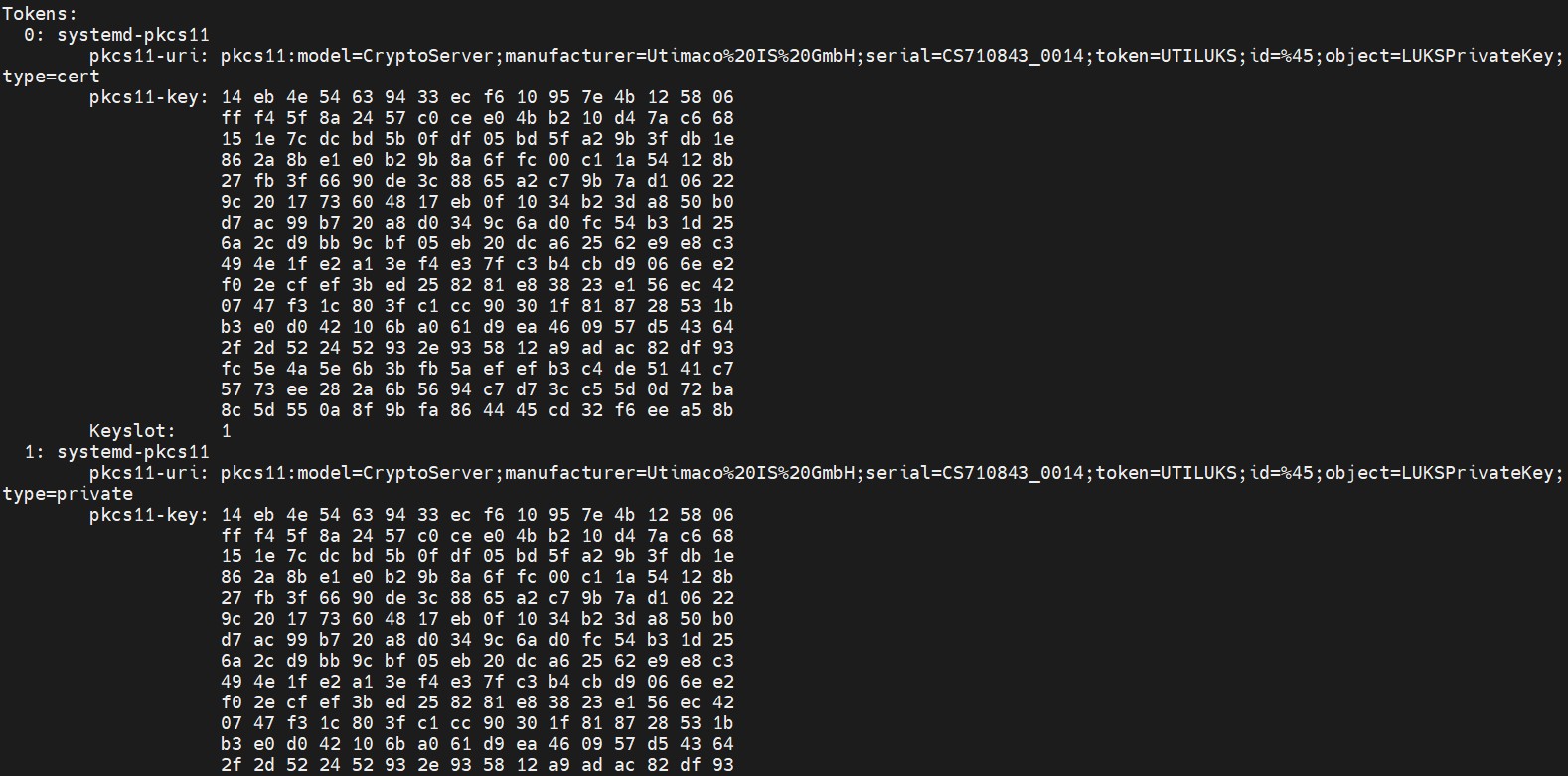
LuksDump output
-
Remove token id 0 and verify with below command.
|
›_ Console |
|---|
|

Removing old token id
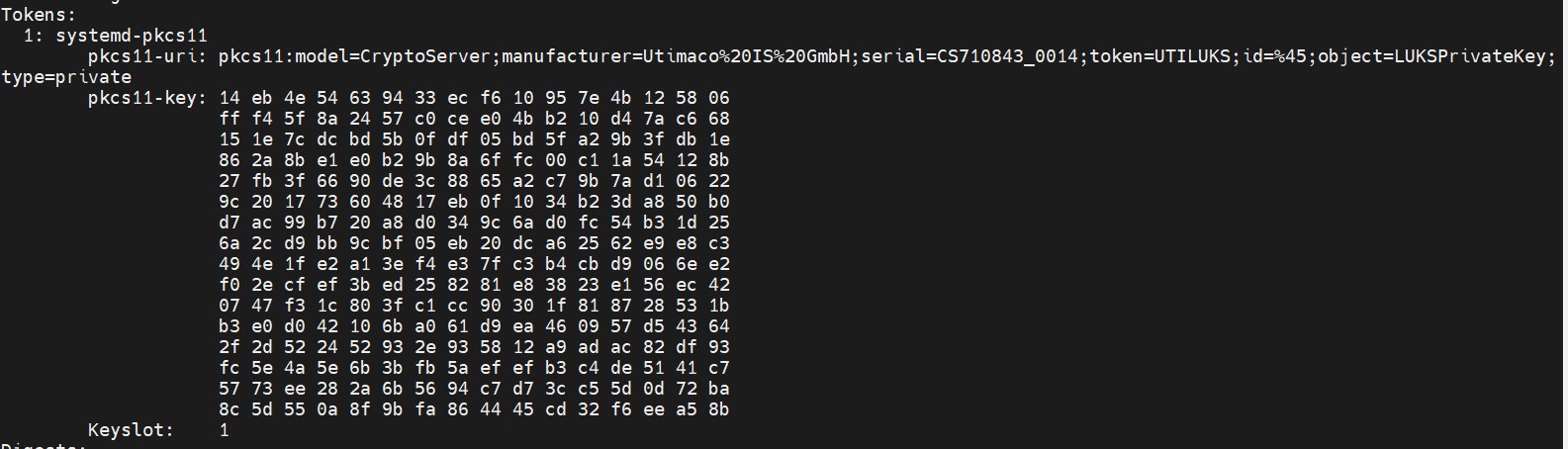
Removing old token id
-
Close the LUKS volume.
|
›_ Console |
|---|
|
-
Attach the LUKS volume with
systemd-cryptsetup.
|
›_ Console |
|---|
|

Attaching LUKS volume
Provide slot PIN when prompted.