

-
Create a partition.
|
›_ Console |
|---|
|
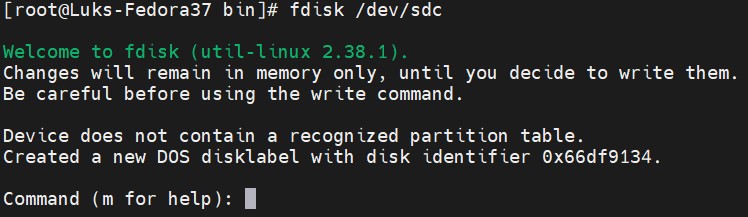
fdisk command prompt
-
Type n for new partition and p for primary partition type.
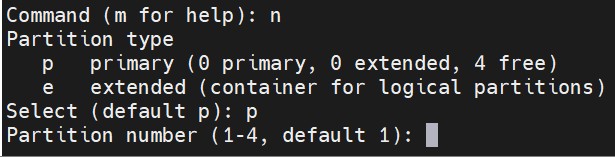
New partition creation
-
Press ENTER to use up all the available space after your first sector or specify the size for your partition.

Specifying size of disk
-
Type w to write the partition table.
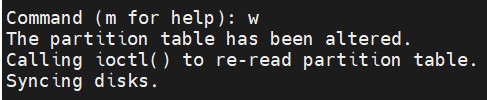
Saving changes to partition table
-
Verify the newly added partition using fdisk -l command.
|
›_ Console |
|---|
|
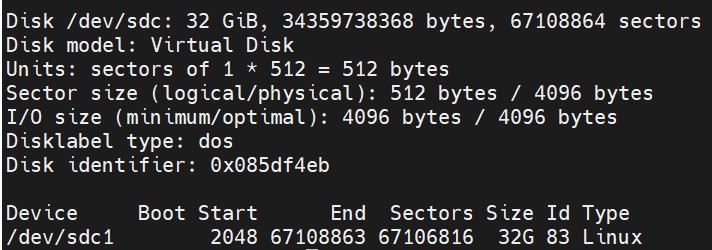
Disk list
-
Format the newly added partition.
|
›_ Console |
|---|
|
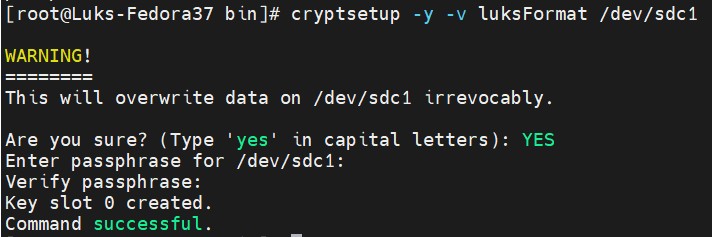
Formatting the partition