

-
Open the command prompt and run the
certtmpl.msccommand. Right-click on the Key Recovery Agent template, then select Duplicate Template.
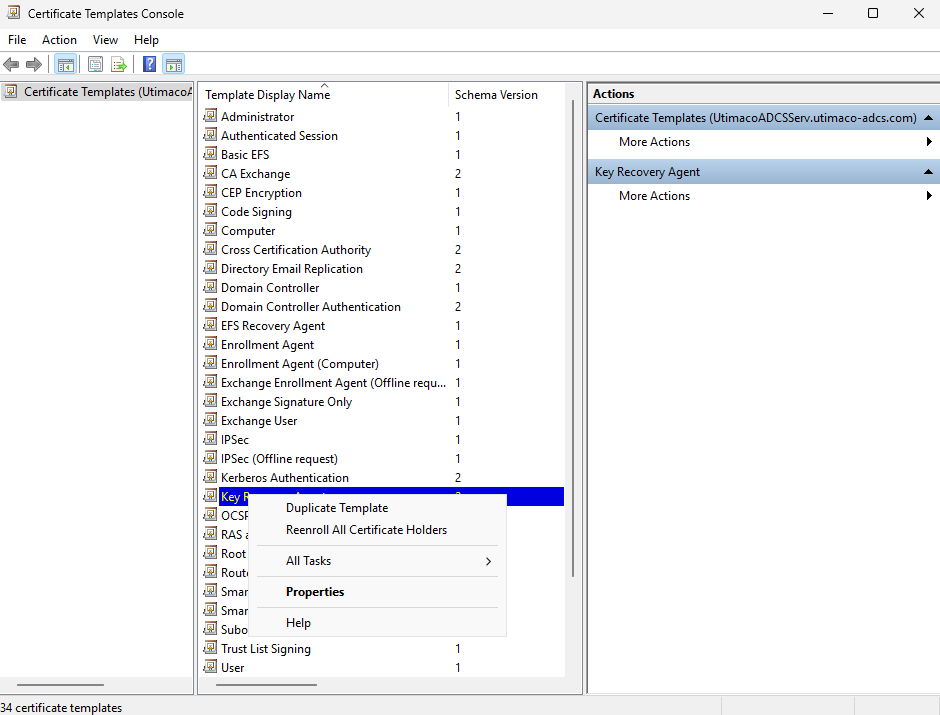
"Certificate Template" Window
-
The Properties window opens, showing the Compatibility tab. Select appropriate Windows version under Certificate Authority and the Certificate Recipient drop-down box.
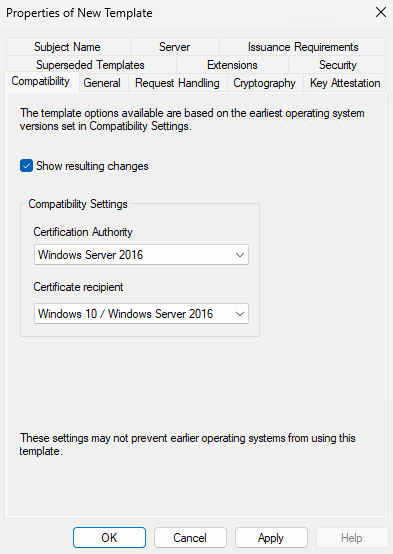
"Compatibility Tab" Window
-
Select the General tab. In Template display name, type a name for the template.
-
Select the Request Handling tab, and in Purpose select Encryption, and Allow private key to be exported is selected.
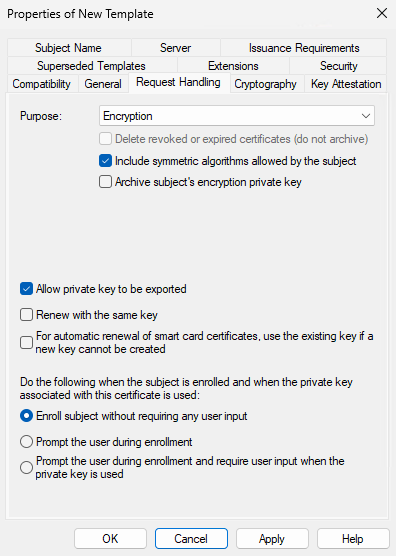
"Request Handling" Window
If you are using smartcard authentication, the prompt will appear on the PIN Pad device to insert the smartcard and enter the PIN. Then, press the OK button on the PIN Pad.
-
Select the Issuance Requirement tab and deselect CA Certificate manager approval.
-
Select the Cryptography tab, and in the Provider category, select Key storage provider.
-
In Algorithm Name, select the algorithm from the list.
-
Select Requests must use one of the following providers, and in Providers select Utimaco CryptoServer Key Storage Provider only.
If the CA is on Windows Server Core and you are managing it remotely using certtmpl.msc on a different PC, you need to install the Utimaco CryptoServer Key Storage Provider on the PC that is running certtmpl.msc. Otherwise, the Utimaco CryptoServer provider will not appear.
-
In Request Hash, select a hash type.
-
From the Security tab, verify if Domain Admins and Enterprise Admins have Enroll Permissions.
-
Select Apply and click OK to save the template settings and close the Certificate Template console.
-
Open the command prompt and run the
certsrv.msccommand. -
Right-click the Certificate Templates node. Select New, then select Certificate Template to Issue.
-
Select the template created in the above steps and click OK.