

-
Open the command prompt and run the
certtmpl.msccommand. -
Right-click the User template and select Duplicate Template.
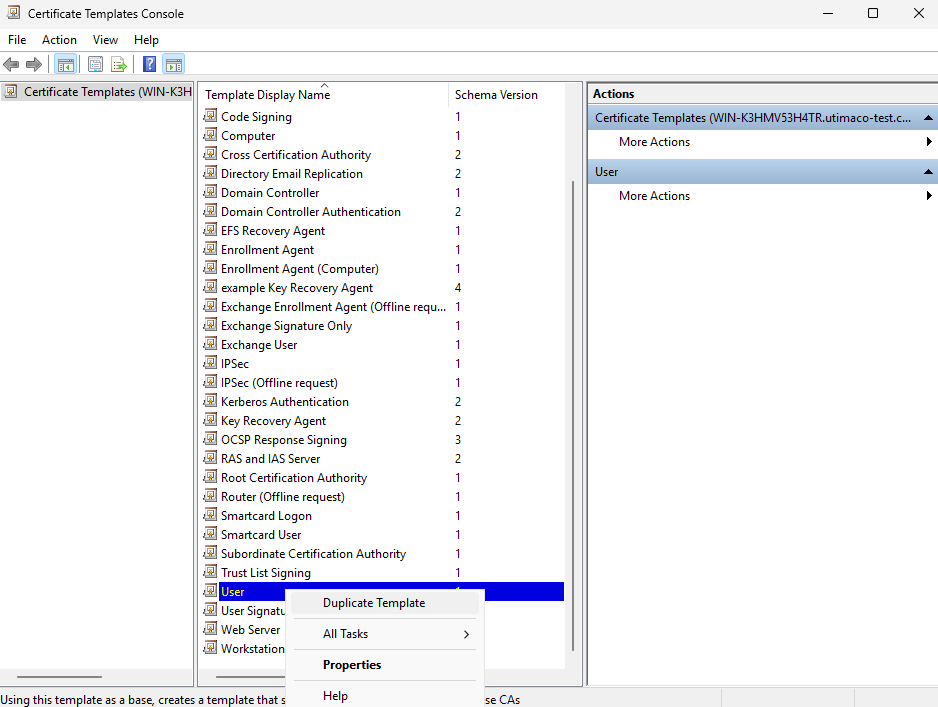
"Certificate Template" Window
-
Select the appropriate windows version under Certificate Authority and Certificate Recipient drop-down box under Compatibility Settings.
-
Click OK.
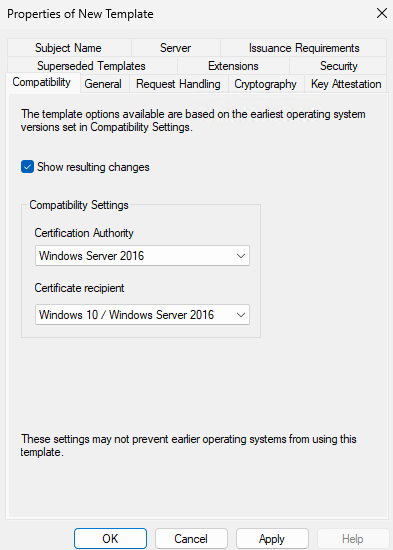
"Compatibility" Window
-
On the Resulting Changes menu, click OK.
-
Go to the General tab and enter a name for the template (e.g. UserKeyArchival).
-
Go to the Request Handling tab and select the checkbox for Archive Subject’s encryption private key.
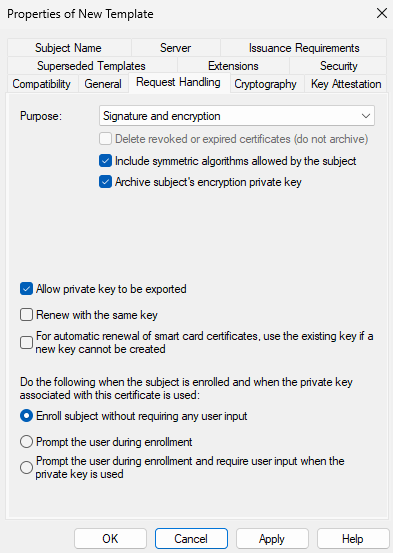
"Request Handling" Window
If you are using smartcard authentication, the prompt will appear on the PIN Pad device to insert the smartcard and enter the PIN. Then, press the OK button on the PIN Pad.
-
Select the Subject Name tab. Uncheck the checkbox for Include e-mail name in subject name and uncheck the checkbox for E-mail name.
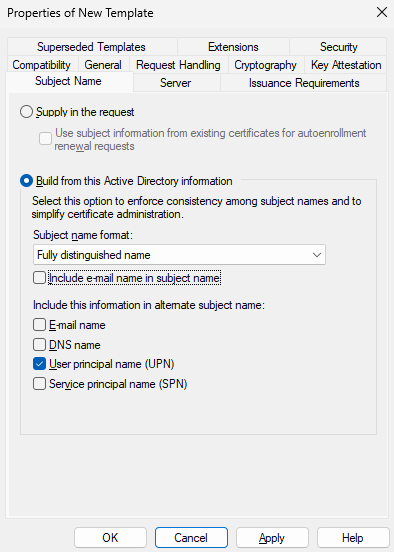
"Subject Name Tab" Window
-
Click Apply and then click OK.