

-
Open the command prompt and run the
certsrv.msccommand. -
Right-click on the Certificate Templates node. Select New and then select Certificate Template to Issue.
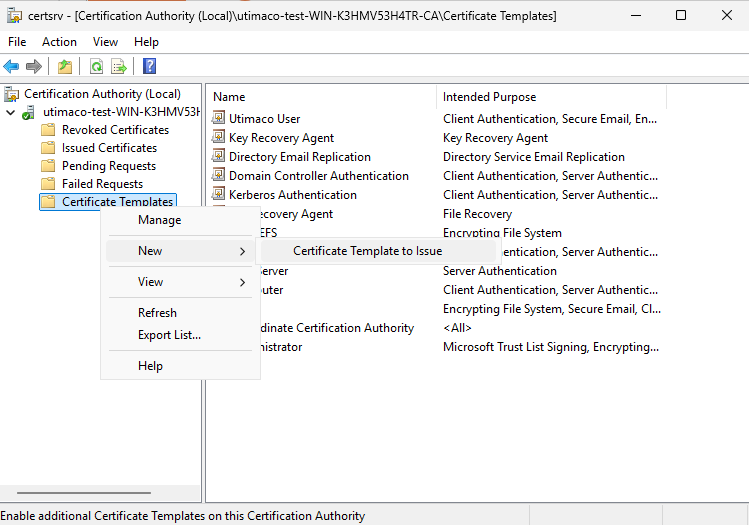
"Certificate Authority" Window
-
Select new template for key archival and click OK.
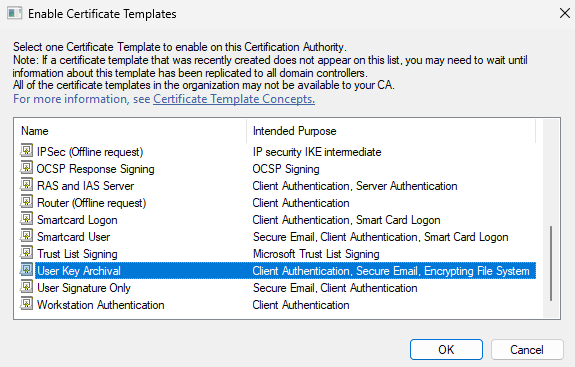
"Enable Certificate Templates" Window
-
Now the template will be available in the Certificate Templates list.
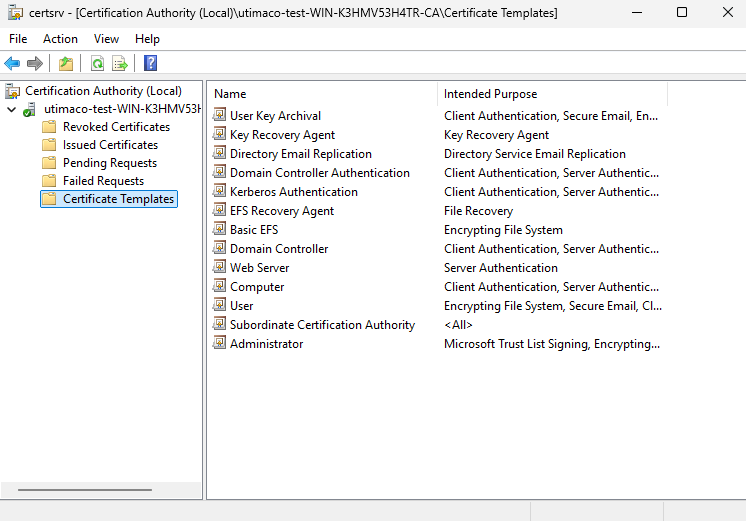
"Certificate Templates" Window