

-
Open the command prompt and run
certmgr.msccommand. -
Right-click on the Certificates, then select Current User.
-
Select All Tasks and select Automatically Enroll and Retrieve Certificates… and click Next.
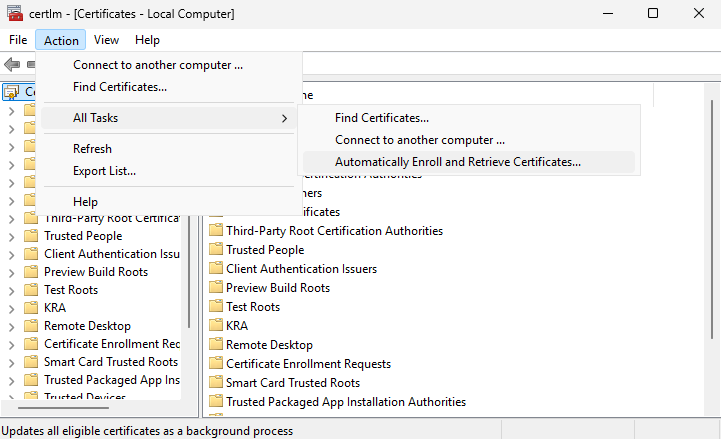
"Certificate Manager" Window
If you are using smartcard authentication, the prompt will appear on the PIN Pad device to insert the smartcard and enter the PIN. Then, press the OK button on the PIN Pad.
-
Select the KRA certificate you just issued and enroll it.
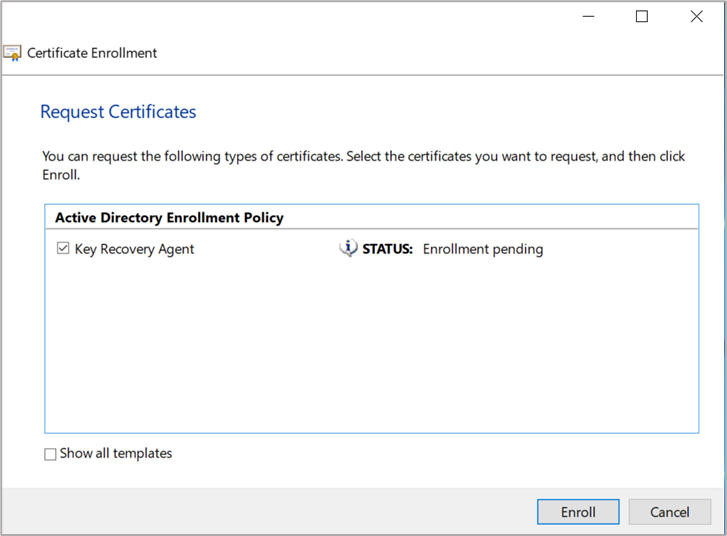
"Request Certificates" Window
-
Click Finish.