

-
Open the command prompt and run the
certsrv.msccommand. -
Right-click CA Name and select Properties.
-
Select the Recovery Agent tab.
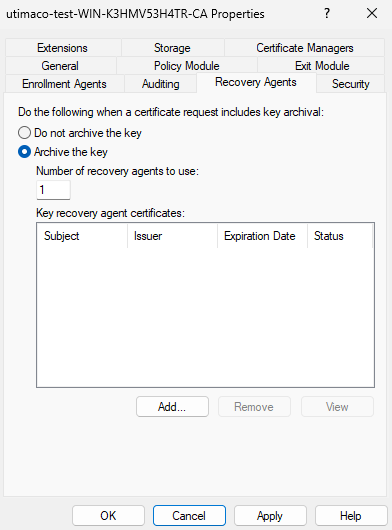
"Recovery Agents Tab" Window
-
Select the radio button for Archive the key.
-
Click Add.
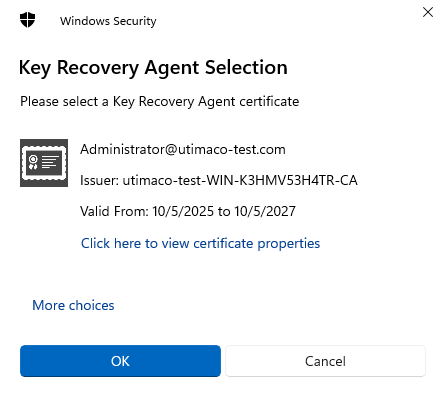
"Key Recovery Agent Selection" Window
-
Select the KRA certificate you just issued and click OK.
-
Click OK.
-
Click Yes to restart the AD CS.
If you are using smartcard authentication, the prompt will appear on the PIN Pad device to insert the smartcard and enter the PIN. Then, press the OK button on the PIN Pad.