

-
Copy the MBK shares and database files from the first cluster node onto the second cluster node.
-
Using CAT utility, log in to the CryptoServer with administrative privileges.
-
Select Manage MBK and select the Import tab, and import the MBK shares which copied from first cluster node.
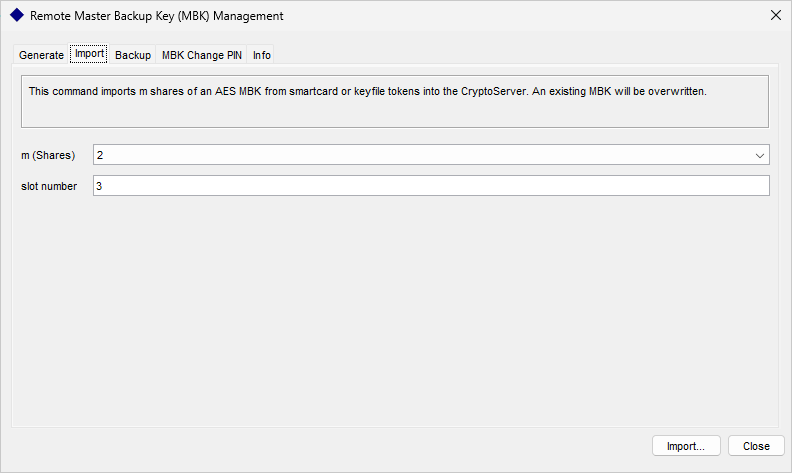
"Remote Master Backup Key Management" Window
-
Select the Backup/Restore button on the CAT tool and select the radio button for Restore databases from backup directory to target Cryptoserver.
-
Add
CXIKEY.dbanduser.dbto the target Crytoserver and click Execute.
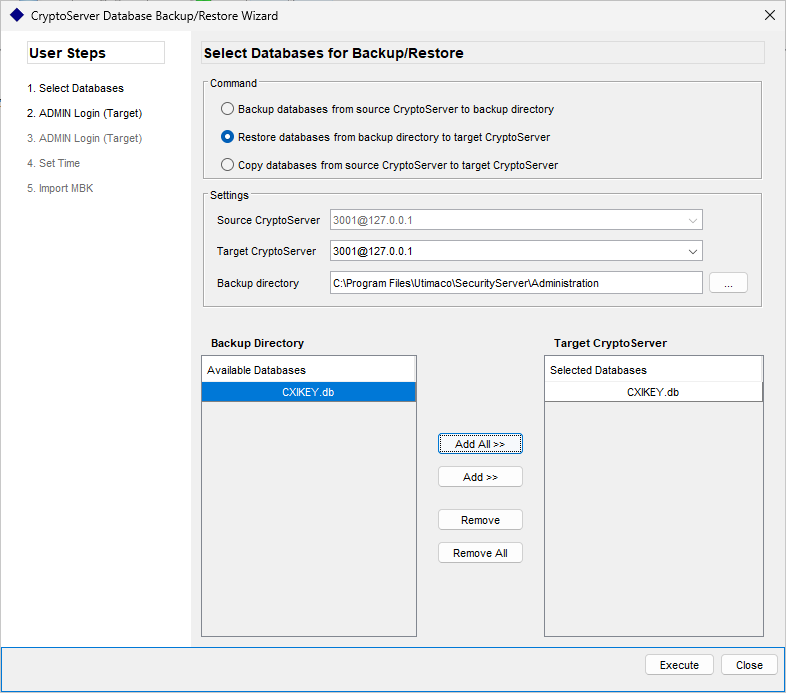
"CryptoServer Database Backup/Restore" Window
-
Restart the CryptoServer service and ensure that users and keys were restored successfully.
-
Use the cngtool to check whether the private key was imported successfully.
|
›_ Console |
|
If you are using smartcard authentication, the prompt will appear on the PIN Pad device to insert the smartcard and enter the PIN. Then, press the OK button on the PIN Pad.