

-
Add the Active Directory Rights Management Services (AD-RMS) role to your system. To do this, open the Server Manager and select Manage → Add Roles and Features.
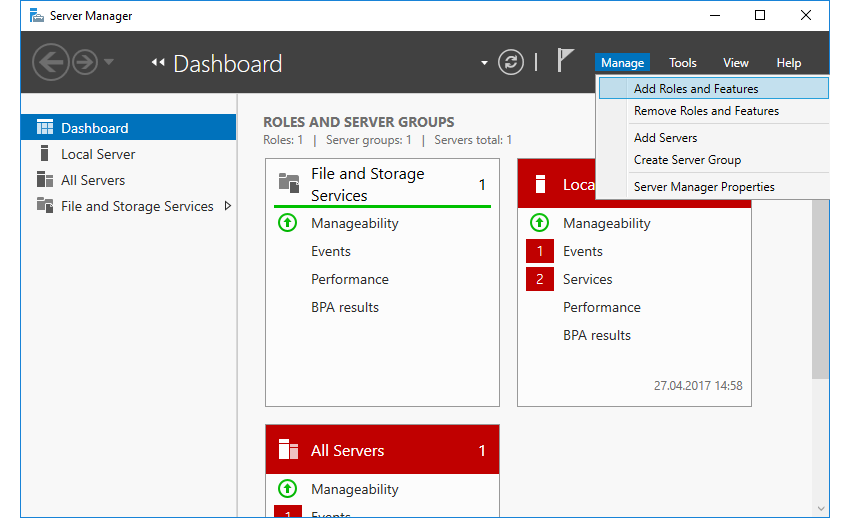
Server Manager - Add Roles and Features
-
In the step Server Roles, in the Add Roles and Features Wizard, select the role Active Directory Rights Management Services.
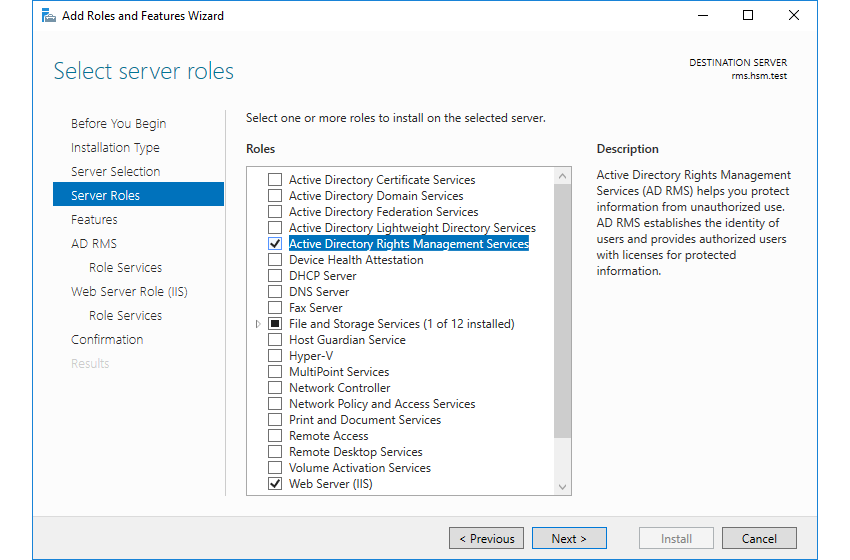
Add Roles and Features Wizard - Server Roles
-
Use the wizard depending on your requirements. At the end of this wizard, click on Install to trigger the installation of AD-RMS.
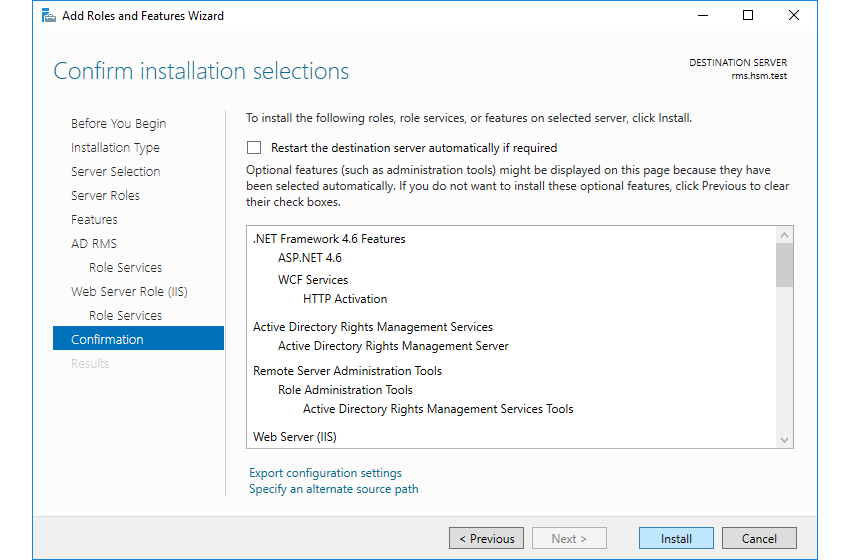
Add Roles and Features Wizard - Confirmation
-
As soon as the installation is finished, you can click on Close and proceed with the initial configuration.