

Configuration on Connector
-
In Microsoft Sentinel, go to Configuration → Data connectors.
-
Search for "Utimaco Enterprise Secure Key Manager (ESKM)" and click Open connector page. The connector page exposes a guided form. Provide the following details:
|
Field |
Value |
|---|---|
|
API Base URL |
https://<eskm-host>:8443 |
|
Username |
admin |
|
Password |
xxxxx |
Connector configuration fields
-
Click Connect. Sentinel will:
-
Validate the credentials against {BaseUrl}/api/manage/v1/log/kmipserver.
-
Provision the Data Collection Rule (UtimacoESKMDCR).
-
Activate the RestApiPoller(UtimacoESKMKmipServerLogsConnector) on a 5-minute query window.
-
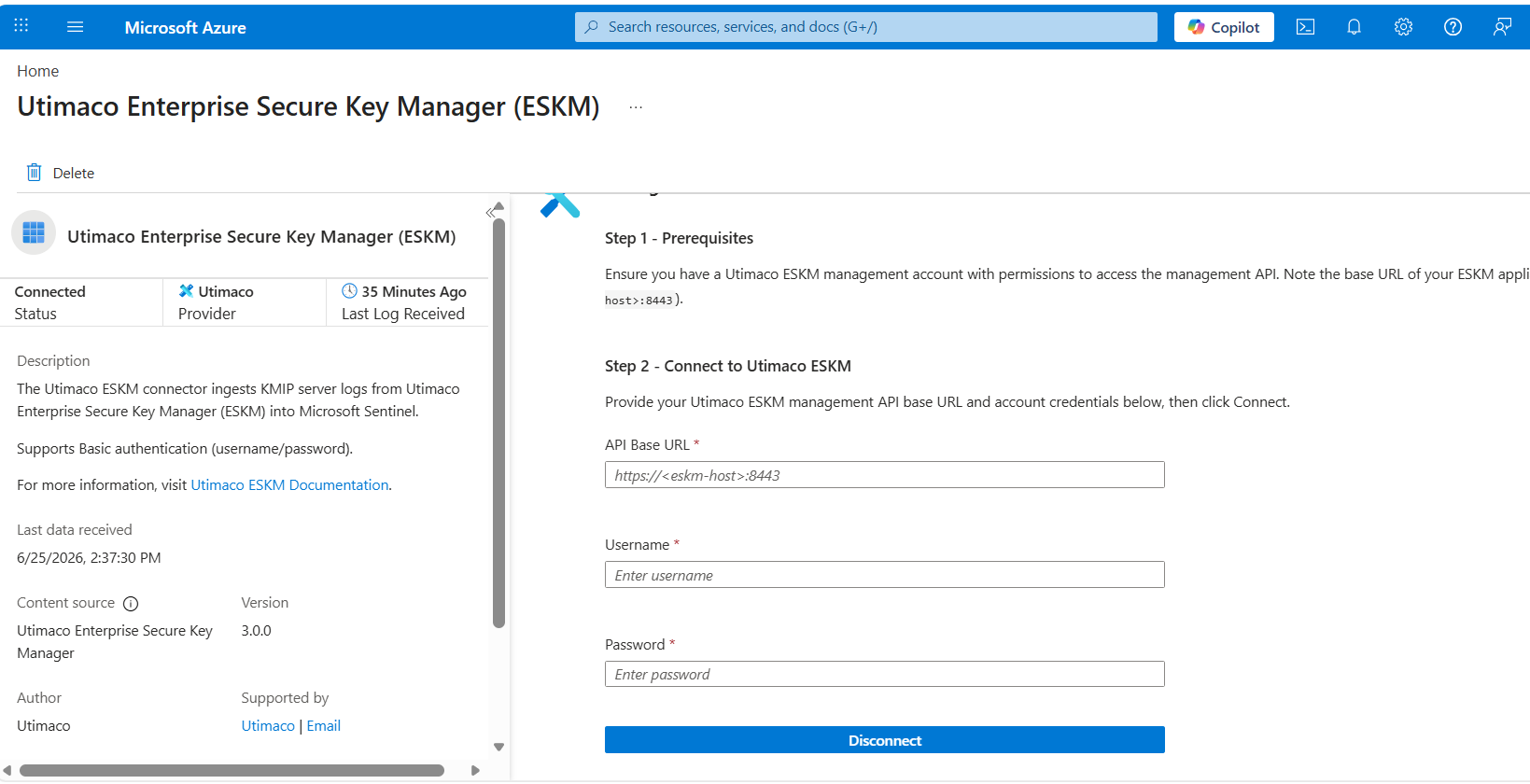
ESKM connector
The connector status changes to Connected.