

-
In Security > Certificates & CAs, select Local CAs.
-
Select the local CA which is used to sign the CSR.
-
Select Sign Request. The following window appears.
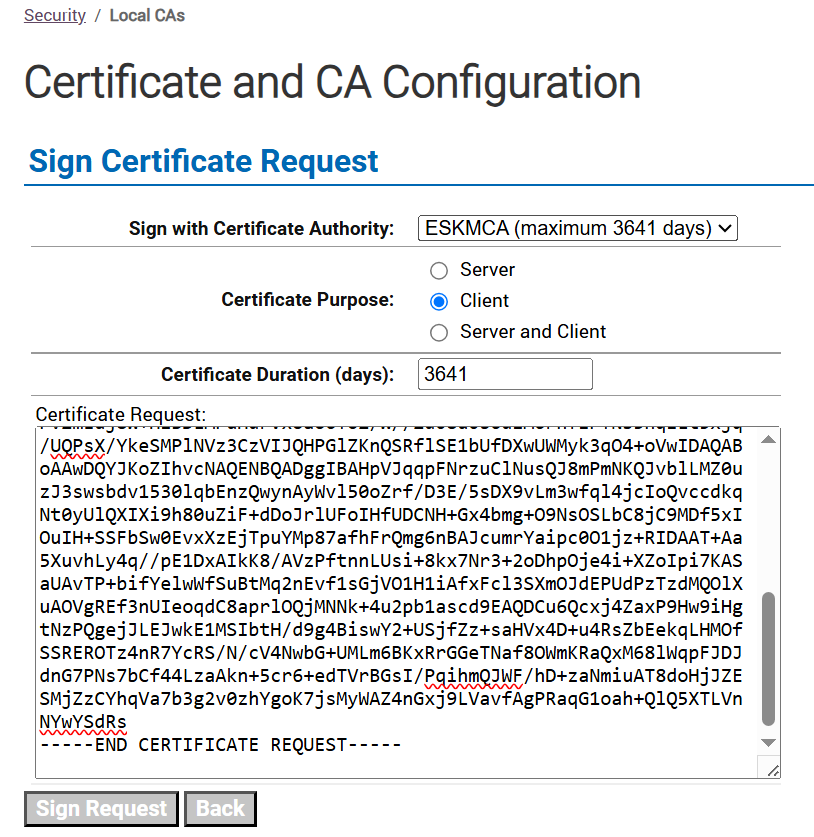
Sign request
-
Select Certificate Purpose as Client.
-
Paste one of the CSRs downloaded from the Data-at-Rest Encryption.
-
Click Sign Request.
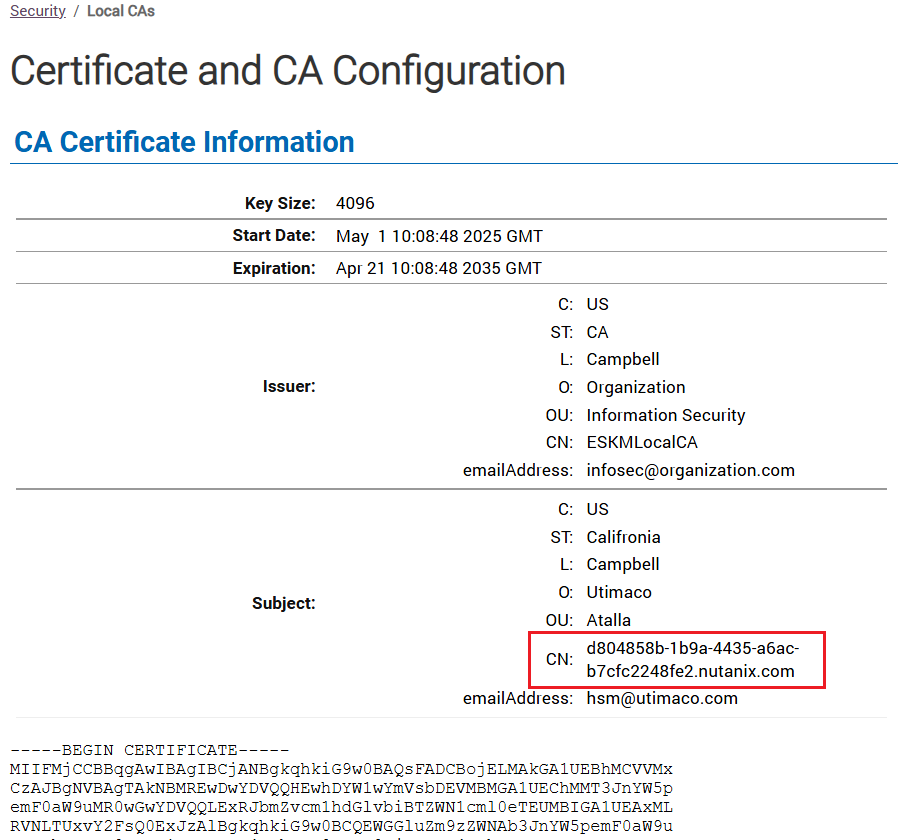
CA certificate information
-
Note the Common Name.
-
Download the signed certificate.