

-
Log in to Nutanix Prism Element as an administrator.
-
Select Data at Rest Encryption in the Settings page.
-
In the Cluster Encryption page, select Manage Keys.
-
Enter and confirm the password.
-
Click the Download Key Backup button.
The backup file is saved in the default download location on your local machine.
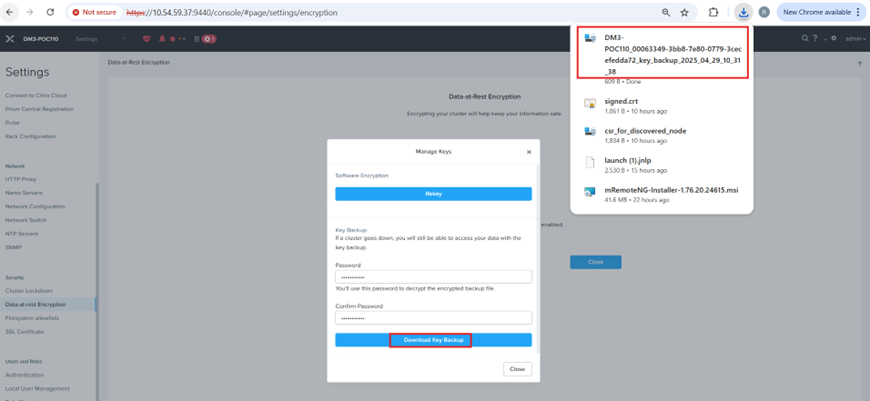
Verify that the download of the “Key” file is successful and saved in the default download location.
For more information on backing up Keys, see https://portal.nutanix.com/page/documents/details?targetId=Nutanix-Security-Guide-v6_8:wc-security-data-encryption-export-key-t.html#ntask_vlq_v5g_mbb