

-
Log in to the Nutanix Prism Element web console.
-
Select the node you want to remove in one of the following ways:
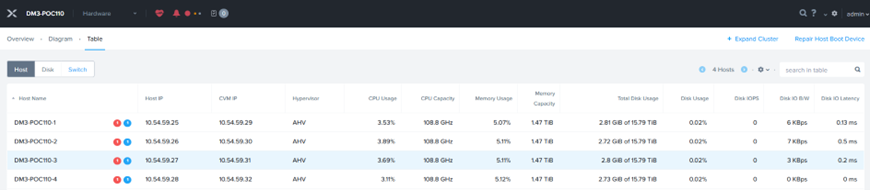
Before Removing Node
-
On the diagram page, select the target node (host). (Or)
In the Table page, click the Host tab and select the node (host). -
Click the Remove Host link on the right of the Summary line.
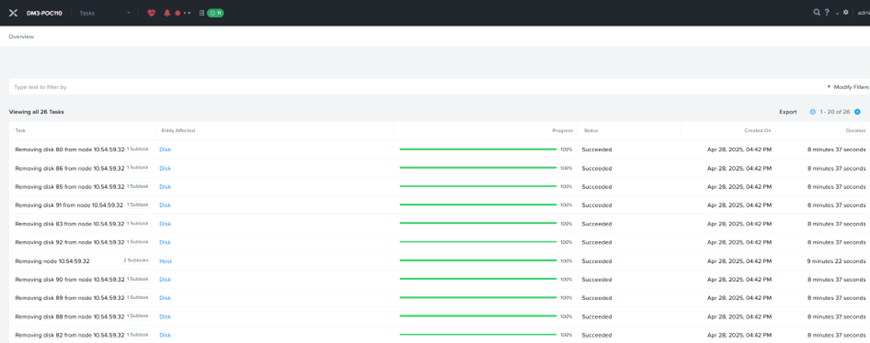
Removing Nodes
-
Click the OK button in the confirmation dialog box.
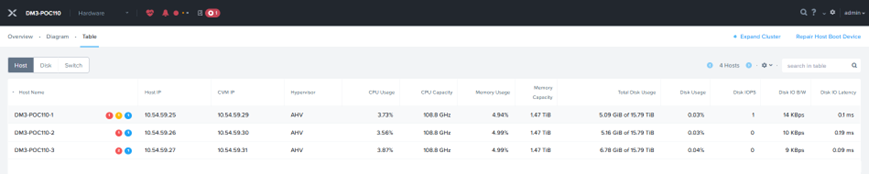
After Removing Nodes
For more information on removing a node from a cluster, see https://portal.nutanix.com/page/documents/details?targetId=Web-Console-Guide-Prism-v6_7:wc-removing-node-pc-c.html.
Verify that the node has been removed from the Prism—Hardware page and from the ‘KMS server—Managed Signed Certificate list.'