Testing with RSA Key (Linux)

  1. Generate the RSA key using p11tool2

›_ Console

# p11tool2 slot=2 LoginUser=12345678 PubKeyAttr=CKA_LABEL="CertKey" PrvKeyAttr=CKA_LABEL="CertKey" GenerateKeyPair=RSA
  1. Verify that the keys are generated onto the HSM using following command

›_ Console

# p11tool2 LoginUser=<cryptouser_password> ListObjects

Example:

›_ Console

[root@Openssl-RHEL9 bin]# ./p11tool2 slot=2 LoginUser=ask ListObjects Enter normal user PIN:

CKO_PUBLIC_KEY:

+ 1.1

CKA_KEY_TYPE	= CKK_RSA

CKA_UNIQUE_ID	= F9818668-8663-497F-B41F-D47A3A069970

CKA_LABEL	= CertKey

CKA_ID	=

CKO_PRIVATE_KEY:

+ 2.1

CKA_KEY_TYPE	= CKK_RSA

CKA_UNIQUE_ID	= 1DF1BDD0-A073-4743-96CB-DCFB986B9F0A

CKA_SENSITIVE	= CK_TRUE

CKA_EXTRACTABLE	= CK_FALSE

CKA_LABEL	= CertKey

CKA_ID	=

[root@Openssl-RHEL9 bin]#
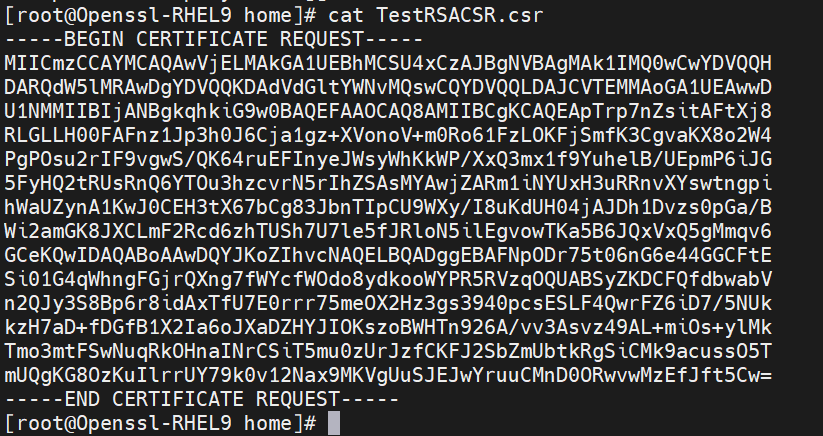
  1. Generate a certificate signing request (CSR)

›_ Console

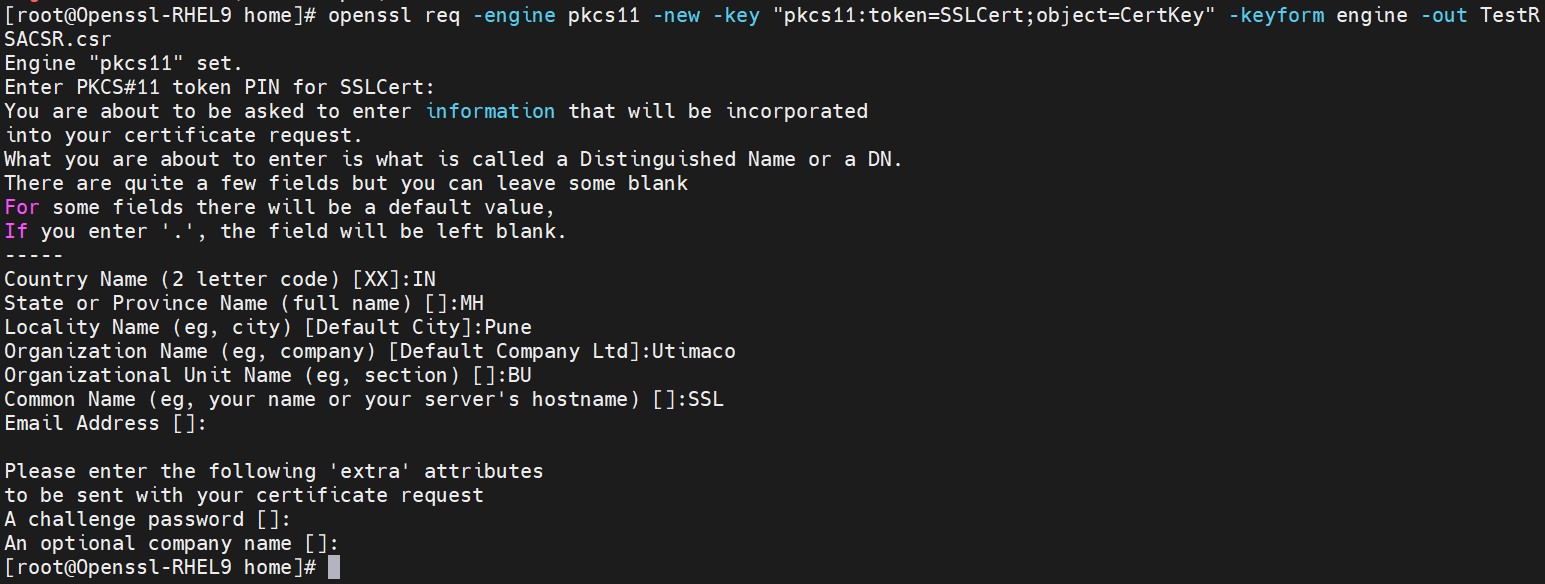
# openssl req -engine pkcs11 -new -key "pkcs11:token=SSLCert;object=CertKey" -keyform engine -out TestRSACSR.csr

Here SSLCert is the token label and CertKey is the key on the HSM. Provide Cryptouser PIN when prompted.
tmpyiw4279o.jpg

Figure 4: Certificate request output

tmp_gg30ubq.png

Figure 5: Content of certificate request file

  1. Create the self-signed certificate based on the generated key

›_ Console

# # openssl req -engine pkcs11 -new -x509 -days 365 -key "pkcs11:token=SSLCert;object=CertKey" -keyform engine -out TestRSA.cert


c7ad839d-a74f-4539-9959-67e619145592

Here SSLCert is the token label and CertKey is the key on the HSM. Provide Cryptouser PIN when prompted.


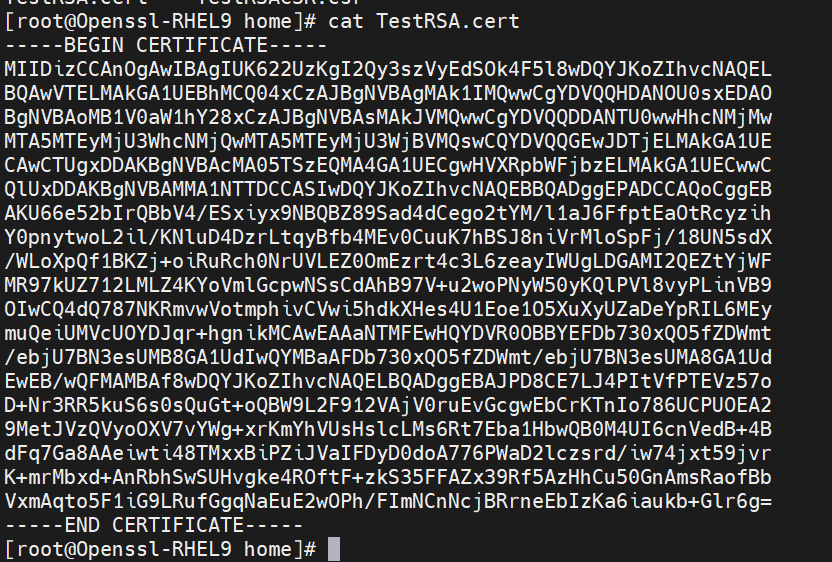
Figure 6: Self signed certificate generation output
tmphet69gf1.png

Figure 7: Content of self-signed certificate file

  1. Create a sample text file with any content inside it

›_ Console

# touch message.txt
tmp88k9uypm.png

Figure 8: Content of message.txt

  1. Sign the message file

›_ Console

# openssl cms -engine pkcs11 -sign -in message.txt -signer TestRSA.cert - inkey "pkcs11:token=SSLCert;object=CertKey" -keyform engine -out signedRSAmessage.txt
374dbd25-7c6f-4690-8e06-195f65db3559

Here SSLCert is the token label and CertKey is the key on the HSM. Provide Cryptouser PIN when prompted.
tmp0hir6k9v.jpg
tmpvjc8wix_.jpg

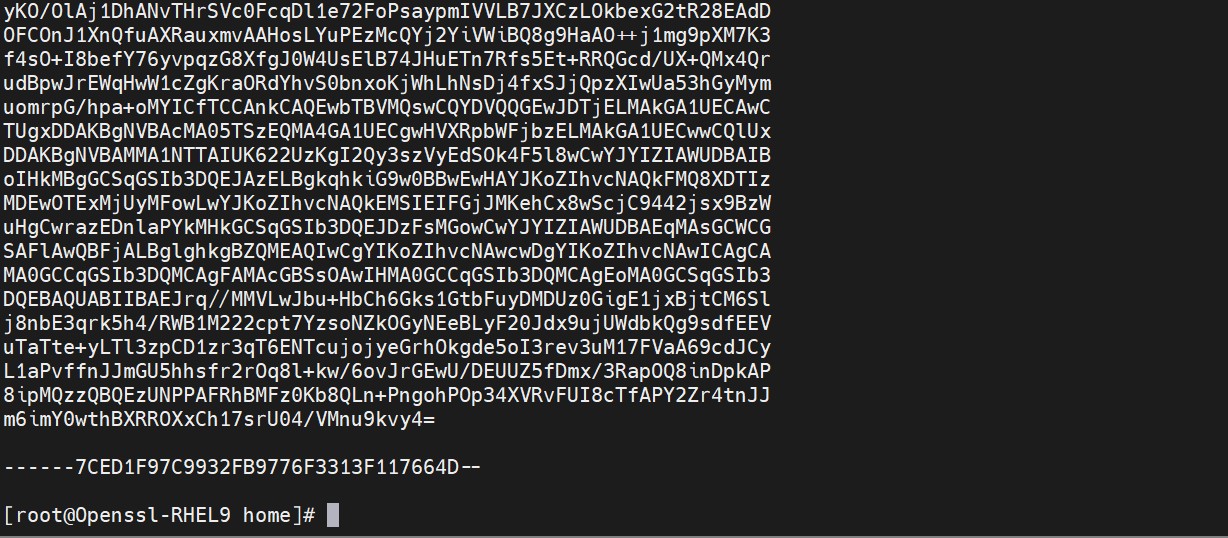
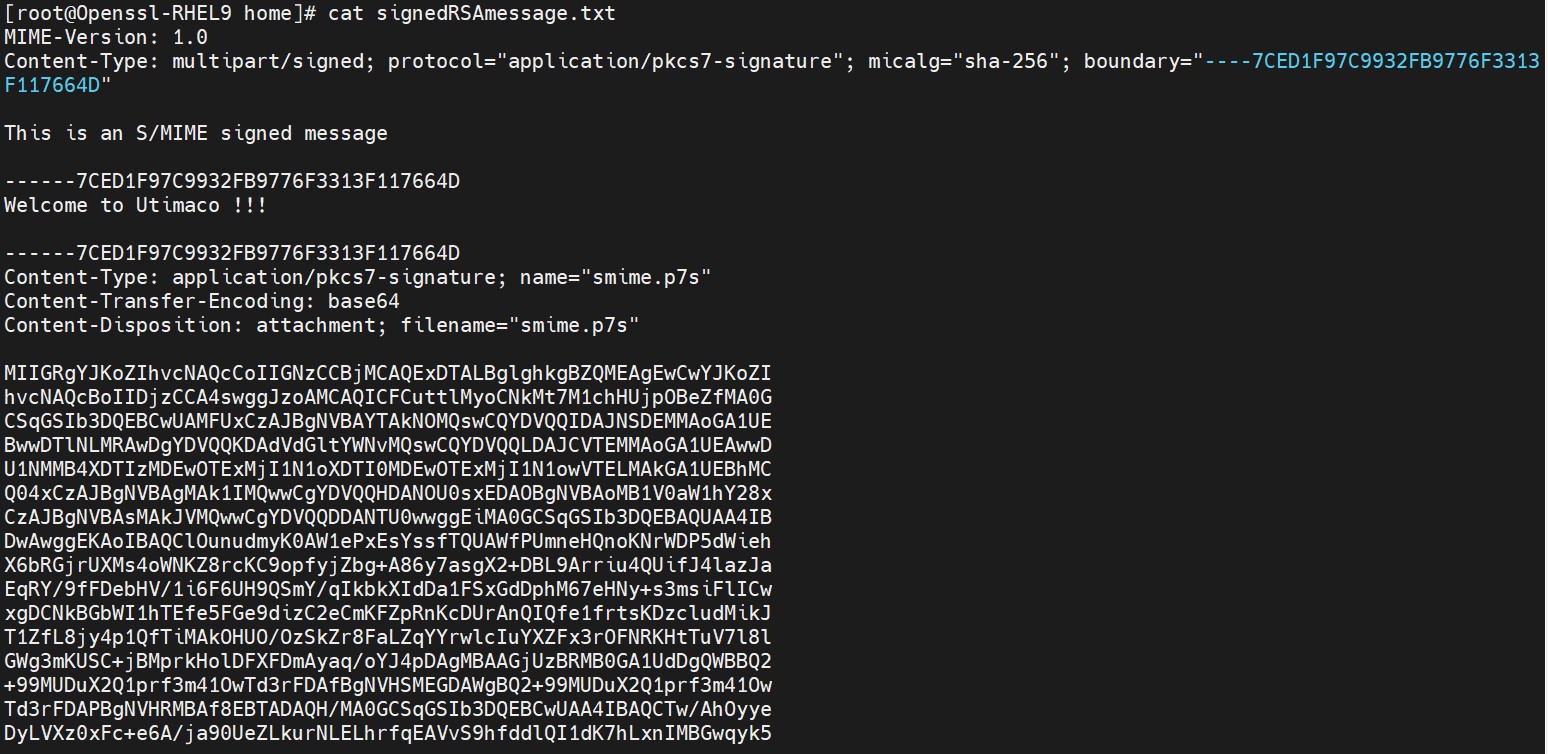
Figure 9: Content of signed message file

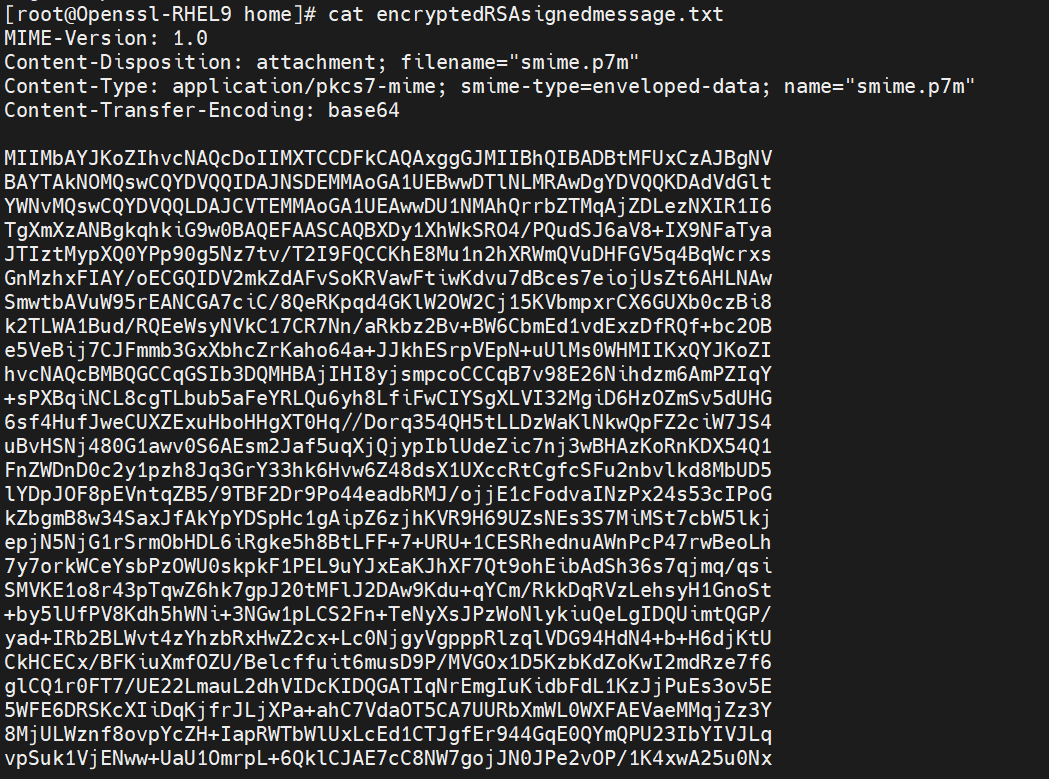
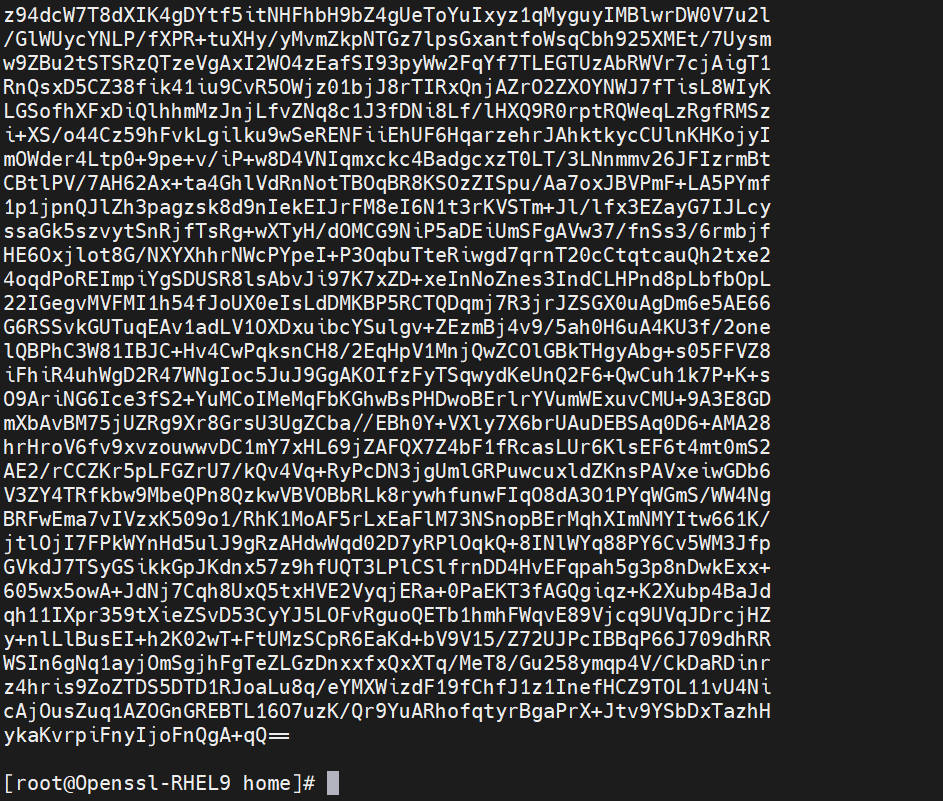
  1. Encrypt the signed message file

›_ Console

# openssl cms -engine pkcs11 -encrypt -in signedRSAmessage.txt-out encryptedRSAsignedmessage.txt TestRSA.cert
tmpw4rgkb7w.png
tmpl84f3k6z.png

Figure 10: Encrypted message file content

  1. Decrypt the encrypted signed message file

›_ Console

# openssl cms -engine pkcs11 -decrypt -in encryptedRSAsignedmessage.txt - inkey "pkcs11:token=SSLCert;object=CertKey" -keyform engine -out decryptedRSAsignedmessage.txt
tmpvhjo5ol3.png

Figure 11: Decrypt Sign message

7094c3e3-b64f-4181-a25e-743bf389def1

Figure 12: Content of decrypted signed message file

Here SSLCert is the token label and CertKey is the key on the HSM. Provide Cryptouser PIN when prompted.


  1. Verify the decrypted signed message file

›_ Console

# openssl cms -engine pkcs11 -verify -in decryptedRSAsignedmessage.txt - CAfile TestRSA.cert -out originalmessage.txt TestRSA.cert
tmpdc2rysml.jpg

Figure 13: Output of openssl verification command

tmp080pw_f6.png

Figure 14: Output of original message content