

Selecting this option adds additional security by binding any EncryptRIGHT installation to an HSM environment. This can help protect against someone making a copy of an EncryptRIGHT Primary Server’s file system and trying to use EncryptRIGHT in another environment. If the installation cannot communicate with the HSM, it will not be able to decrypt the internal database EncryptRIGHT uses and will not be able to load any of the configuration required to encrypt and decrypt data.
To enable HSM protection for the LMK:
-
In EncryptRIGHT, select Admin > Options > Hardware Registration.
-
Beside your active Token Slot, click the blue No in the LMK column, turning it into Yes.
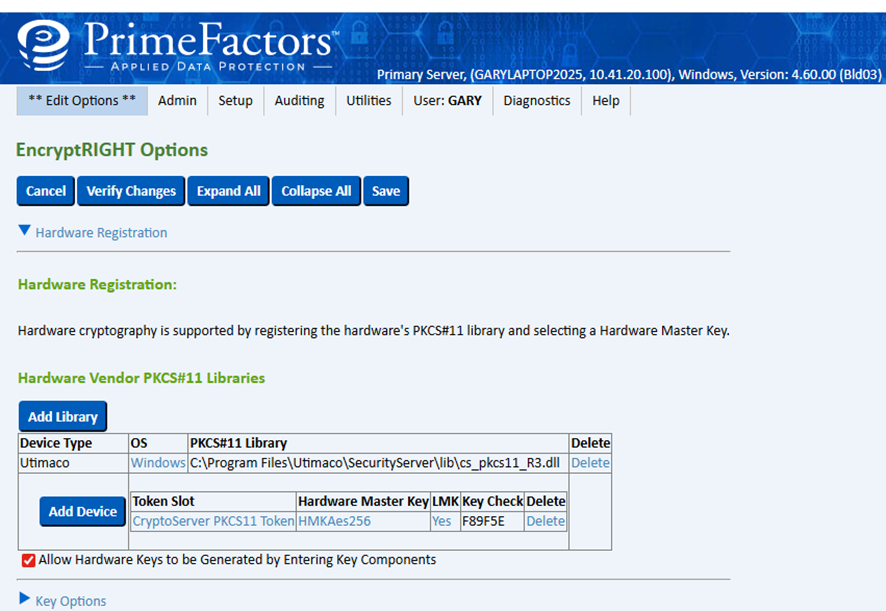
Hardware vendor PKCS#11 libraries
-
Click Save to close the options screen. You will then see a message confirming the LMK re-encryption.