

The HMK enables EncryptRIGHT to protect keys generated by the HSM and, optionally, the LMK that encrypts the internal EncryptRIGHT database.
If the HMK is changed, all existing keys will need to be decrypted under the old HMK and re-encrypted under the new one. EncryptRIGHT will handle the conversion process, providing useful information along the way.
To change the HMK:
-
In EncryptRIGHT, select Admin > Options > Hardware Registration.
-
Beside your active Token Slot, click the blue key name in the Hardware Master Key column.
-
Either choose an existing key from the list or click Generate to make a new one.
-
Select a Key Algorithm from the drop-down list.
-
Specify a unique name for the new key.
-
Click Generate. The new key will now be available for selection.
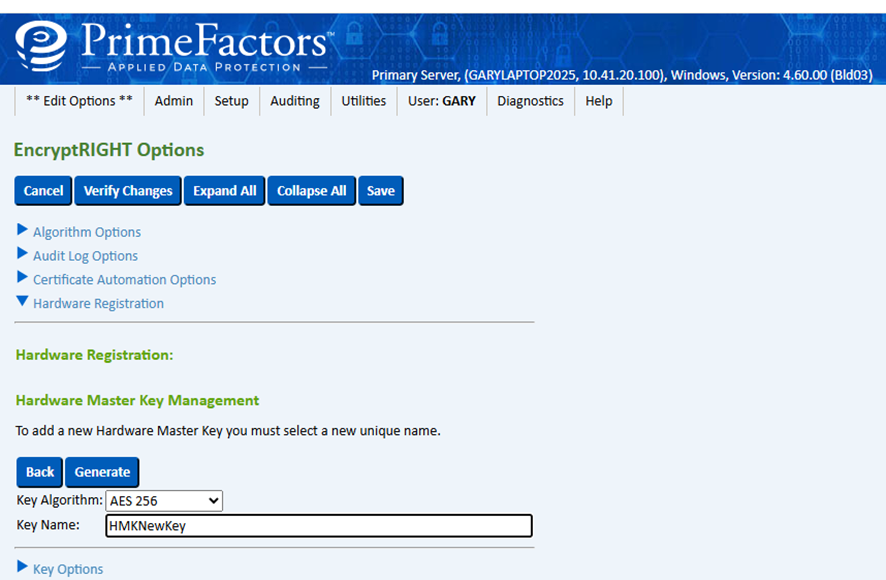
Hardware registration
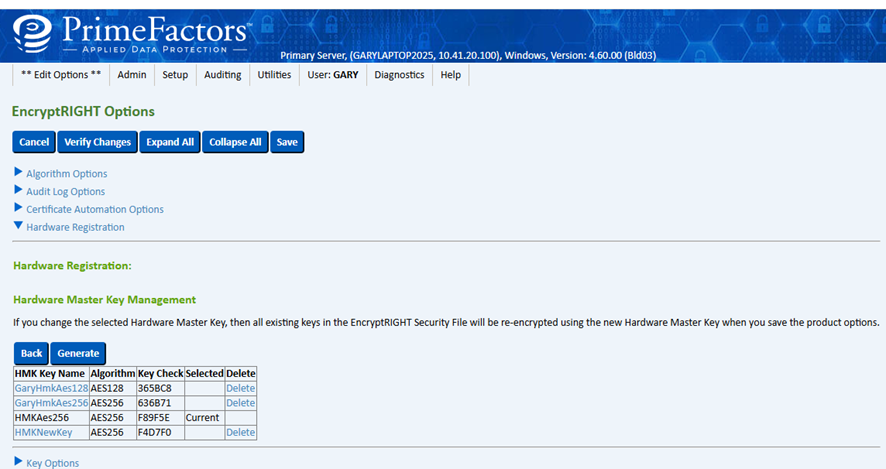
Hardware Master Key management
-
Click the key name to select it and view the new key added to the device.
-
Click Save at the top of the screen. You will receive notification that all hardware keys will be re-encrypted.
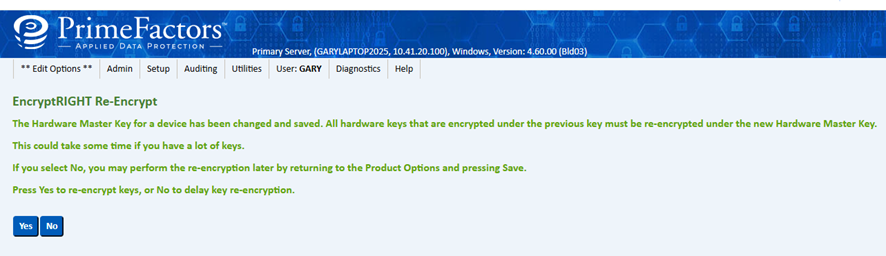
EncryptRIGHT Re-Encryption prompt for Hardware Master Key update
-
Click Yes to complete the operation.
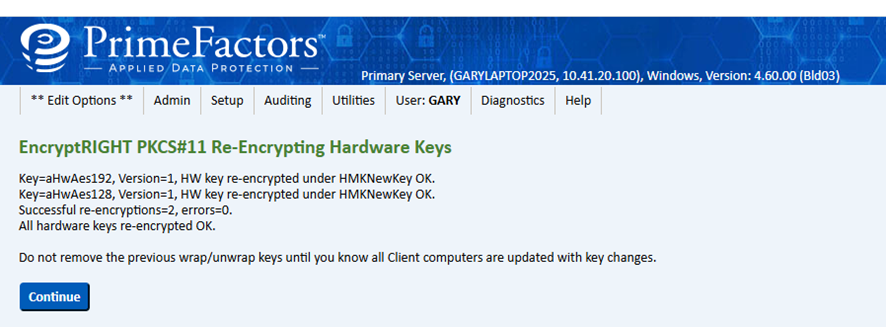
EncryptRIGHT PKCS#11 Hardware Key re-encryption status
EncryptRIGHT will keep the previous HMK, you can see this by displaying the hardware HMK list. You need to keep this key until all other installations have been updated with the newly re-encrypted data keys.
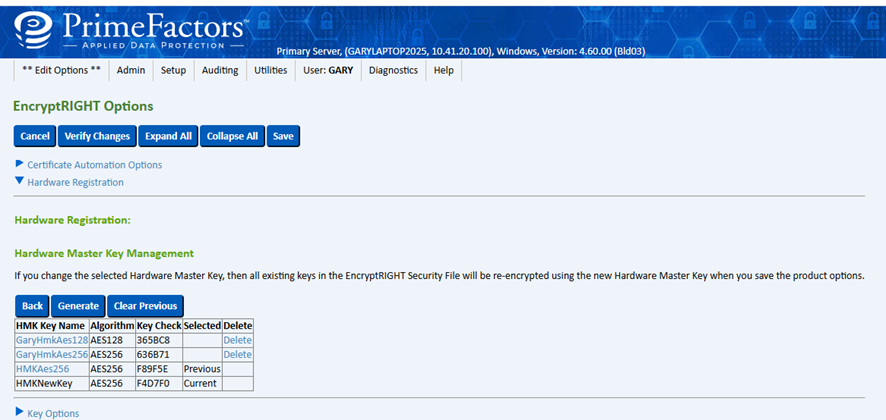
EncryptRIGHT Options – Hardware Master Key management
The Clear Previous button indicates that all keys have been re-encrypted and the previous HMK can be deleted once all your EncryptRIGHT installations (Redundants, Expansions, Clients) are synchronized with the new information. You do not need to clear the previous HMK key right away. In fact, you should at least wait until backups of all EncryptRIGHT installations have occurred. When you feel confident that there is no reason you’ll need to restore from previous backups, then the old HMK may be cleared and then deleted, if desired.