

To enable this integration, follow the steps outlined below within the Veeam UI.
-
Log in to the Veeam Backup & Replication interface.
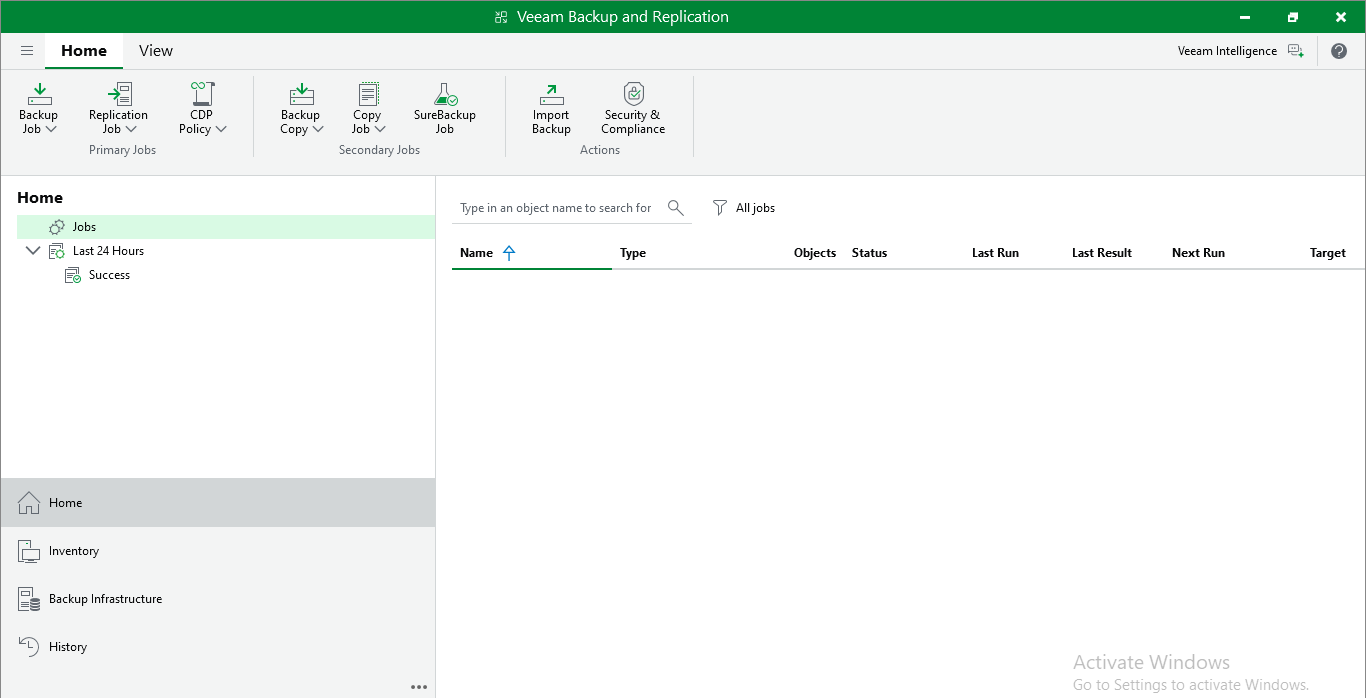
Veeam Backup & Replication Home Page
-
Navigate to Credentials & Password and select the Key Management Servers.
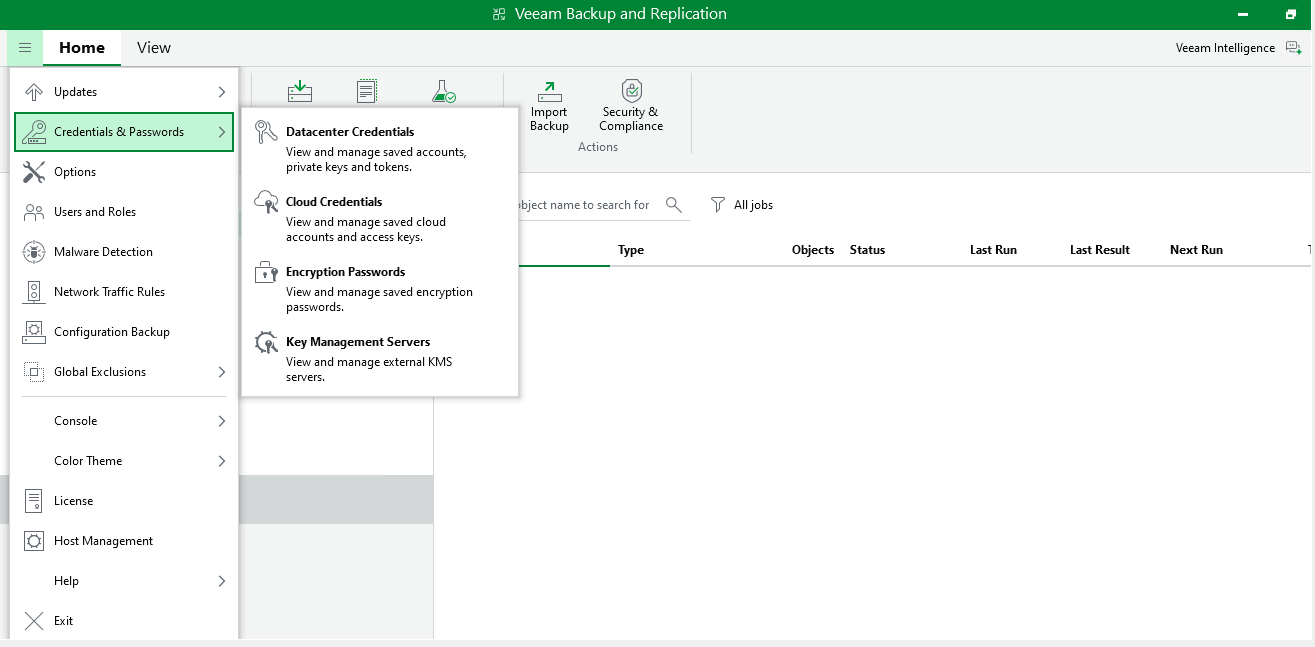
Credentials and Passwords Page
-
Click Add and fill out the server URL, server certificate, and client certificate.
Ensure that the default port number 5696 is correctly set.
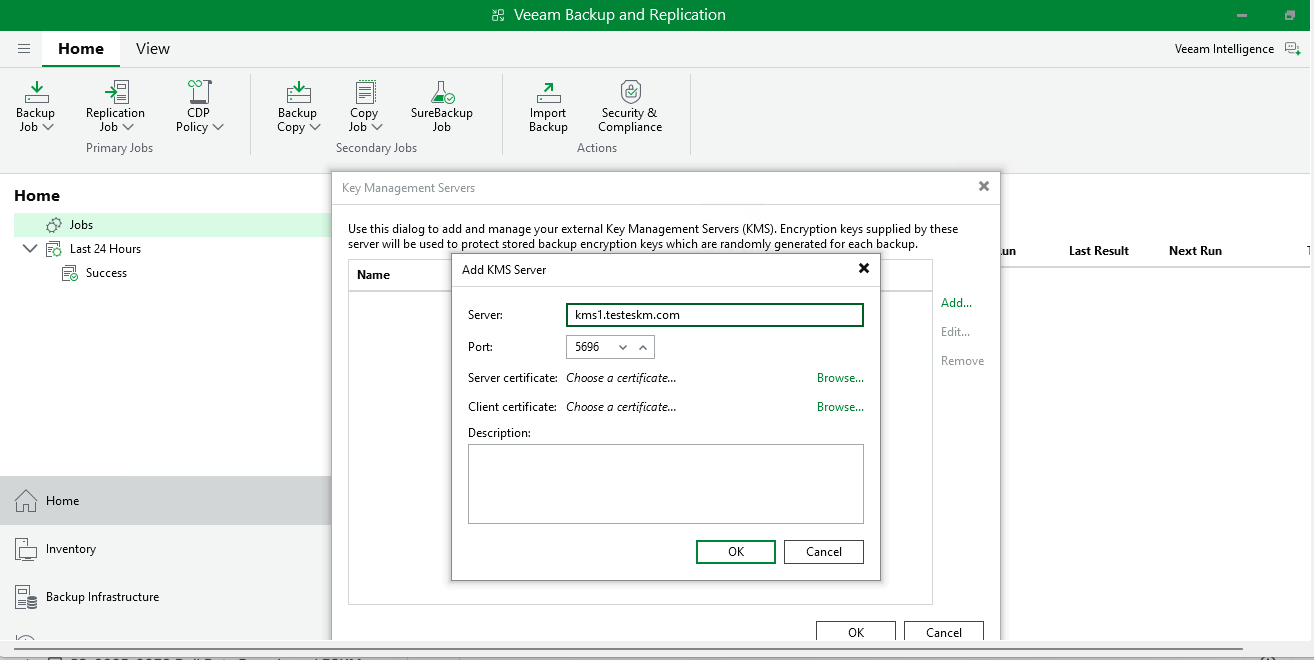
Server Name Added
-
Upload the server and client certificates generated in sections Import Server Certificate and Client Certificate Creation.
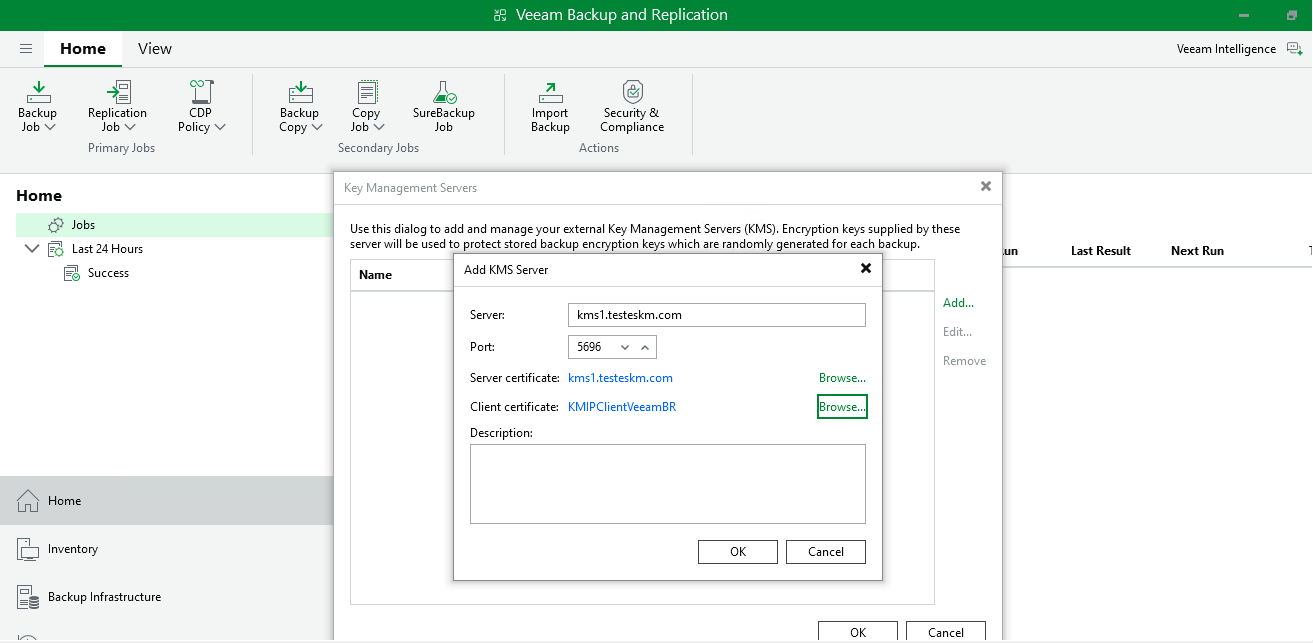
Server and Client Certificates Added
-
After providing the required information, click OK.
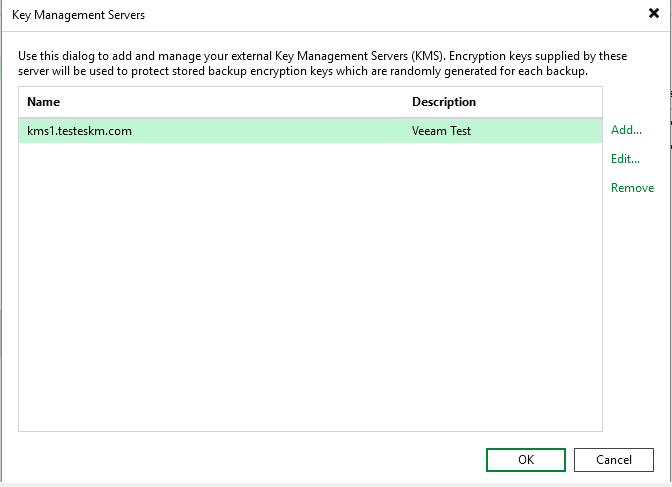
Configured Key Management Server