

This certificate serves as the server certificate for accessing the ESKM. The certificate must be a valid SSL server certificate meeting the requirements mentioned in the prerequisites.
Perform the following steps:
-
Go to ESKM Management Console.
-
Go to the Security tab and in the Certificates & CA, click Certificates.
-
In the Import Certificate section, select Upload from browser and Choose File.
-
Enter the Certificate Name and Private Key Password.
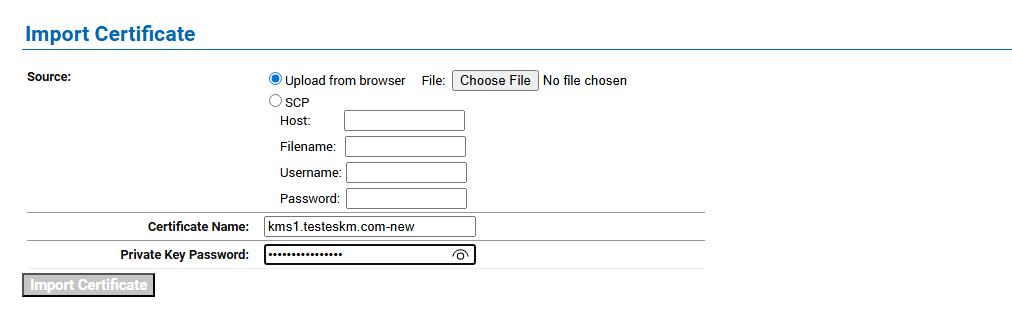
Import Certificate
-
Click Import Certificate.
-20260420-033801.png?cb=20e2f5d7abf48ba2f9eace888c26c69e)
Certificate Imported