

An Organization Virtual Data Center (Org VDC) is required to deploy virtual machines.
-
Navigate to Resources → Cloud Resources → Organizations.
-
Click New to Create a new organization.
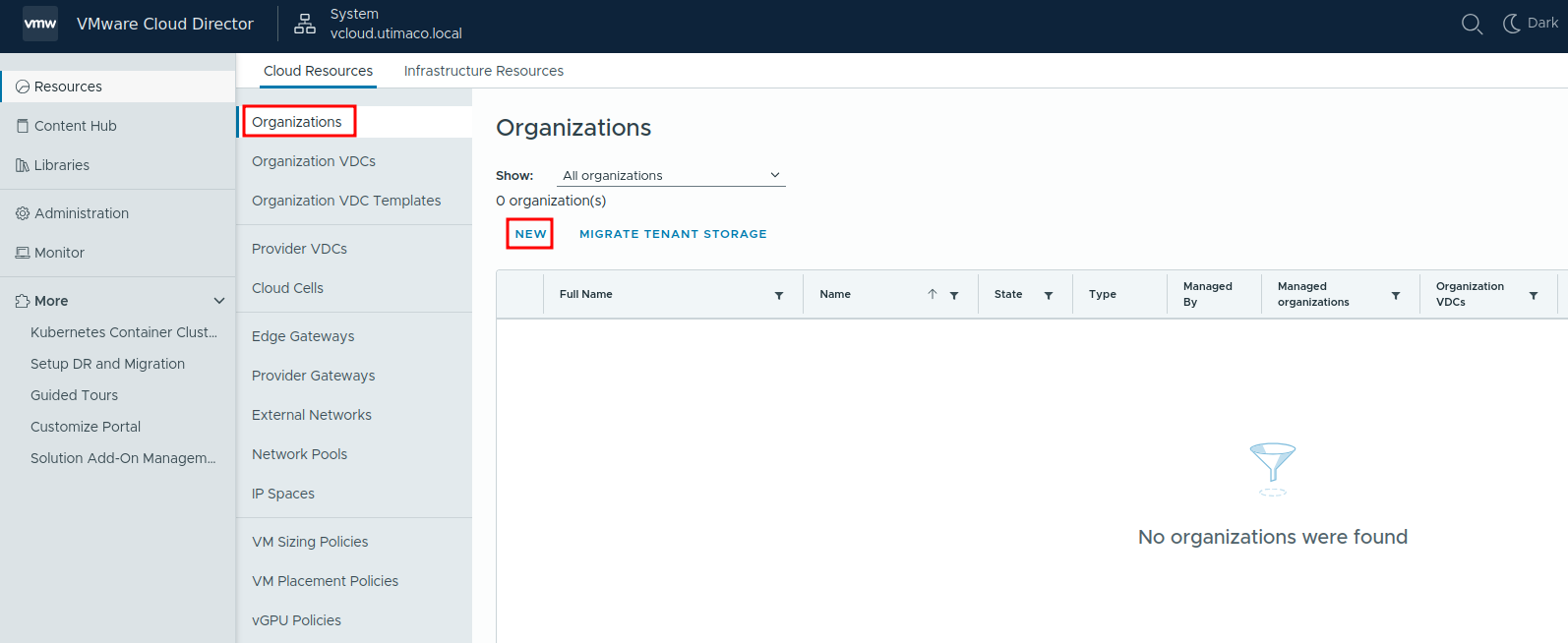
Create New Organization
-
Provide the required organization details and complete the wizard.
-
Navigate to Resources → Cloud Resources → Organizations VDCs.
-
Click New to create a new Organization VDC.
-
In the creation wizard:
-
Select the previously created Provider VDC.
-
Configure compute allocation as required.
-
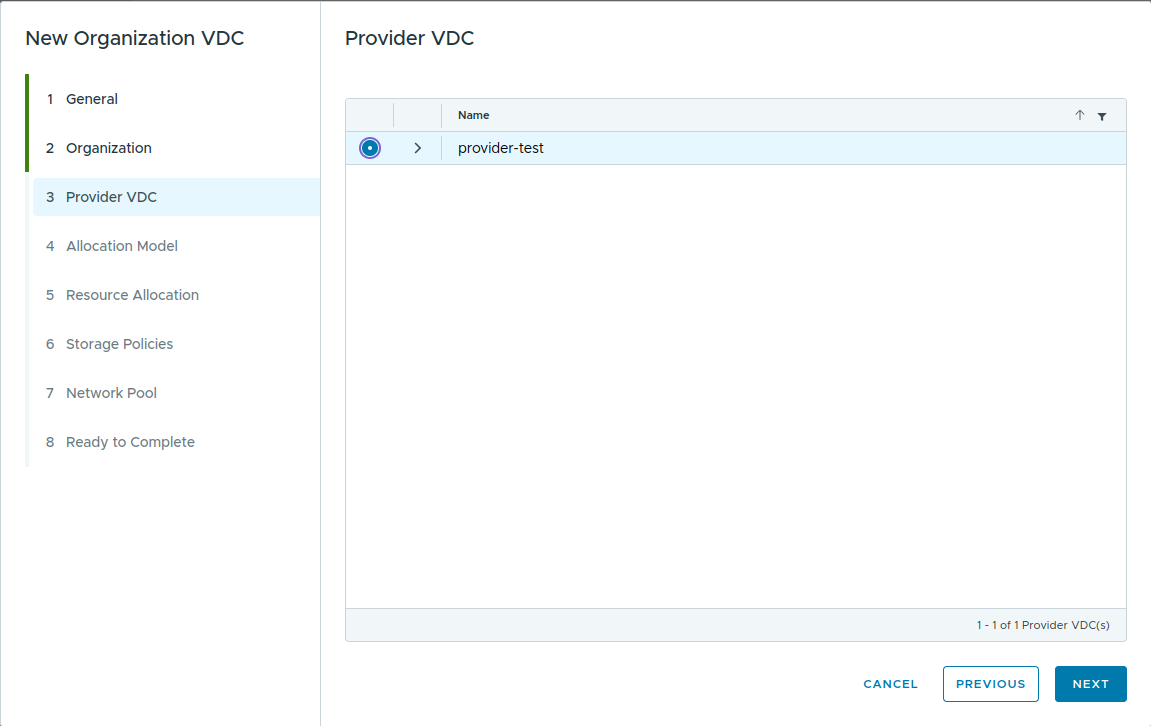
Provider VDC Selection
-
In the Storage Policies section, select a storage policy with VM Encryption capability.
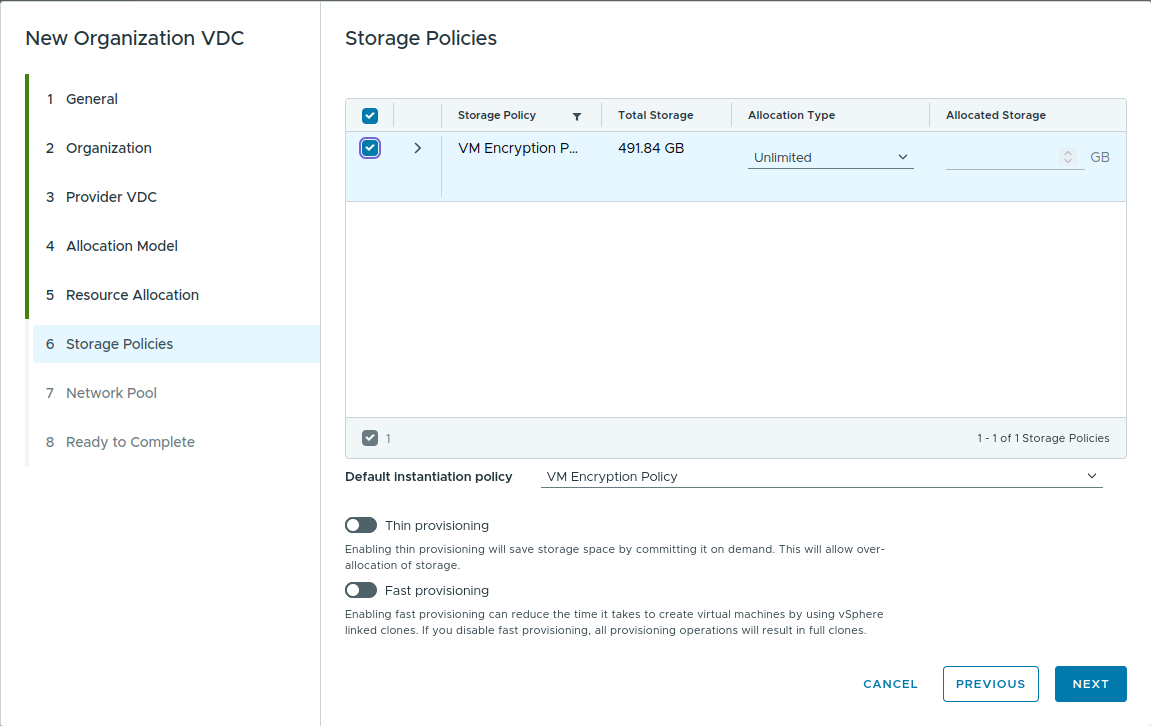
Storage Policy Selection
-
Complete the remaining steps using default settings where applicable.
-
Verify that the Organization VDC status is Normal and the state is Enabled.

Organization VDC Created