

Functional Testing
It is recommended that you verify that your software infrastructure, environment, and connections are working properly using the included sample solutions before building your own APM solutions.
Logs and Validation Steps
PKCS#11 Logs
Enabling PKCS#11 logging to facilitate easier testing and troubleshooting is recommended. This can be done by configuring the Logging Log level and Log Path parameters in the configuration file.
-
Log Path should point to a writable directory (not a specific file) where log files can be stored.
-
Logging Log level controls the verbosity of the logs:
-
Set it to 1 for basic logging.
-
For detailed testing and debugging, increase the level to 4.
-
The generated log file will be named cs_pkcs11_R3.log and located in the directory specified by Log Path. Reviewing this log file can help identify and resolve issues that arise during testing. Once testing is complete, it is advisable to reduce the Logging Log level to 1 or 2 to limit logging to only critical or important messages, thereby optimizing performance and reducing unnecessary log data.
APM Logs
In APM, logging can be configured in the Settings dialog. You can define the log file path, log level and other details. APM logs can be useful for resolving problems, as they contain information on how APM calls the PKCS#11 or CNG interfaces, the responses of the interfaces and information of the whole workflow.
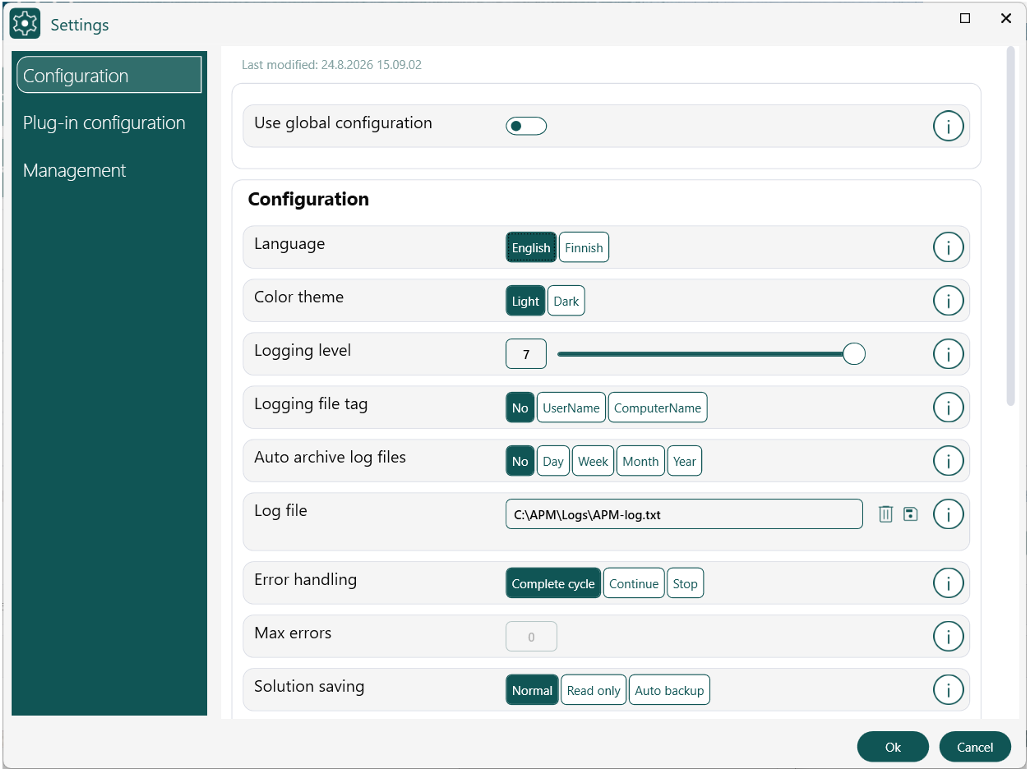
Logging Configuration
P11CAT
You can use the P11CAT GUI tool provide in Utimaco’s HSM software bundle to verify that the keys resulting from the key management operations are found on the token, and the attributes are as configured in APM.