

-
Click the Manage Keys icon to view keys available in the AWS-BYOK cloud instance.
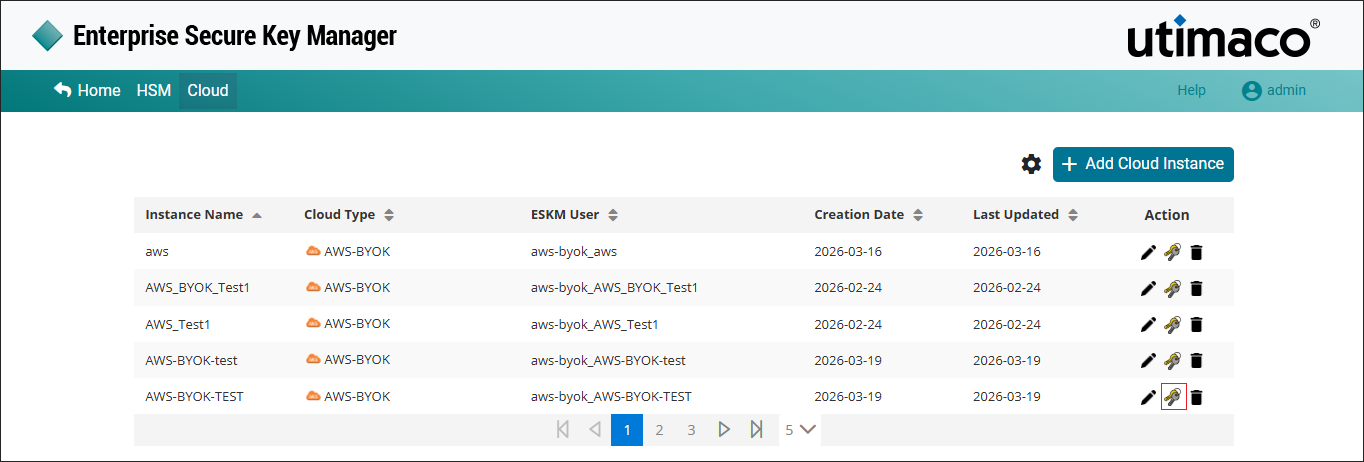
Manage keys
-
The list of keys for the specified instance is displayed.
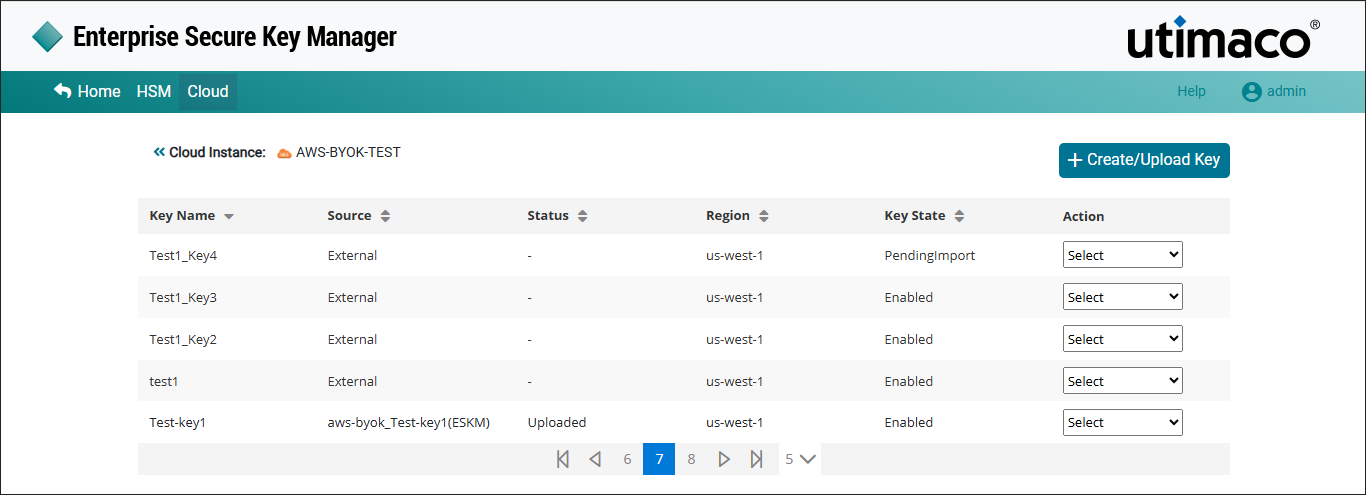
AWS-BYOK-Key-List
ESKM supports up to 100 keys excluding those which are pending for deletion.
|
Parameters |
Description |
|---|---|
|
Key Name |
Name of the key which is created in the AWS-BYOK cloud instance. |
|
Source |
The key source indicates where key is generated. If the key was created in the ESKM, the format will be Instance Name_Key Name(ESKM). If the key is created in the cloud, it will appear as external. |
|
Status |
Status of the key such as Uploaded or Not Uploaded. |
|
Region |
Select the regions to which the key needs to be imported. |
|
Key State |
key State such as Enabled, Disabled and Pending Import. |
|
Action |
It contains various key actions such as Edit, Delete and
|
AWS_BYOK keys list parameters
-
Click the required key from the keys list to view its details and click Close.
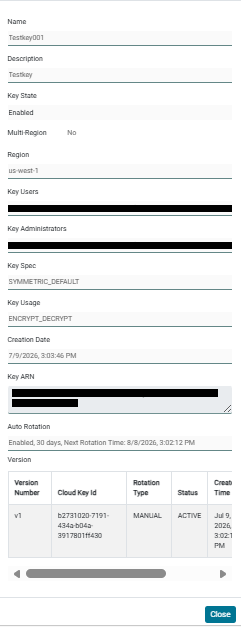
View key details
|
Parameters |
Description |
|---|---|
|
Key Name |
Name of the Key created in AWS-BYOK. |
|
Description |
Detailed information about the key. |
|
Region |
Regions to which the key is imported. |
|
Key Users |
The AWS IAM users who is responsible and has the access to create the key in AWS BYOK. |
|
Key Administrators |
The AWS IAM users who has the right to delete the key in AWS-BYOK. |
|
Multi Region |
Enable the Multi Region checkbox if the key to be replicated into other Regions. |
|
Key Spec |
The key spec determines whether the KMS key is symmetric or asymmetric. |
|
Key Usage |
Cryptographic operations supported by the key such as |
|
Creation Date |
The date on which AWS-BYOK key is created. |
|
Key ARN |
Amazon Resource Name (ARN) of the KMS key. It is used to identify the an AWS KMS key. |
|
Key State |
Status of the key such as Enabled or Disabled. |
|
Auto Rotation |
Displays the Auto Rotation status for the key. When enabled, the configured rotation interval and the next scheduled rotation time are displayed. |
|
Version |
Displays the available key versions along with version details such as Version Number, Cloud Key Id, Rotation Type, Status, Creation Time and Uploaded Time. Versions created through Auto Rotation are displayed as AUTO, while manually created versions are displayed as MANUAL. |
View key details - parameters