

-
Open the P11CAT.
-
Select the appropriate Slot and login as Normal User.
-
Click Object Management.
-
Click Generate -> Generate Key.
-
Chose Mechanism: AES.
-
In the Create Attribute List write:
"CKA_LABEL=<key_label>,CKA_ID=<key_ID>,CKA_EXTRACTABLE=CK_TRUE"
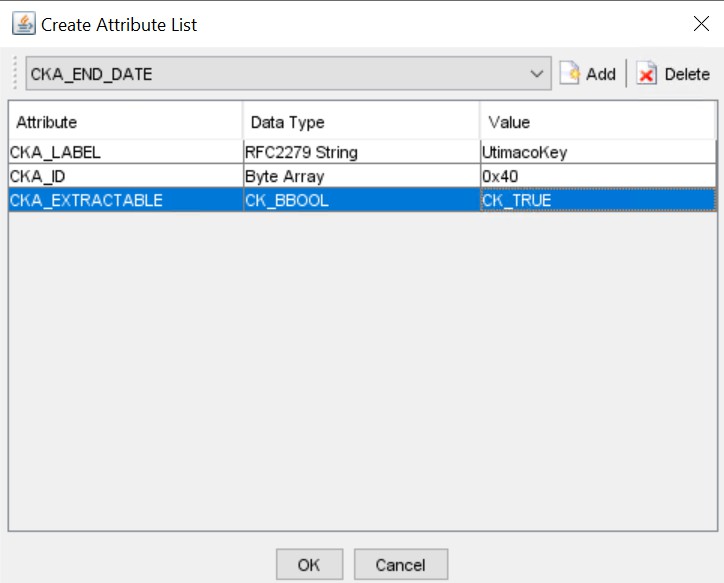
Setting key parameters
-
Click OK and then click Generate.
-
The key is now generated. It still needs to be wrapped by using the Utimaco byoktool.
-
Navigate to the folder where you have the byoktool saved. Execute the following command to wrap the key by using the public key downloaded from Google Cloud KMS:
|
›_ Console |
|---|
|

Wrapping key with byoktool