

-
Open the Cryptographic Keys page in the Cloud Console.
-
Click the name of the key ring that contains your import job. The target key is shown, along with any other keys on the key ring.
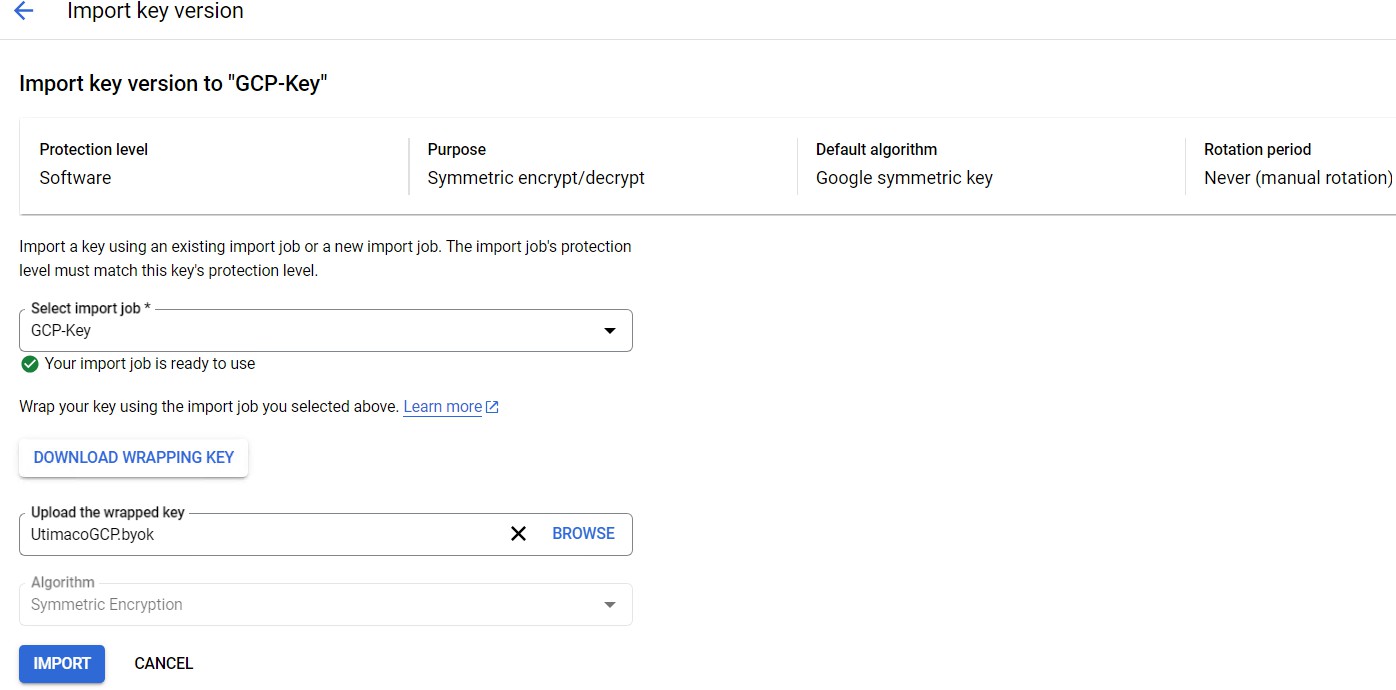
Import key version window
-
Click the name of the target key, then click Import key version.
-
Select your import job from the Select import job dropdown menu.
-
In the Upload the wrapped key selector, select the key file that you have already wrapped.
-
Click Import.
-
Click on three dots under Actions and make this version as Primary.
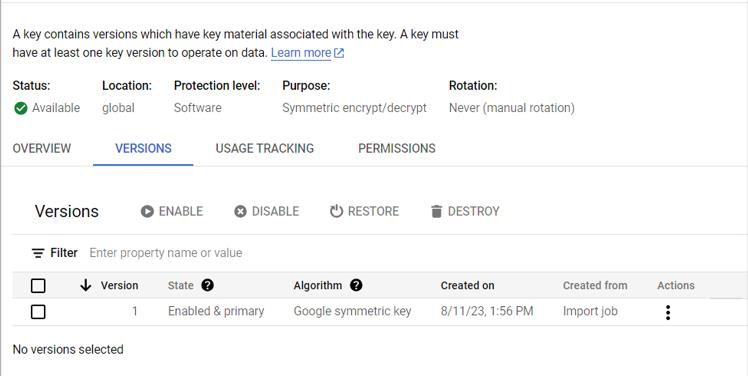
Setting imported key version as primary