

-
To import the root certificate, click on “Import Signed Certificate” and a pop-up window will be displayed. Go to ESKM and navigate to Security>Certificates and CAs>Local CAs and click on Show Signed Certs. Click on the appropriate signed certificate. In this case it is the one with the name “registration”. In the "Signed Certificate Information" page copy the certificate from
-----BEGIN CERTIFICATE ----- to -----END CERTIFICATE --------lines. -
Go to StoreOnce Management Console and paste the certificate from
--- --BEGIN CERTIFICATE ----- to -----END CERTIFICATE --------lines into "Import Signed Certificate" pane. Click OK. The signed certificate in now provided.
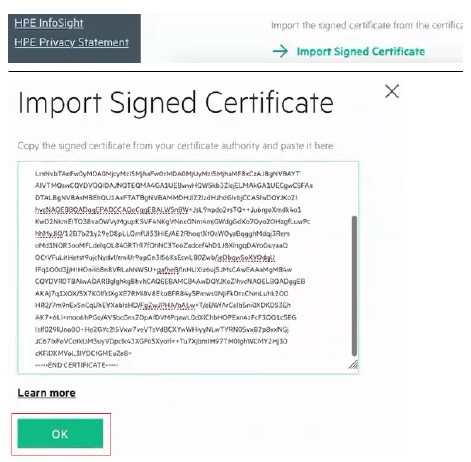
Import signed certificate