

1. Generate a keypair on Utimaco HSM with the help of keytool command.
|
›_ Console |
|---|
|
Provide information when prompted.
Here:
-
RSA is the key algorithm
-
2048 is the key size
-
NONE is the keystore for HSM
-
PKCS11IMPLKS is the storetype
-
IBMPKCS11Impl-CryptoServer is the provider name
-
ibmrsa is the key name that will be generated on Utimaco HSM
Provide the keystore password when prompted.
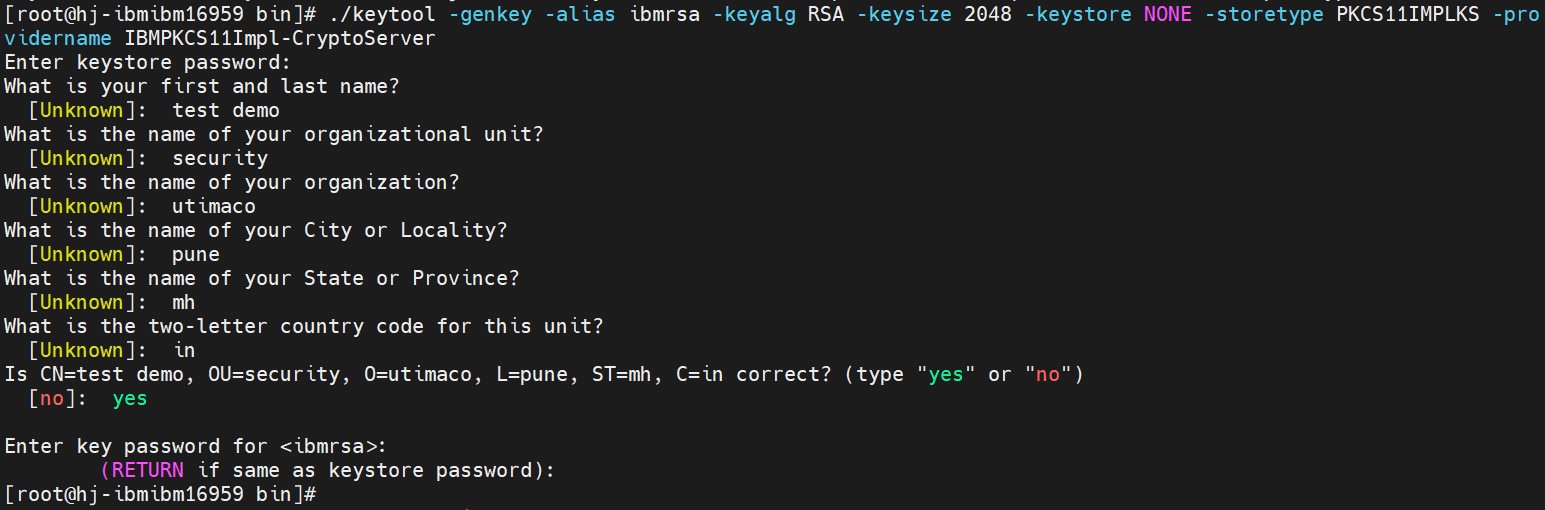
Key generation using Keytool command
2. Verify the entry with same alias name using keytool command.
|
›_ Console |
|---|
|
Here:
-
NONE is the keystore for HSM
-
PKCS11IMPLKS is the storetype
-
IBMPKCS11Impl-CryptoServer is the provider’s name
Provide the keystore password when prompted.
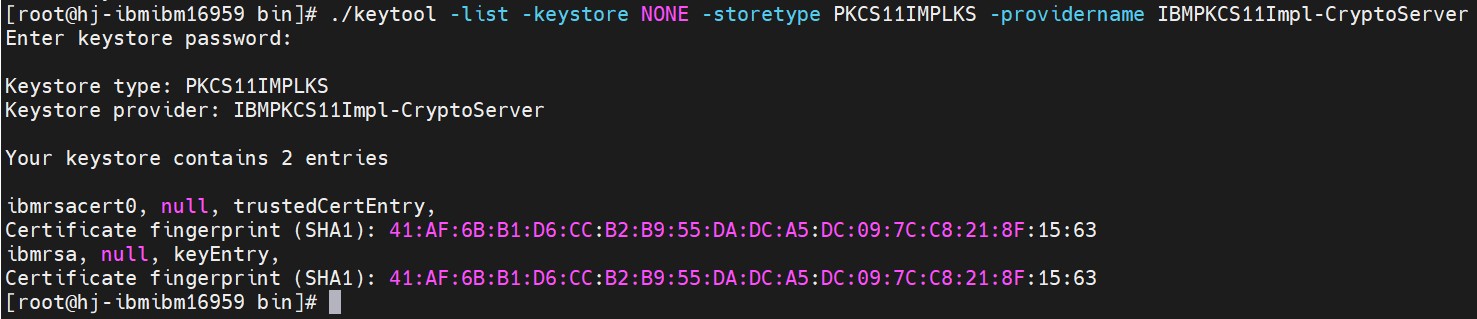
Keytool list output
-
List the objects using p11tool2.
|
›_ Console |
|---|
|
Enter user PIN when prompted.
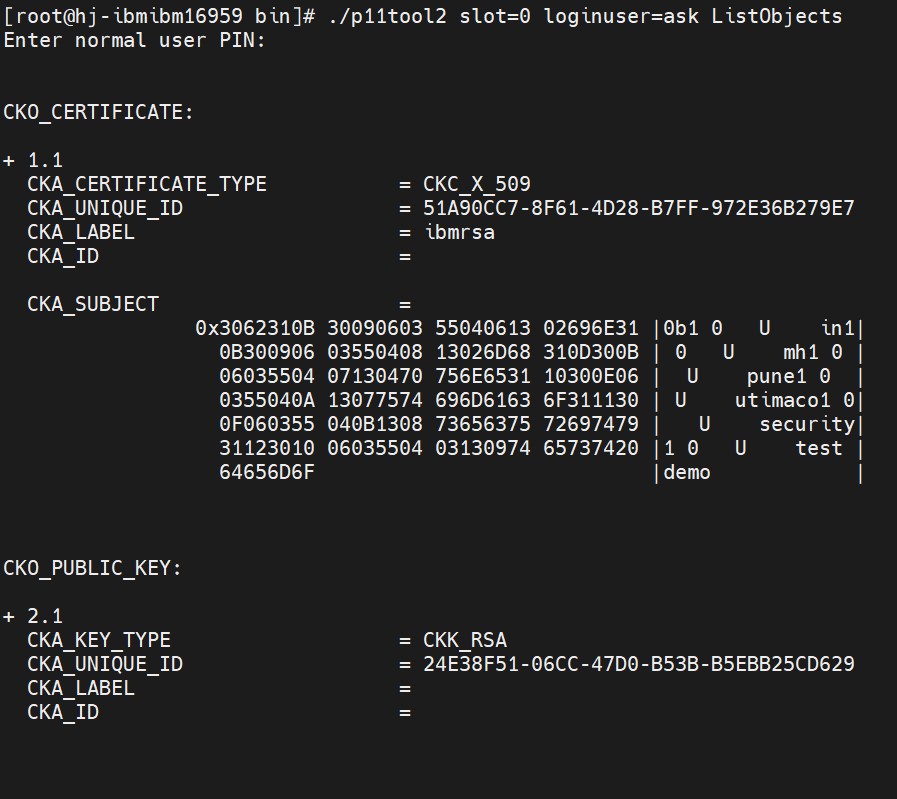
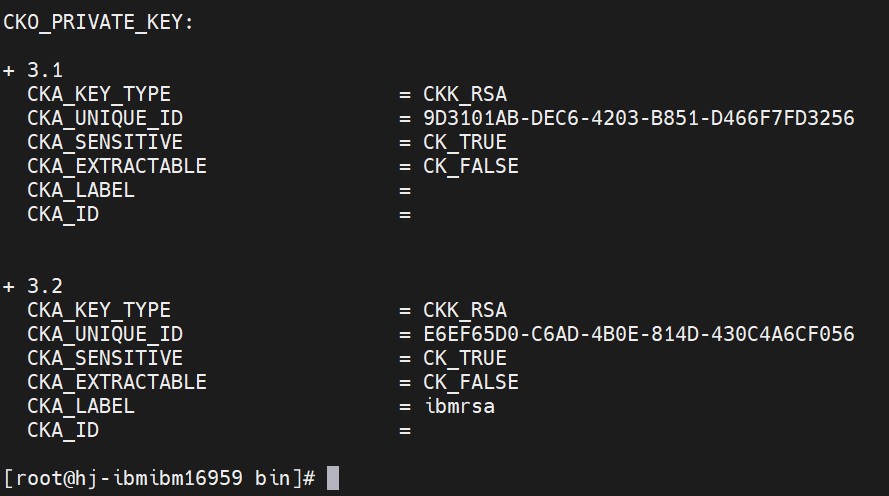
ListObjects output using p11tool2
-
Generate a CSR using Keytool command.
|
›_ Console |
|---|
|

Generate CSR command output
Here:
-
NONE is the keystore for HSM
-
PKCS11IMPLKS is the storetype
-
IBMPKCS11Impl-CryptoServer is the provider name
-
ibmrsa is the key name
-
ibm.csr is the CSR file name that will be generated
Provide keystore password when prompted.
-
Get this CSR signed by CA.
-
Copy the signed certificate and root CA certificate on the IBM WebSphere Application Server.
-
Import Root CA certificate into HSM keystore.
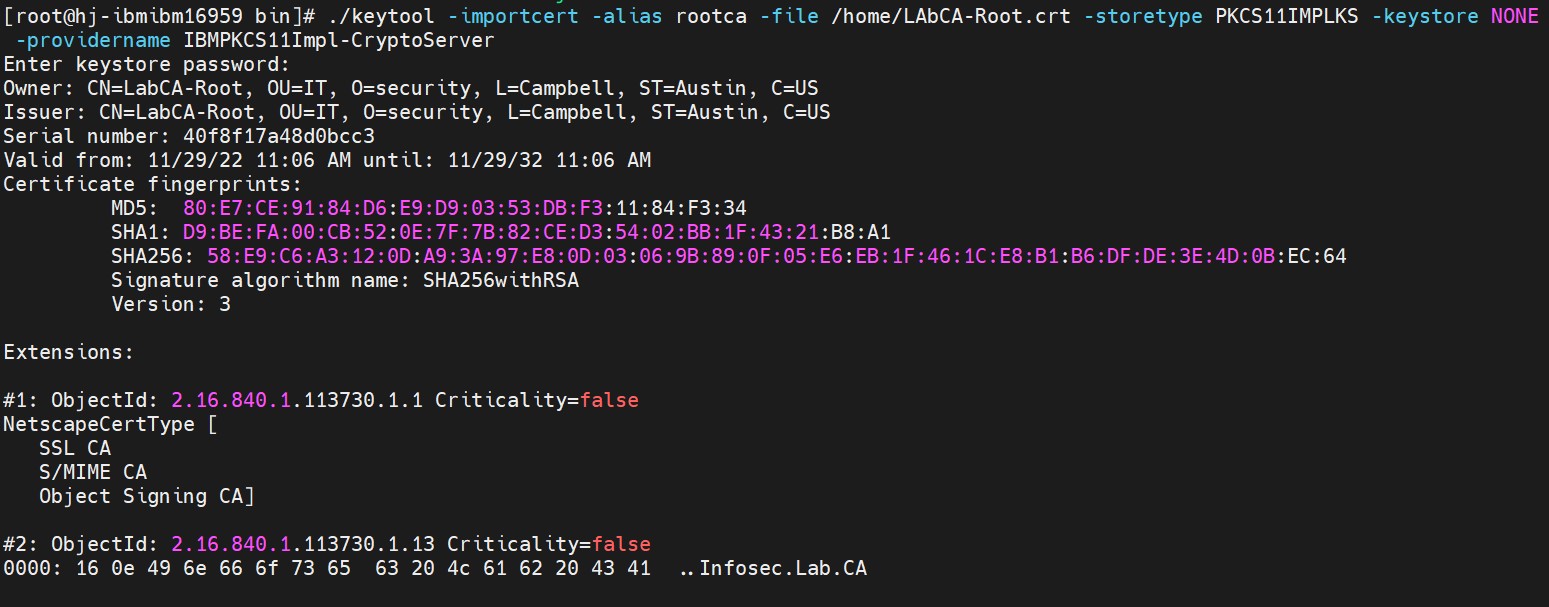
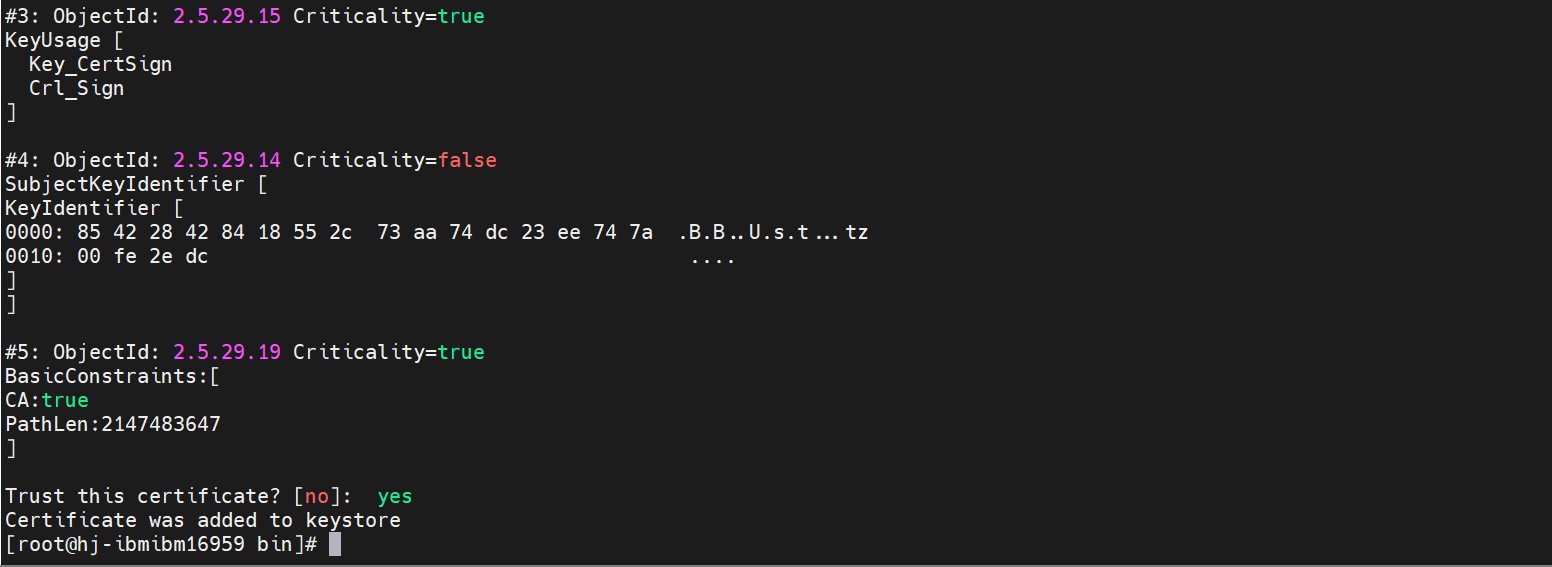
Importing root CA certificate into keystore
Provide keystore password when prompted.
-
Import the signed certificate reply using the command below.
|
›_ Console |
|---|
|

Importing user certificate into keystore
9. Verify that the keytool command shows the signed certificate as well as root CA certificate
|
›_ Console |
|---|
|
Here:
-
NONE is the keystore for HSM
-
PKCS11IMPLKS is the storetype
-
IBMPKCS11Impl-CryptoServer is the provider’s name
Provide the keystore password when prompted.
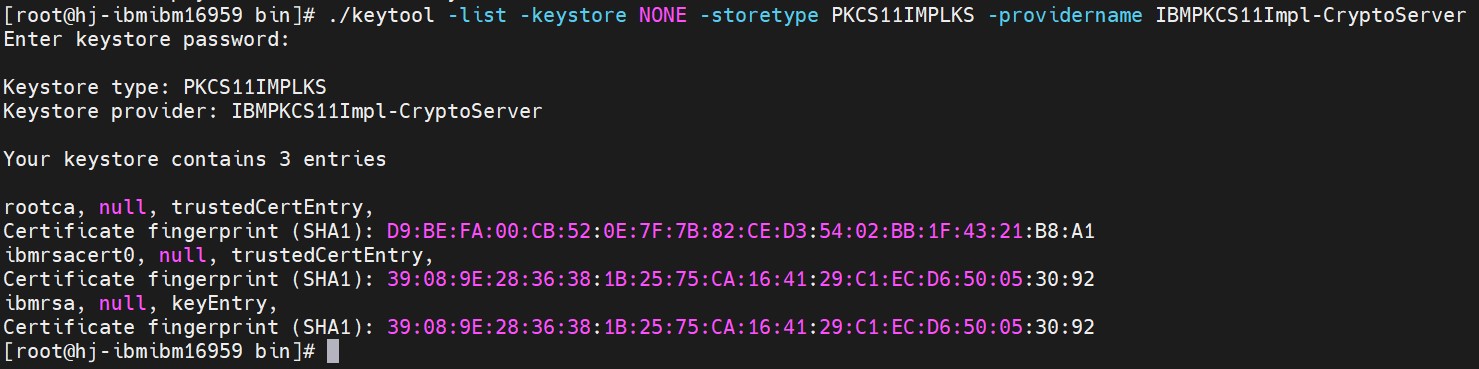
Keytool list output showing signed certificate as well as root CA certificate