

The SafeGuard CryptoServer Cryptographic Service Provider (CSP) has to be configured before it can be used in the integration with the Microsoft Active Directory Rights Management Services. The CSP has to be aware of the SafeGuard CryptoServer device(s) to be used. Each CryptoServer device has to be registered in the CSP. Generally there are two types of key storage options available for the CSP:
-
The most common way is to store the keys inside the SafeGuard CryptoServer. This is the best protection against physical and logical attacks.
-
In a cluster or failover scenario, keys are stored externally. Normally the external storage is a media device e.g. shared network device (SAN or ISCSI) or a hard drive.
The next steps assume that an internal storage of keys is used:
-
Start the SafeGuard CryptoServer CSP configuration tool (Start → Control Panel → Utimaco CryptoServer CSP).
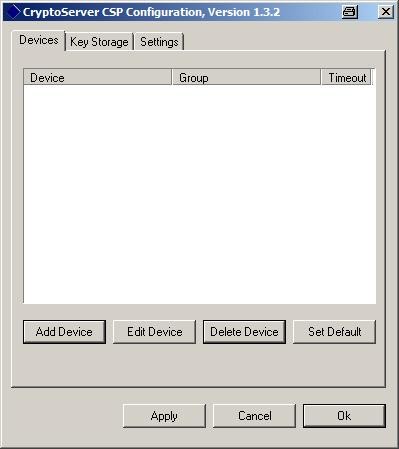
CryptoServer CSP configuration
-
Add a device to the list by pressing ADD DEVICE and enter the device specifier, e.g.:
-
IP address of SafeGuard CryptoServer LAN.
-
PCI:0in case of SafeGuard CryptoServer PCI(e). -
3001@127.0.0.1in case of SafeGuard CryptoServer Simulator.
-
-
Choose a group name for the new generated keys. Usually, the name of the workstation is chosen here. Confirm the settings by pressing OK.
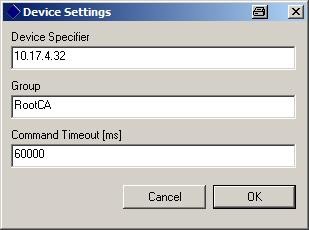
Device settings
-
Now, you are prompted for a CryptoServer user logon. Only a user with administrative privileges can log on here. For example, select the default ADMIN user and press the LOGON button.
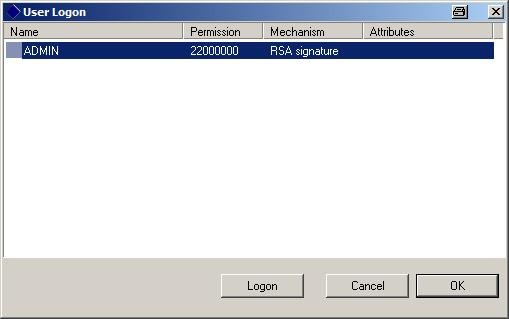
User logon
-
The user credentials must be provided here. If you have selected a key-based user, you are prompted for the user key. Enter the source of the private user key and press OK.
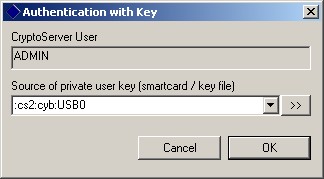
Authentication with key
-
After a successful authentication, the user is logged on. Press the OK button to close the dialog.
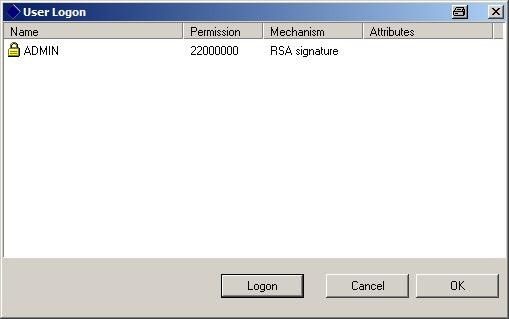
User logon
-
The new registered device is shown in the list of known devices.
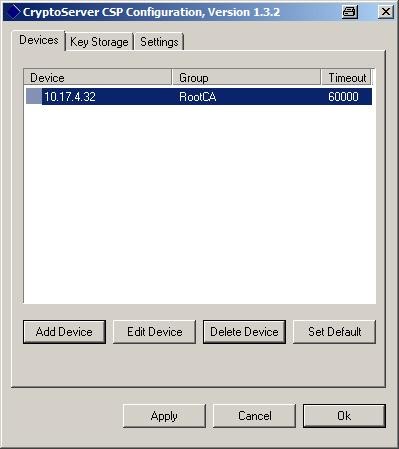
CryptoServer CSP configuration
-
Select the device in the list and set it as default by pressing the SET DEFAULT button. In case of a cluster or failover scenario several other devices may be defined and shown here.
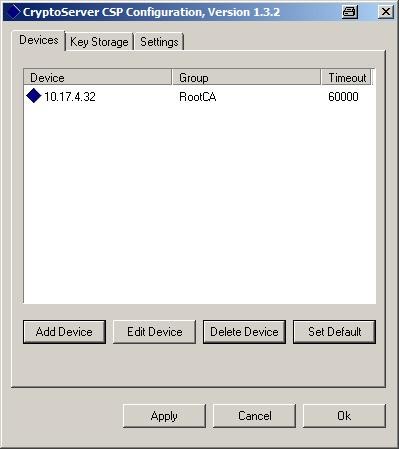
CryptoServer CSP configuration
-
As the next step, the key storage export policy can be adjusted. Switch to the KEY STORAGE tab and set the key export policy as shown in the next figure. Then, click OK to leave the CryptoServer CSP Configuration window.
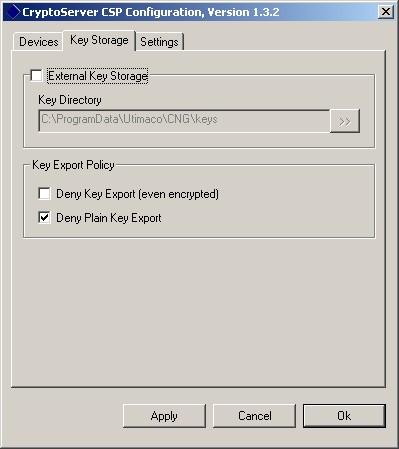
CryptoServer CSP configuration