

Some more steps are necessary to use OCSP with a CA. Perform the next steps on the CA server.
-
Open the command prompt and run the certsrv.msc command
-
Right click Certificate Authority Name and select Properties
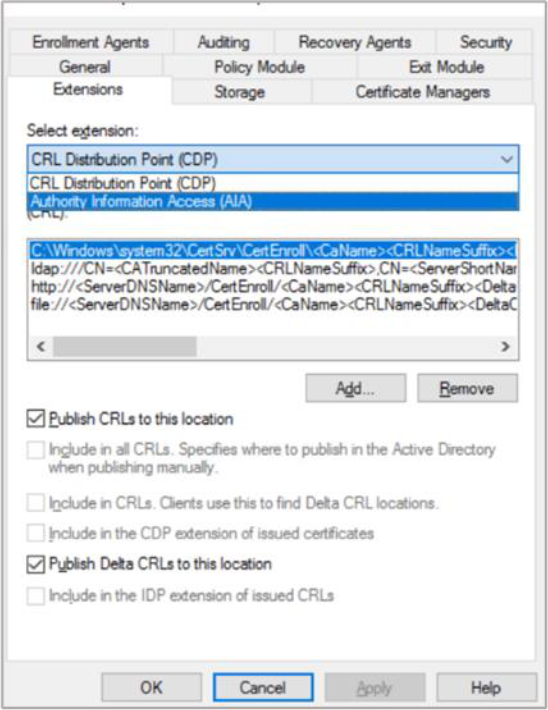
Figure 116: Extensions Tab window
-
Change to the Extensions tab and select Authority Information Access (AIA). Add the URL of the OCSP service. Typically, this is the FQDN of the OCSP server with the path OCSP, e.g.,
http://FQDN-OF-SERVER/ocspClick OK. After adding select the URL previously entered, select Include in the online certificate status protocol (OCSP) extension. Click Apply and then click on OK -
You will receive a pop-up window to restart the AD CS, for the changes to take effect. Click Yes and Click OK