

Some more steps are necessary to use OCSP with a CA. Perform the next steps on the CA server.
-
Now, you have to configure the extensions of your CA. Open the properties of your certificate server.
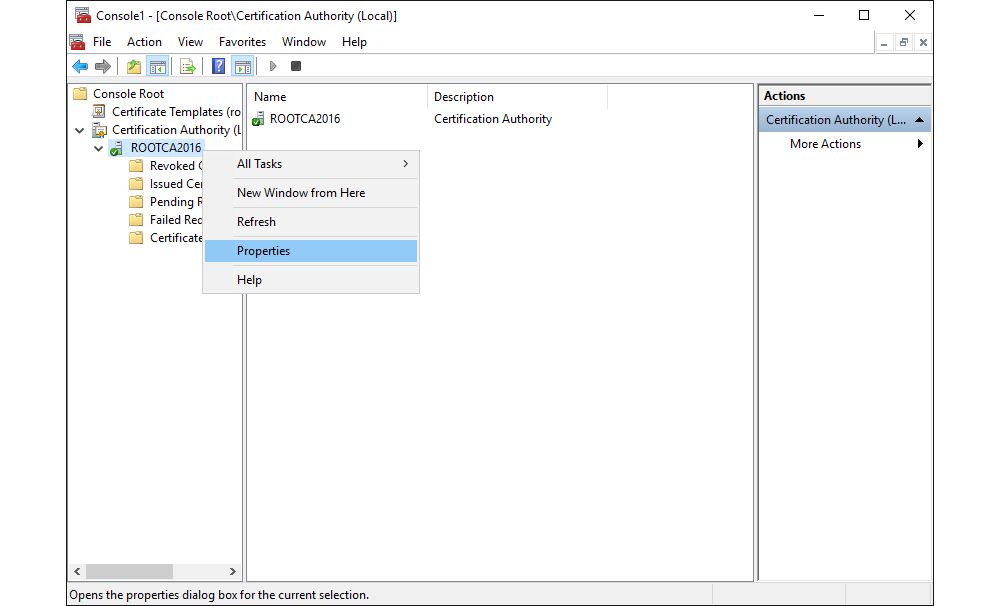
Properties of a Certification Authority
-
Change to the Extensions tab and select Authority Information Access (AIA). Add the URL of the OCSP service. Typically this is the FQDN of the OCSP server with the path
ocsp, e.g.,http://<FQDN>/ocsp. Select the URL previously entered and tick Include in the online certificate status protocol (OCSP) extension.
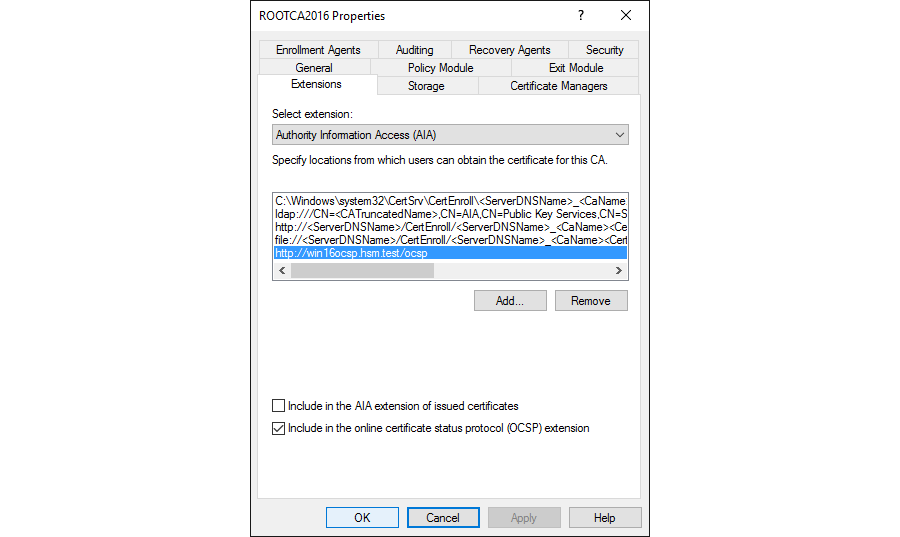
Extensions Tab of the Certification Authority Properties