

-
Create a Dockerfile named
Dockerfile.nginxinside the/home/admin/hsm-builddirectory.
-
Add the following contents to the
Dockerfile.nginxfile and save it.DockerFROM redhat/ubi9:latest # Install NGINX + OpenSSL + PKCS#11 engine RUN dnf install -y nginx openssl openssl-pkcs11 && dnf clean all # Expose port and start NGINX EXPOSE 443 CMD ["/usr/sbin/nginx", "-g", "daemon off;"] -
Build the nginx image using the Dockerfile.
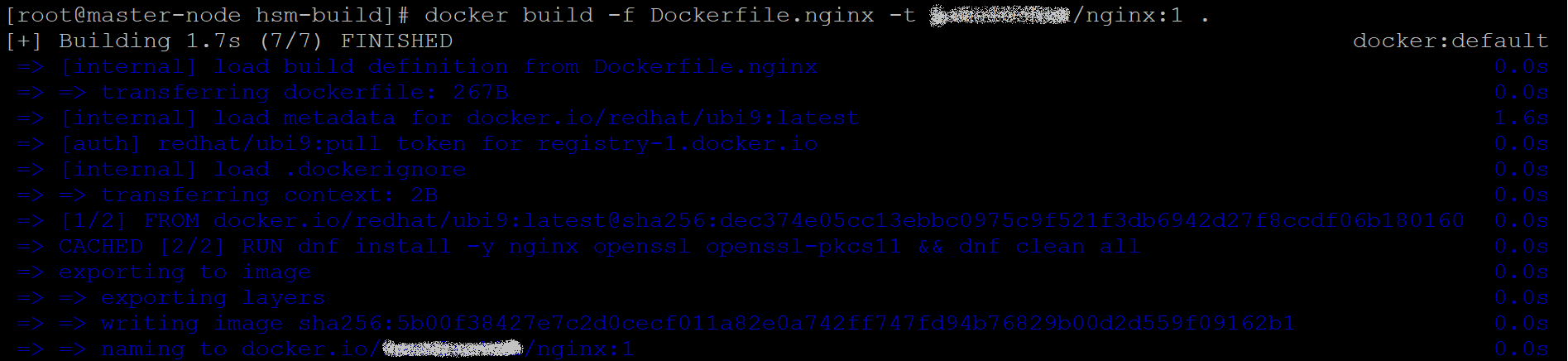
Build nginx Image
In the example command, replace <username> with your actual Docker Hub username when building the image (e.g., docker build -f Dockerfile.nginx -t <your-username>/nginx:1 .).
The screenshots in this guide show the build process with the username blurred for security reasons. Use your own Docker Hub username while executing the commands in your environment.
-
Verify that the image has been built successfully and push it to your Docker repository.

Verify and Push nginx Image