

This section describes in detail the certificate profile assignment to a user or a group.
-
Click on the View icon from the certificate profile’s view.
-
Click on the Assignments tab control. This view lists all the users or groups assigned to the profile.
-
Click on New Assignment.
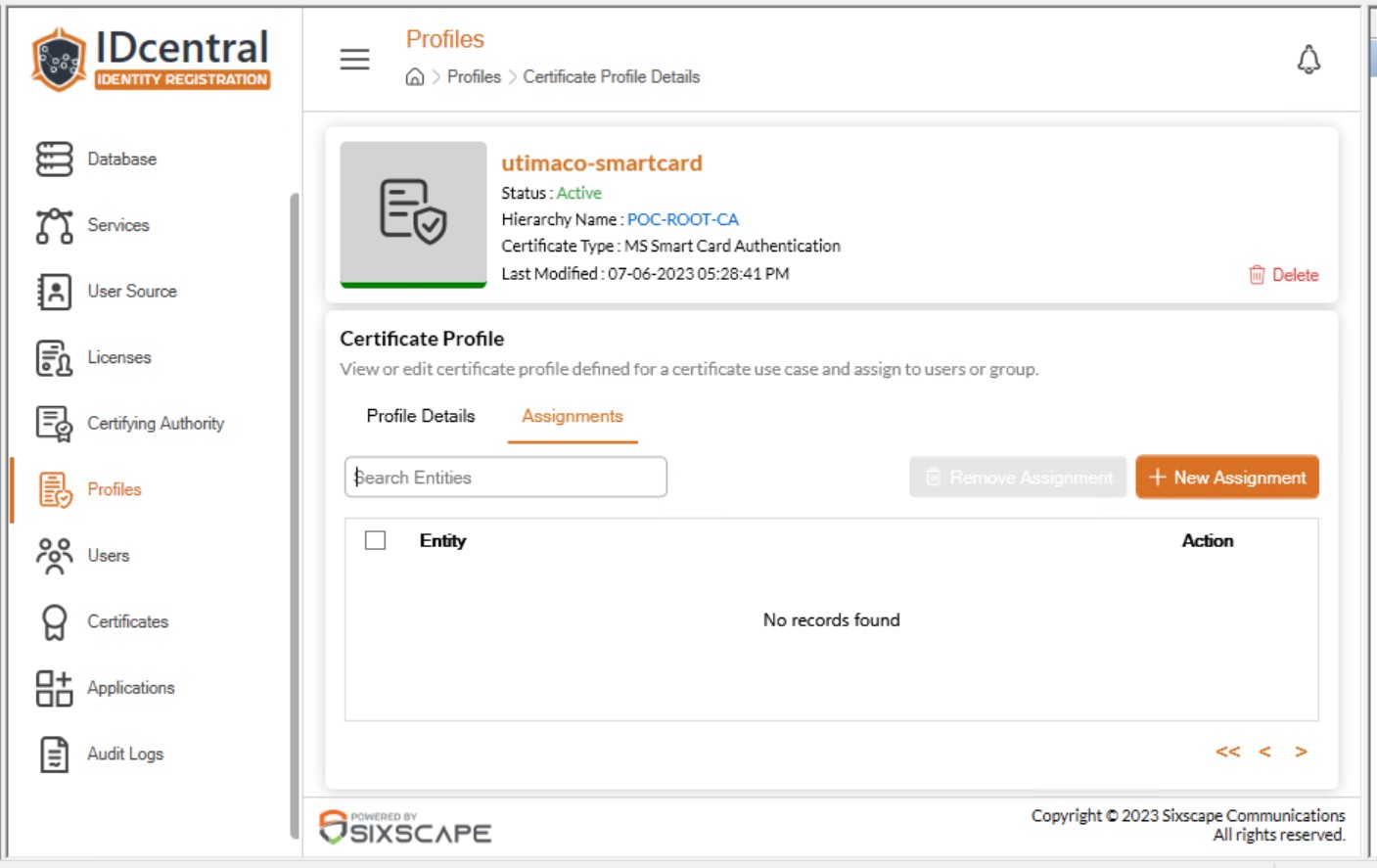
Certificate Profile New Assignment
-
User Directory Selection panel opens on the right side.
-
Search for the required user/group and choose the same to move it to the selected records. You can sync directory to update the users and groups.
-
After selecting all the required users/groups, click on Select.
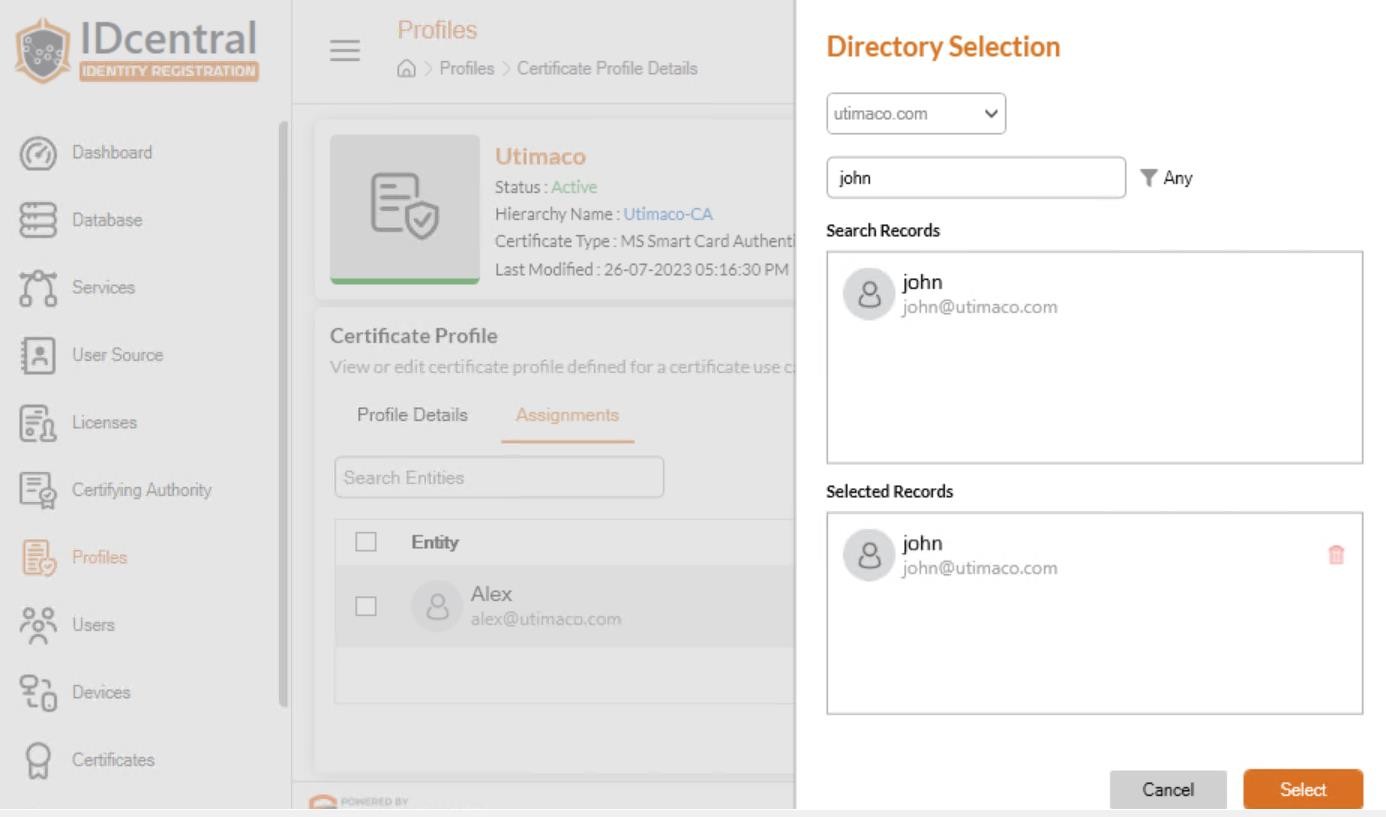
Selection of user/group
-
User/Group chosen will be successfully assigned and listed in the assignments view.
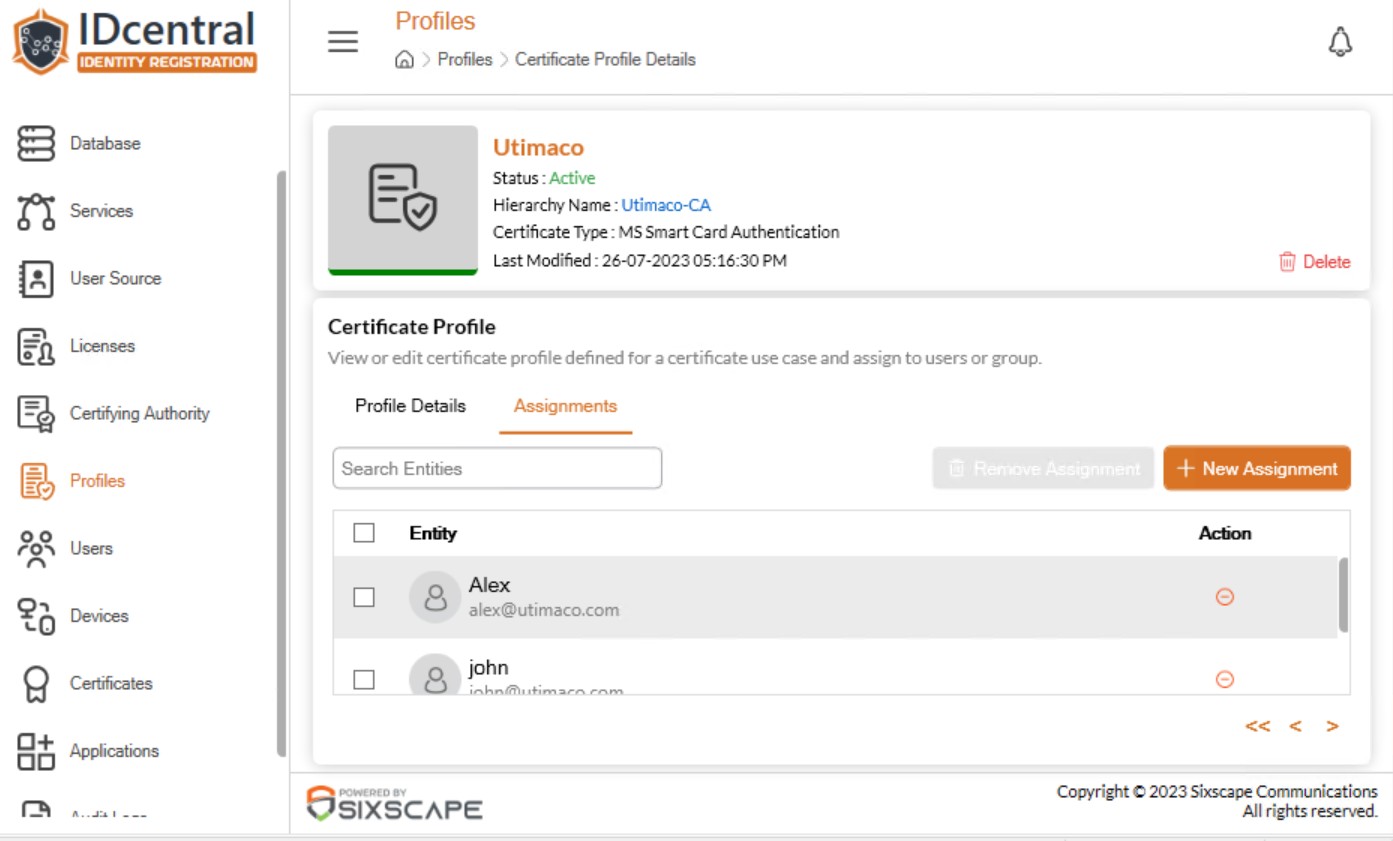
Assignments view