

-
Login to CMS web as tenant administrator.
-
Navigate to Certificate Requests.
-
Click on Upload New Request.
-
Click on Select and select the CSR file.
-
Select certificate type as
CMP_CMS_USER_DEMOPKI-INFRA-CA_utimaco.
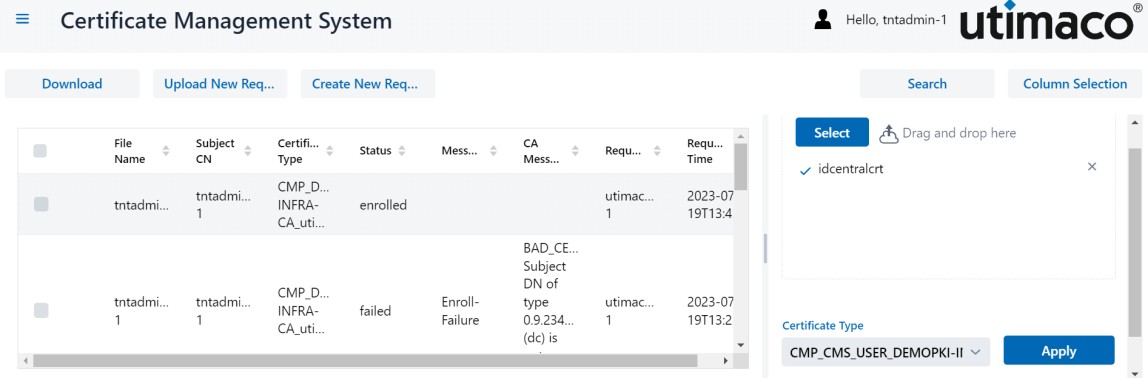
Upload CSR
-
Click on Apply.
-
After few seconds the CSR will get signed by the CA.
-
Navigate to Certificates.
-
Select the certificate that was issued and click on Download. A zip file will be downloaded that contains signed certificate.
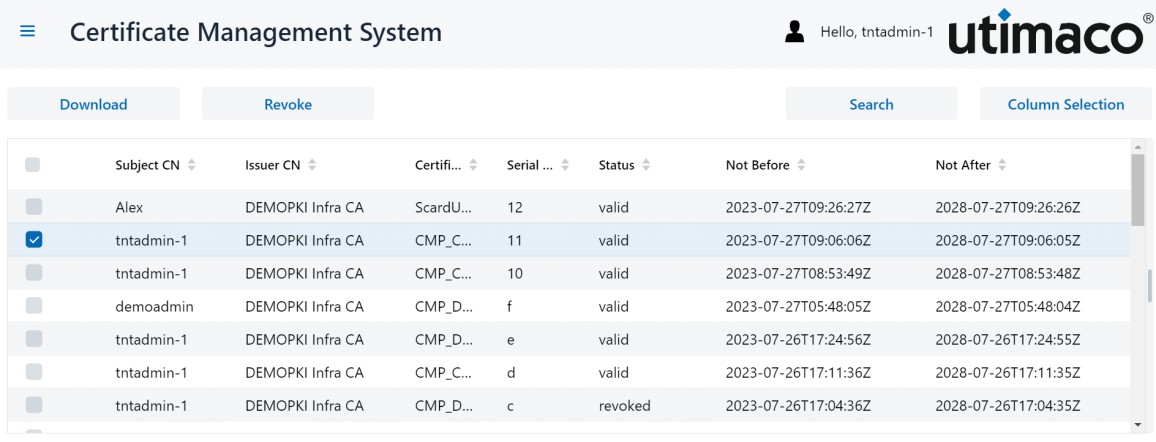
Download client certificate