

To add a new AWS-BYOK Cloud Instance:
-
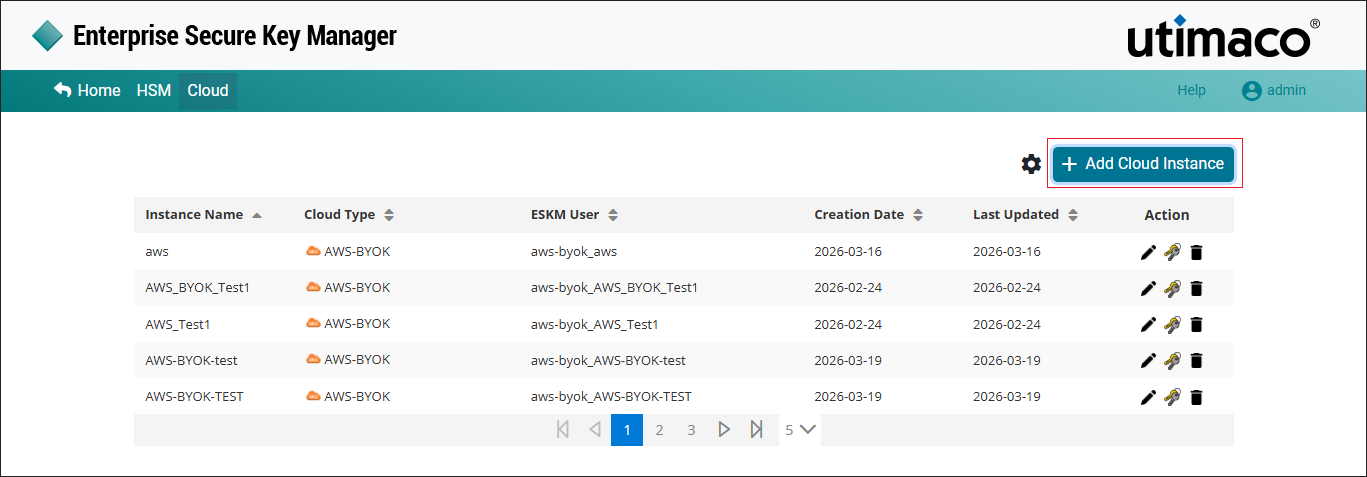
Click on +Add Cloud Instance at the top right corner of the page.
-
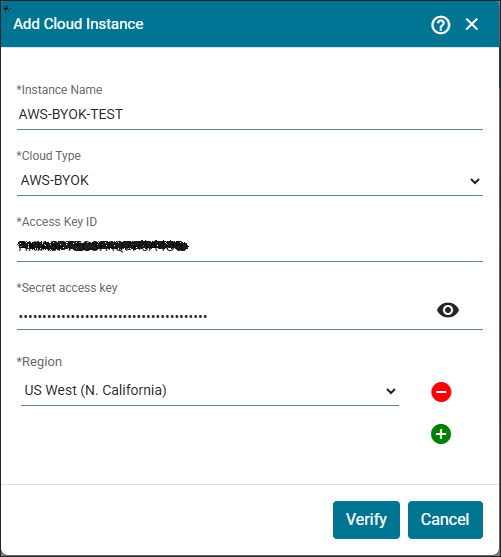
The Add Cloud Instance pop-up appears.
-
Enter the Instance Name, select AWS-BYOK as a Cloud Type and specify Access Key ID, Secret access key and select Region from the list. Click Verify.
-
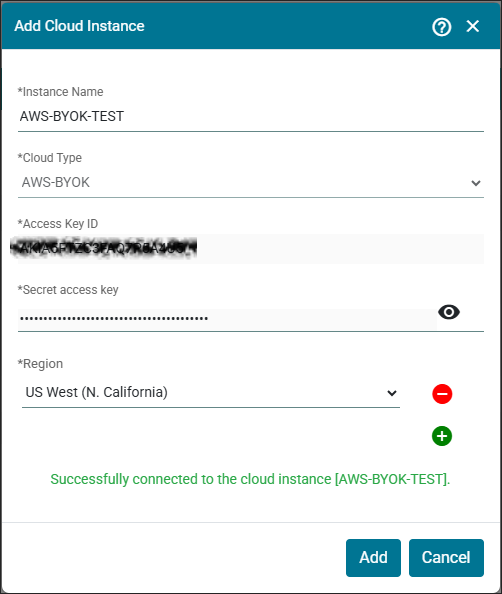
Click Add.
|
Parameters |
Description |
|---|---|
|
Instance Name |
Name of the Instance. |
|
Cloud Type |
The cloud provider with which ESKM is integrated. Here select cloud type as a AWS-BYOK. |
|
Access Key ID |
Access key ID is the AWS credential for AWS command line interface. |
|
Secret access key |
Secret Access Key is the AWS credential for AWS command line interface. |
|
Region |
Select the regions to which the key needs to be imported. |
Add AWS-BYOK Cloud Instance - Parameters