

-
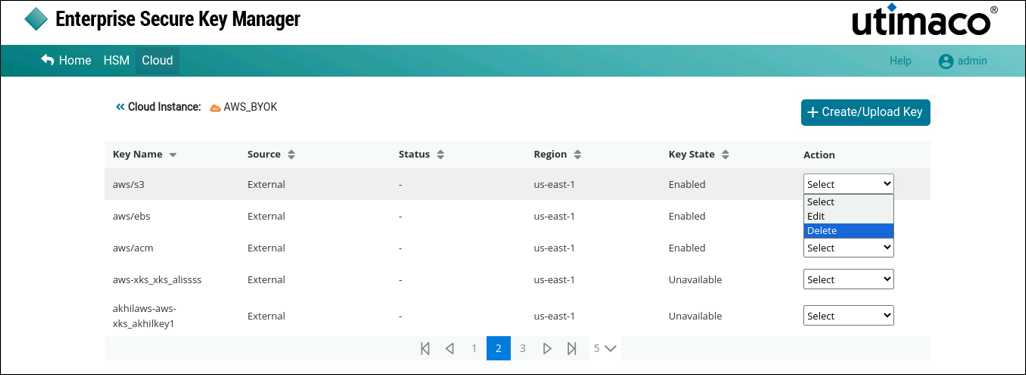
Under Action column, select Delete from the drop-down list to delete the existing key.
-
The Alert pop-up appears. Enter Waiting Period (in days) and click Yes.
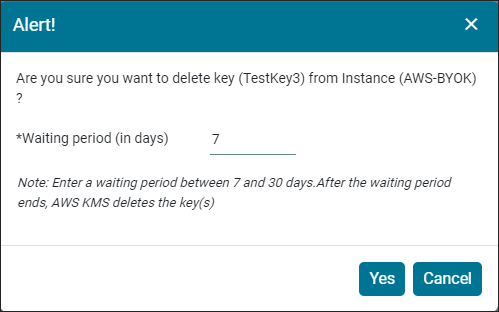
The user can specify a waiting period between 7 and 30 days. After the waiting periodn has expired, the AWS KMS deletes the key(s). During the waiting period, the key status is shown as “Pending delete”.