

-
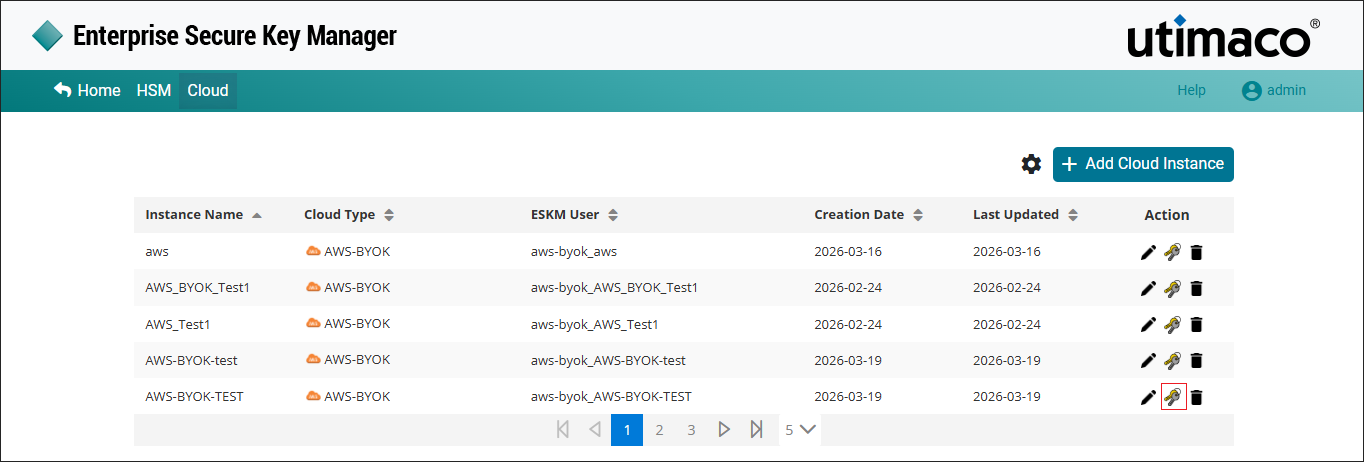
Click the Manage Keys icon to view keys available in the AWS-BYOK cloud instance.
-
The list of keys for the specified Instance is displayed.
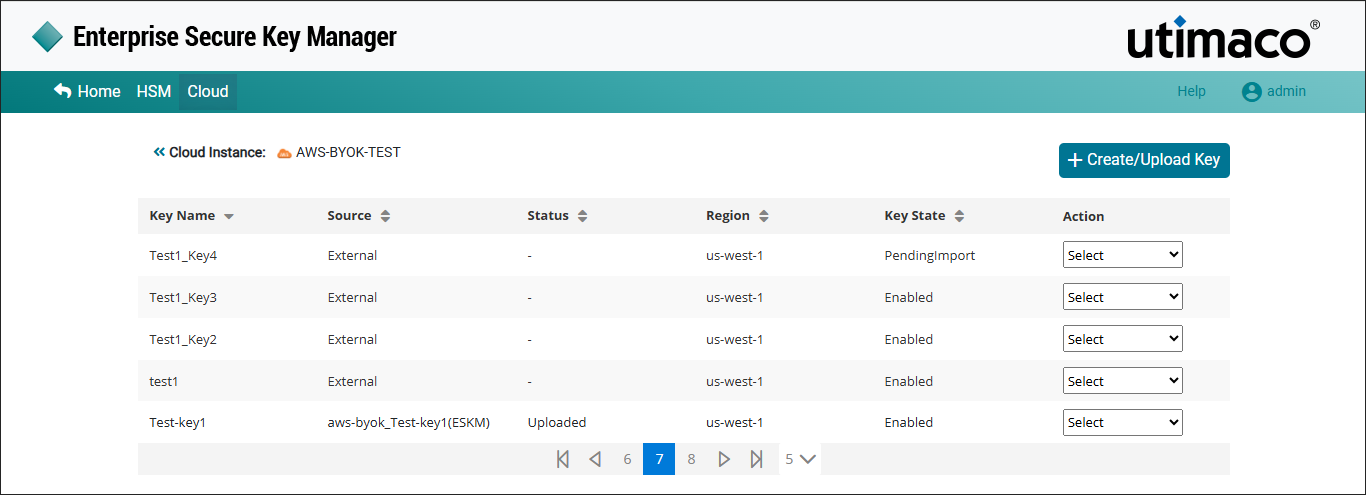
ESKM supports up to 100 keys excluding those which are pending for deletion.
|
Parameters |
Description |
|---|---|
|
Key Name |
Name of the key which is created in the AWS-BYOK cloud instance. |
|
Source |
The key source indicates where key is generated. If the key was created in the ESKM, the format will be Instance Name_Key Name(ESKM). If the key is created in the cloud, it will appear as external. |
|
Status |
Status of the key such as Uploaded or Not Uploaded. |
|
Region |
Select the regions to which the key needs to be imported. |
|
Key State |
key State such as Enabled, Disabled and Pending Import. |
|
Action |
It contains various key actions such as Edit, Delete and
|
AWS_BYOK Keys List Parameters
-
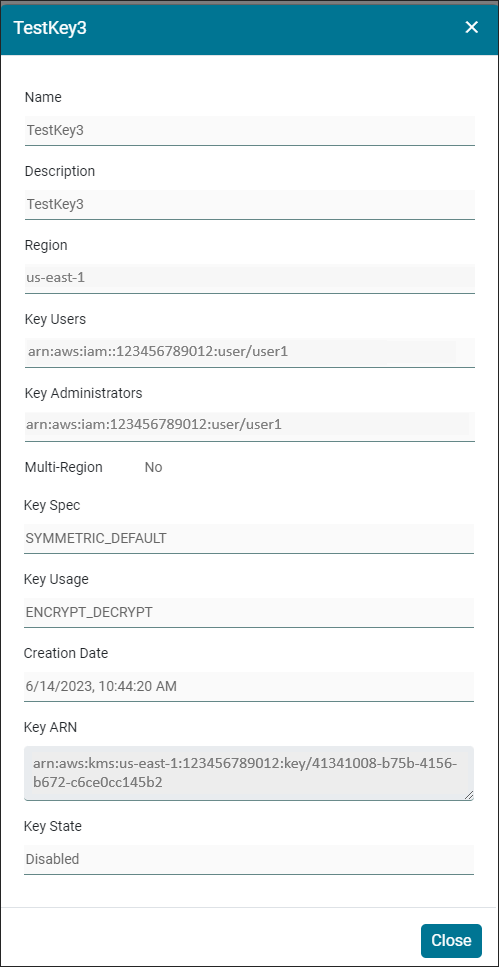
Click the required key from the keys list to view its detais and click Close.
|
Parameters |
Description |
|---|---|
|
Key Name |
Name of the Key created in AWS-BYOK. |
|
Description |
Detailed information about the key. |
|
Region |
Regions to which the key is imported. |
|
Key Users |
The AWS IAM users who is responsible and has the access to create the key in AWS BYOK. |
|
Key Administrators |
The AWS IAM users who has the right to delete the key in AWS-BYOK. |
|
Multi Region |
Enable the Multi Region checkbox if the key to be replicated into other Regions. |
|
Key Spec |
The key spec determines whether the KMS key is symmetric or asymmetric. |
|
Key Usage |
Cryptographic operations supported by the key such as |
|
Creation Date |
The date on which AWS-BYOK key is created. |
|
Key ARN |
Amazon Resource Name (ARN) of the KMS key. It is used to identify the an AWS KMS key. |
|
Key State |
Status of the key such as Enabled or Disabled. |
View Key Details - Parameters