

This section describes the procedure to upload existing Keys from Utimaco ESKM to
AWS-BYOK KMS.
To upload an existing key:
-
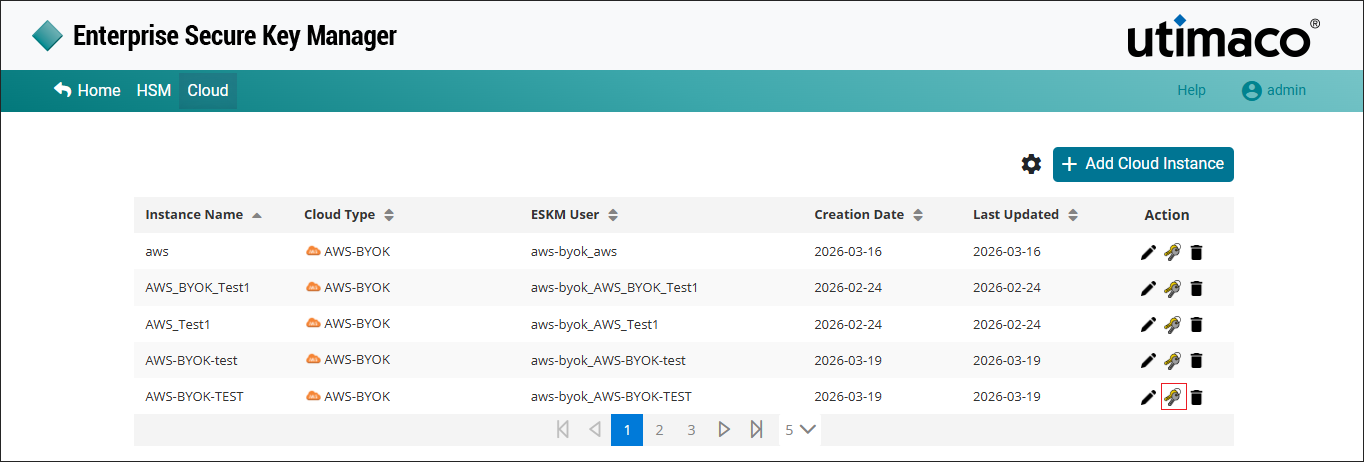
Click the Manage Keys icon to view keys list available in the cloud instance.
-
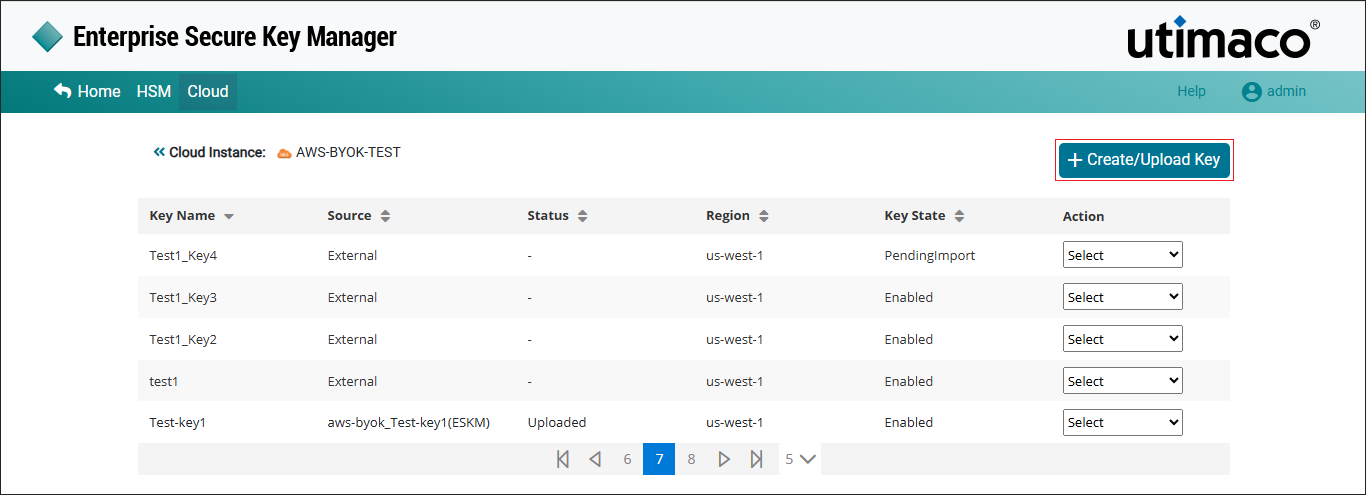
Click Create/Upload Key at the right corner of the Cloud Instance page.
-
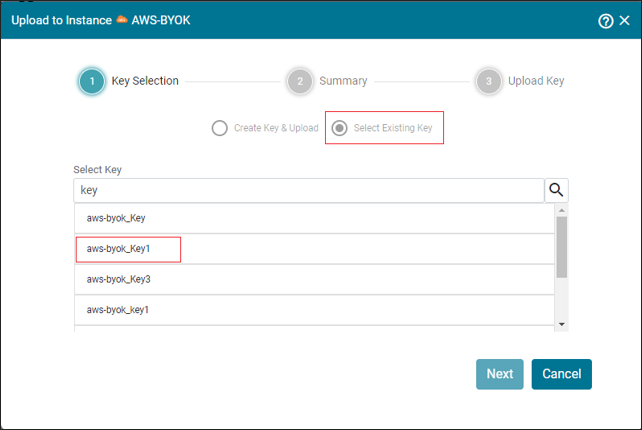
The Upload to Instance AWS-BYOK pop-up appears. choose Select Existing Key option and select the existing key from the list.
-
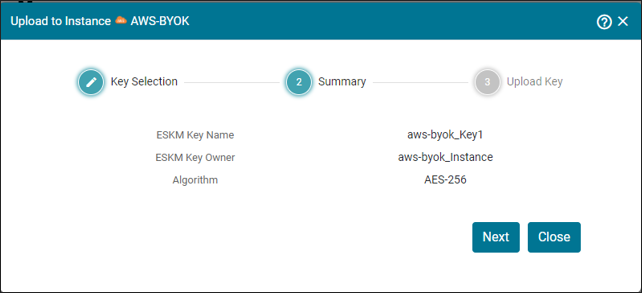
Click Next. The Upload to Instance AWS-BYOK Summary pop-up appears.
-
Click Next. It navigates to the Upload to Instance AWS-BYOK pop-up window. Click Upload.
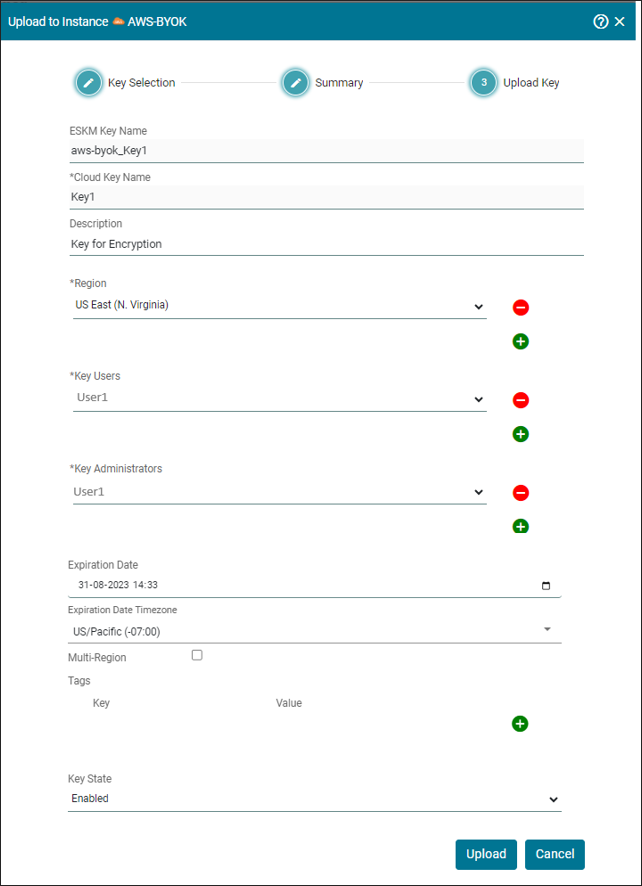
The Key [Key Name] has been successfully uploaded to Instance [AWS-BYOK].