

-
Click the Manage keys icon in the cloud instance to view the keys available in the cloud instance.
-
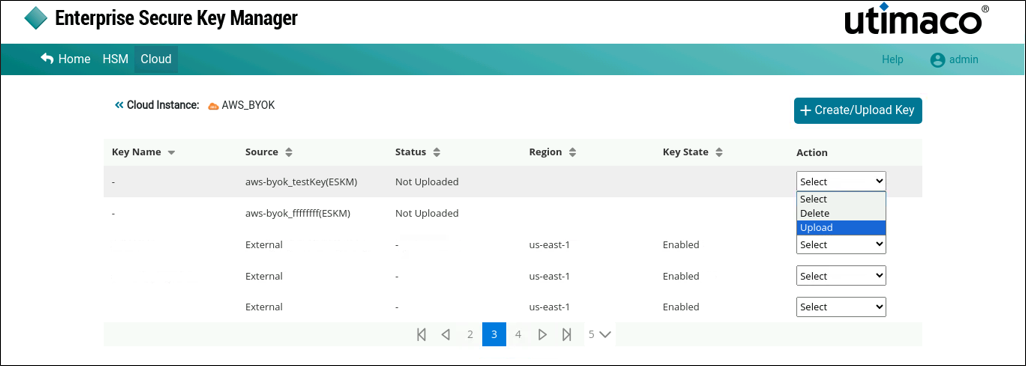
If the key is not uploaded from Utimaco ESKM to AWS-BYOK and you wish to upload, select Upload from the drop-down.
-
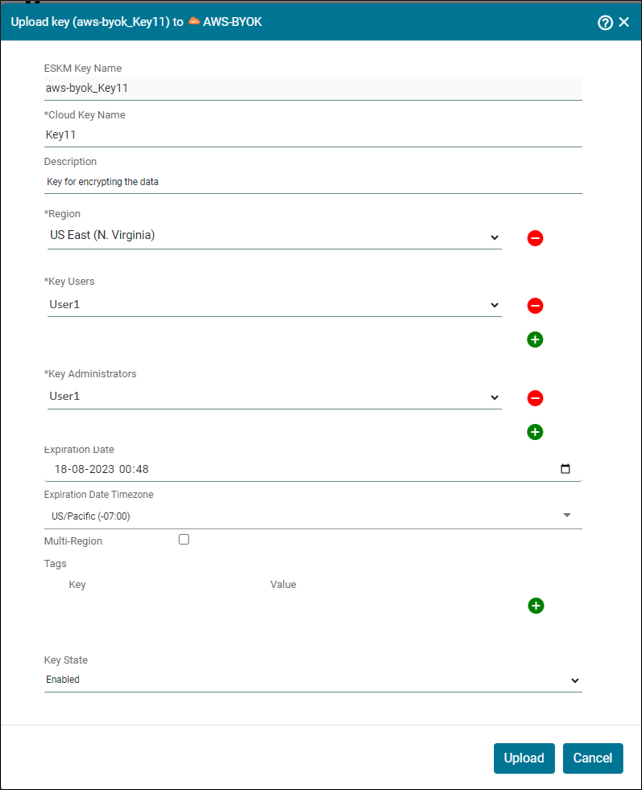
The Upload key (Key Name) to AWS-BYOK pop-up window appears. Make the necessary changes and click Upload.
Key [key name] has been successfully uploaded to instance [instance name].