

-
Access IBM WebSphere Application server Admin console: http://<IPADDRESS:9043/ibm/console> using web browser
-
Provide username and password to login.
-
Click on Security -> SSL certificate and key management -> under Related Items section select Key stores and certificates.
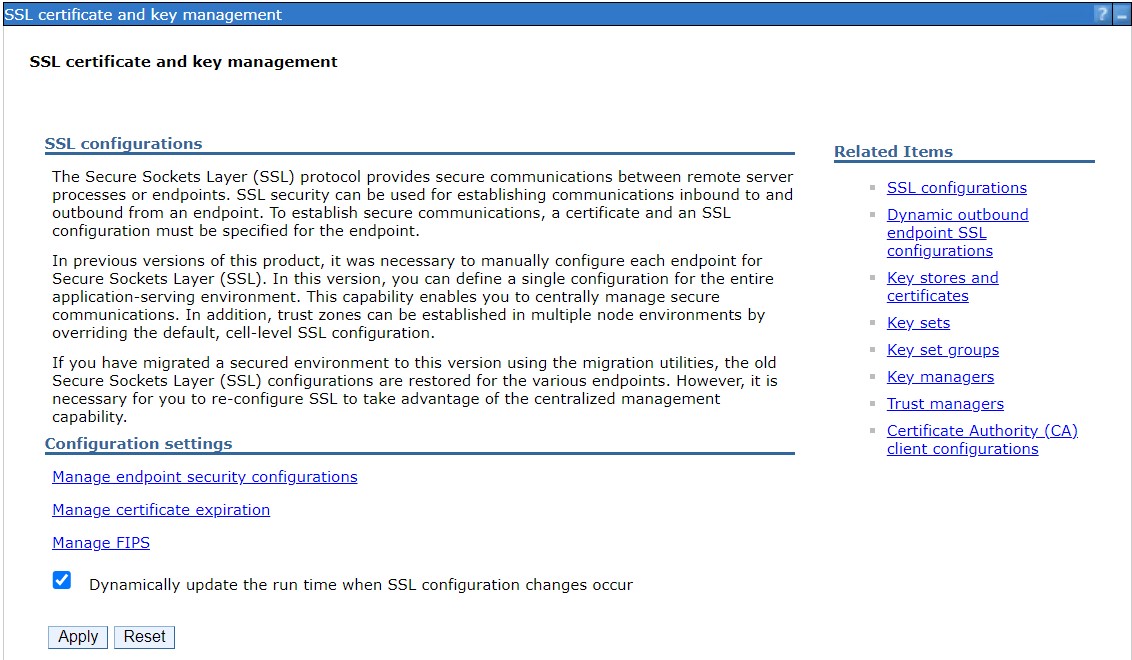
SSL certificate and key management page
-
Click on New... button.
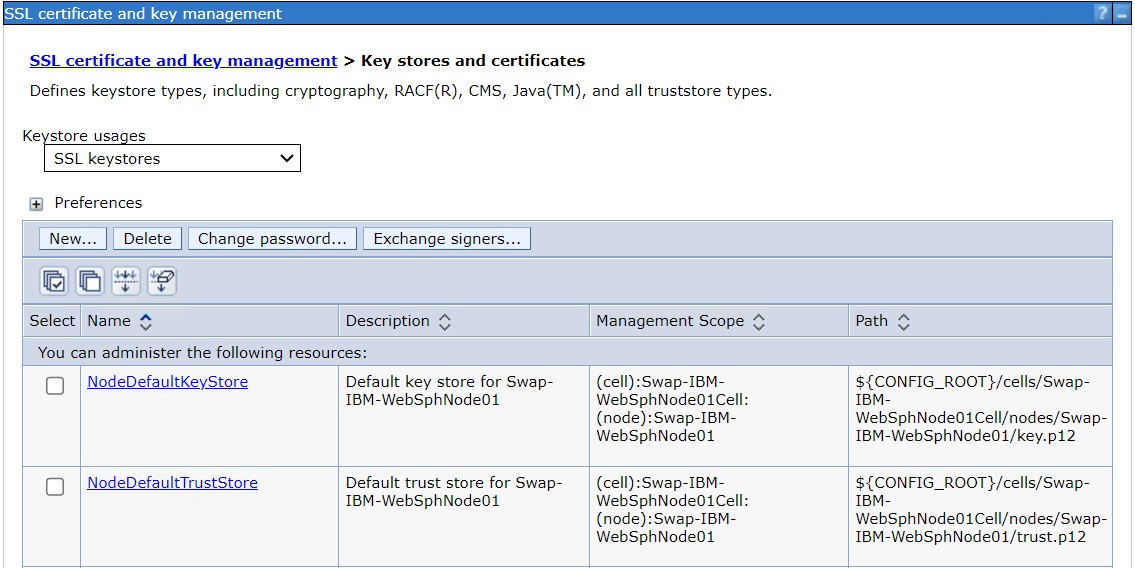
Key stores and certificates page
-
Provide the following details related to Utimaco HSM in the below fields:
-
Name: Name of the keystore for example Utimaco
-
Path: Path to library. For example /etc/utimaco/pkcs11.cfg for Linux and C:\\Program Files\\Utimaco\\pkcs11.cfg for Windows
-
Password: Slot PIN
-
Confirm Password : Enter Slot PIN again
-
Type : Select Cryptographic Token Device (PKCS11)
-
Read Only : Check this option
-
On Linux
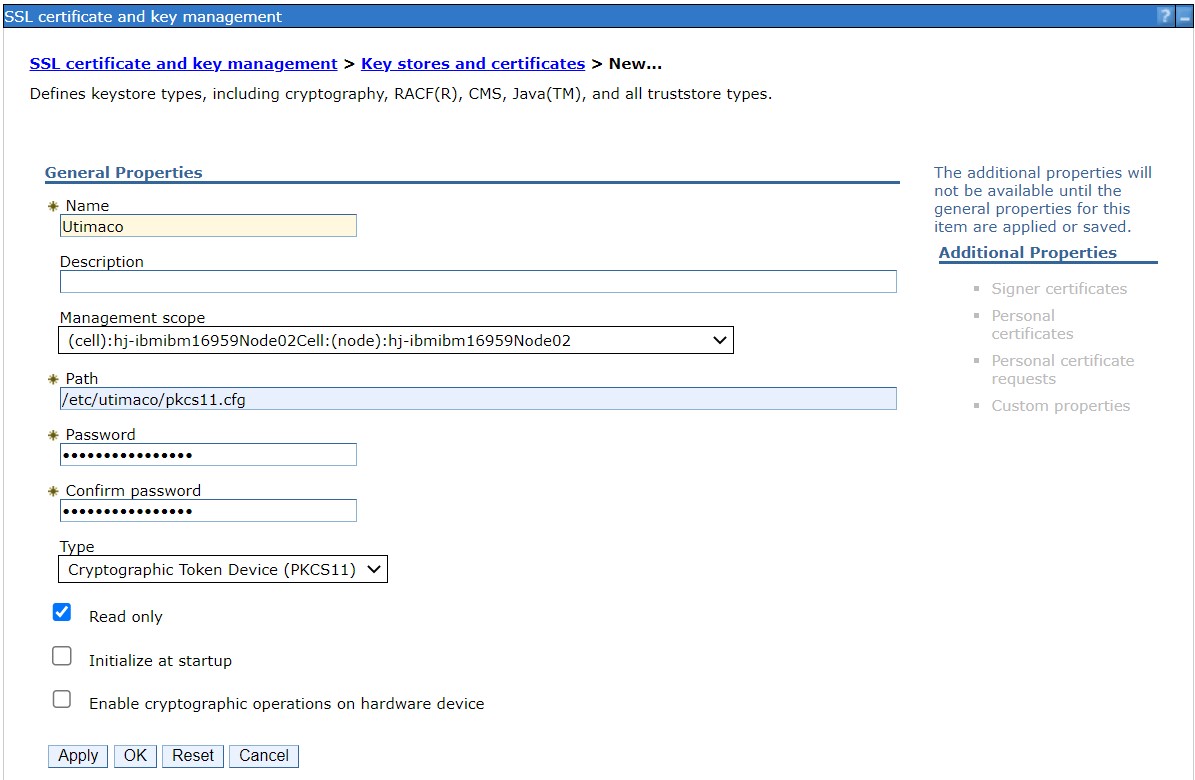
Creating keystore for Utimaco HSM on Linux
On Windows
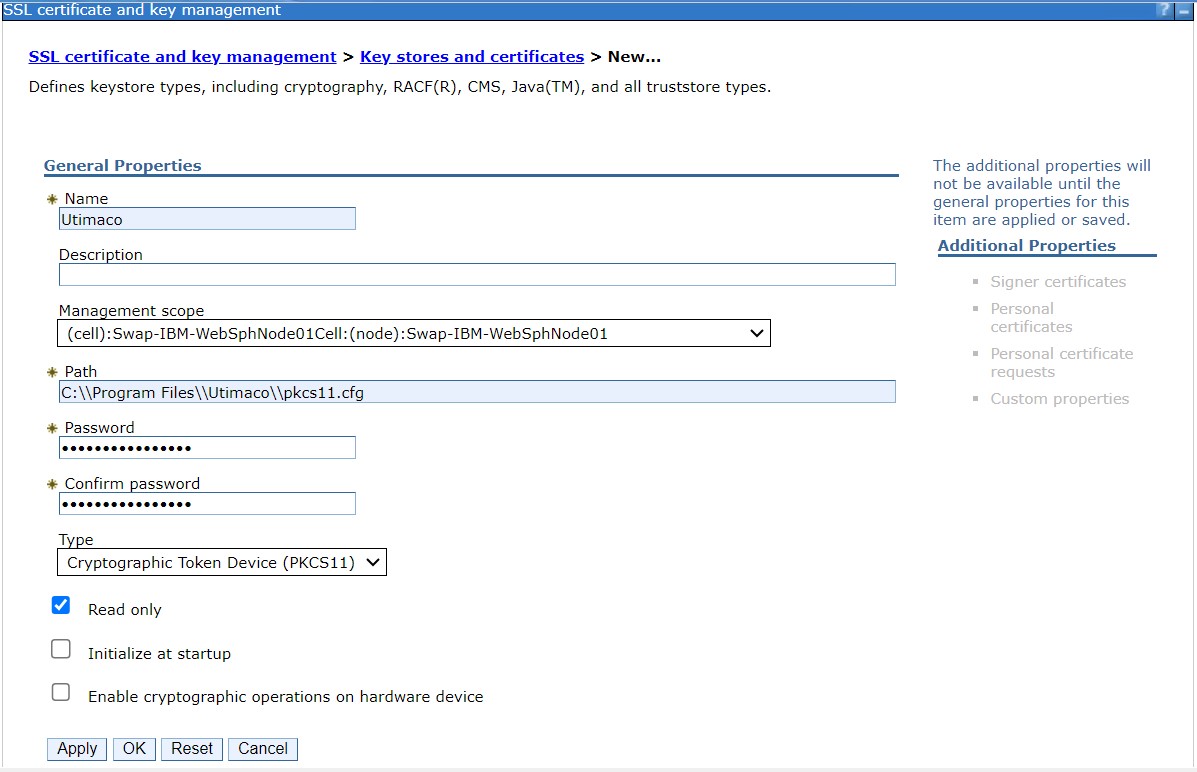
Creating keystore for Utimaco HSM on Windows
-
Click on Apply and OK.
-
Click on Save to save the changes when the message pops up.
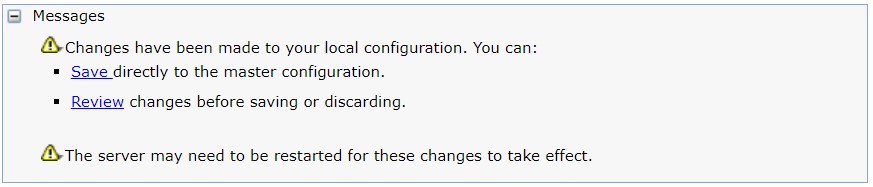
Messages to save/review the changes