

This section describes the procedure to create a new version of a key which is already
created.
To create new version
-
Under Action column, select New Version from the drop down to create new version of the key.
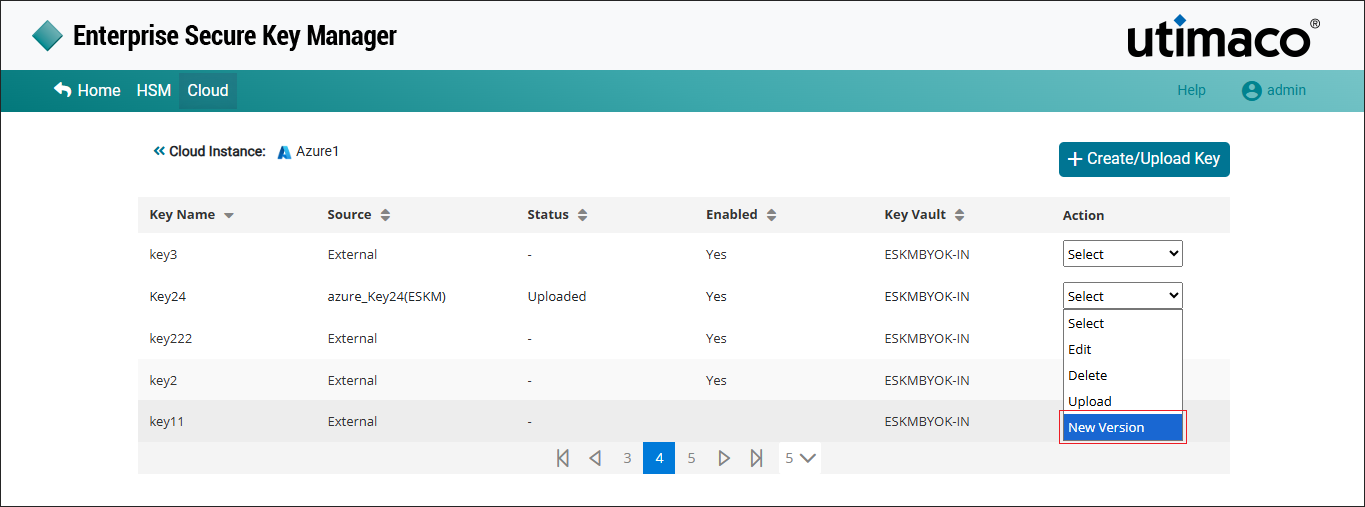
New Version
-
The Alert pop-up window appears.
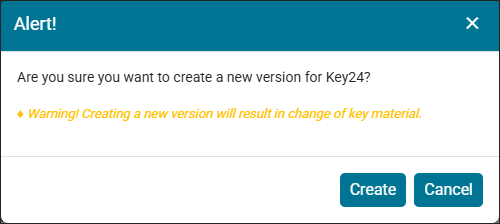
Alert Window
Click Create.
New version 3 for ESKM key [azure_Key24] added successfully.
After creating a new version, the key must be uploaded using the Upload option (refer to Section 5.1.5.3).
The default value for the Number of Active Versions Allowed for a key is 10. To modify this setting, refer to the “Active Versions (Section 6.4.12.1)” in the ESKM User Guide-8.54.7. If the maximum number of active key versions configured on the Key Options page is reached, creating a new key version will fail.