

-
Select Edit from the drop-down on the cloud instance page to modify the selected key information.
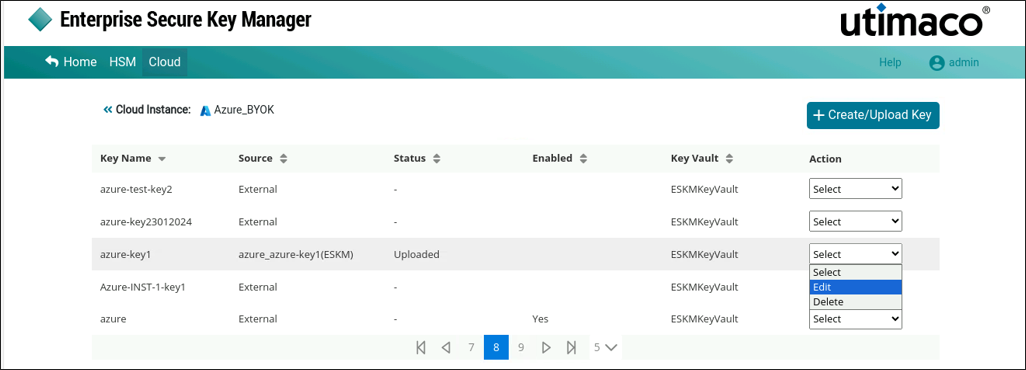
Edit Key
-
Make the required modification and enable or disable the selected key.
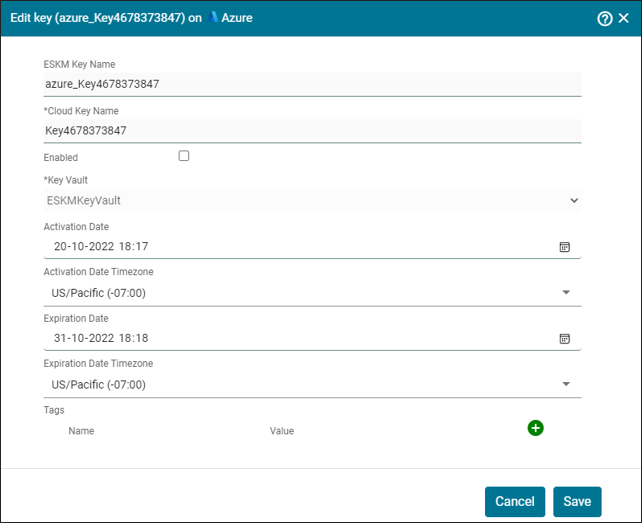
Edit Azure Key
-
Click Save.
Cloud Instance key [azure_key4678373847] updated successfully.
While editing a key in ESKM, you cannot modify the ESKM Key Name, Cloud Key Name and Key Vault. Additionally, external keys created directly in the Azure console cannot be edited in ESKM.