

-
Select Edit from the drop-down on the cloud instance page to modify the selected key information.
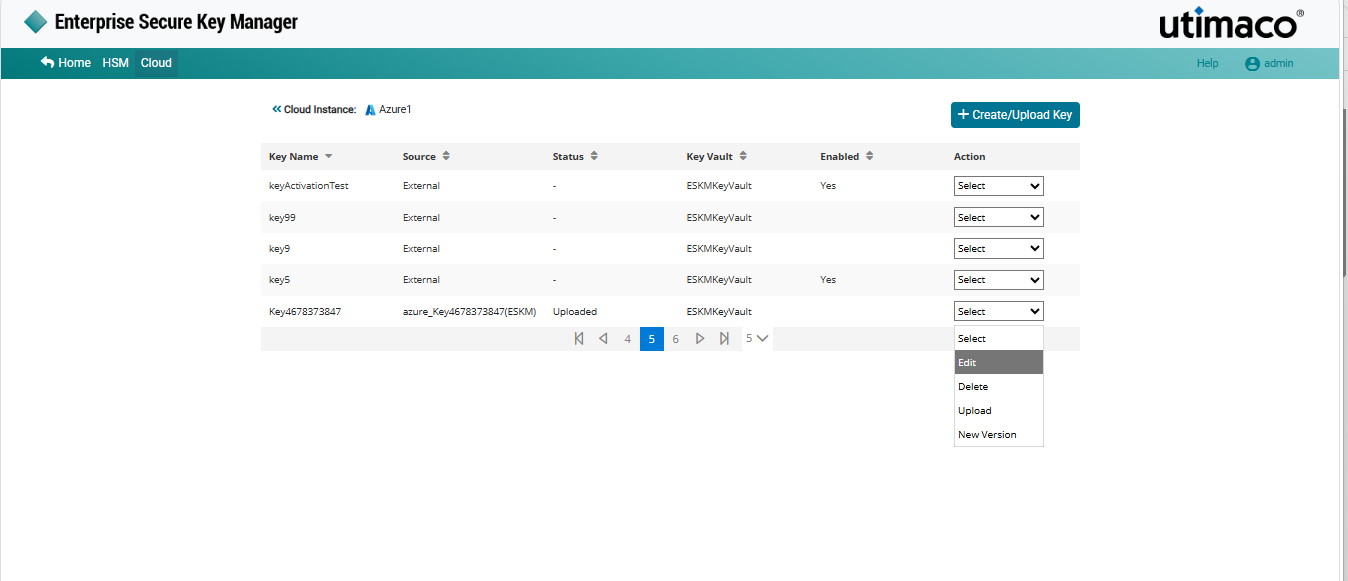
Edit key
-
Make the required modifications and enable or disable the selected key.
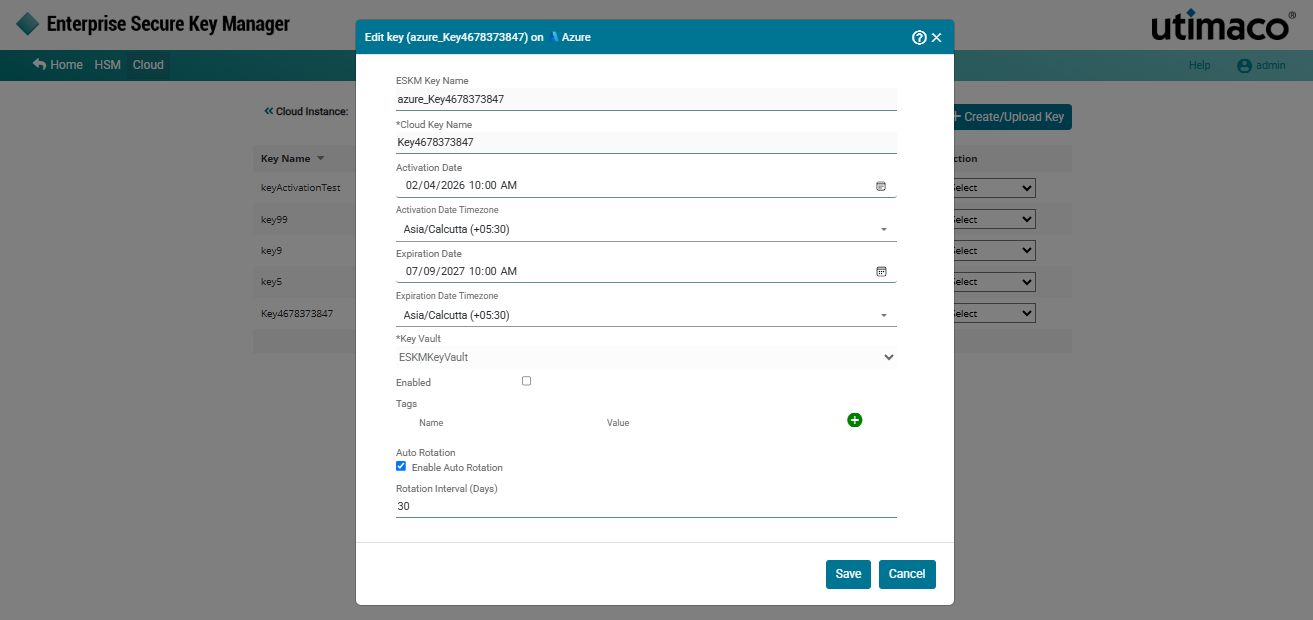
Editing a key
-
Click Save.
Cloud Instance key [azure_key4678373847] updated successfully.
While editing a key in ESKM, you cannot modify the ESKM Key Name, Cloud Key Name and Key Vault. Additionally, external keys created directly in the Azure console cannot be edited in ESKM. Auto Rotation settings can be configured or modified for existing keys as required.