

-
Click the Manage keys icon in the cloud instance to view the keys available in the cloud instance.
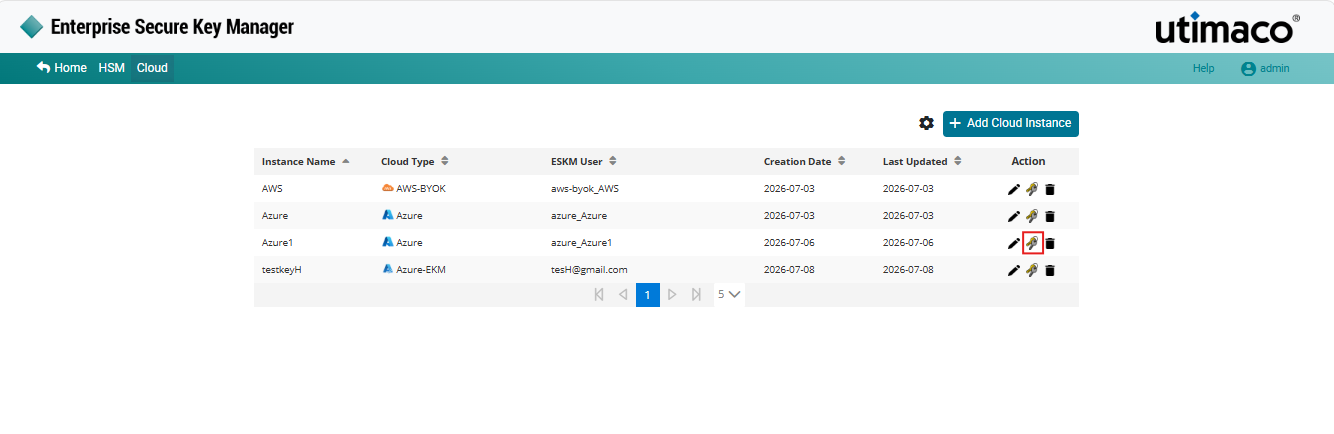
Manage keys
-
If the key is not uploaded from ESKM to cloud and you wish to upload it, select Upload from the drop-down.
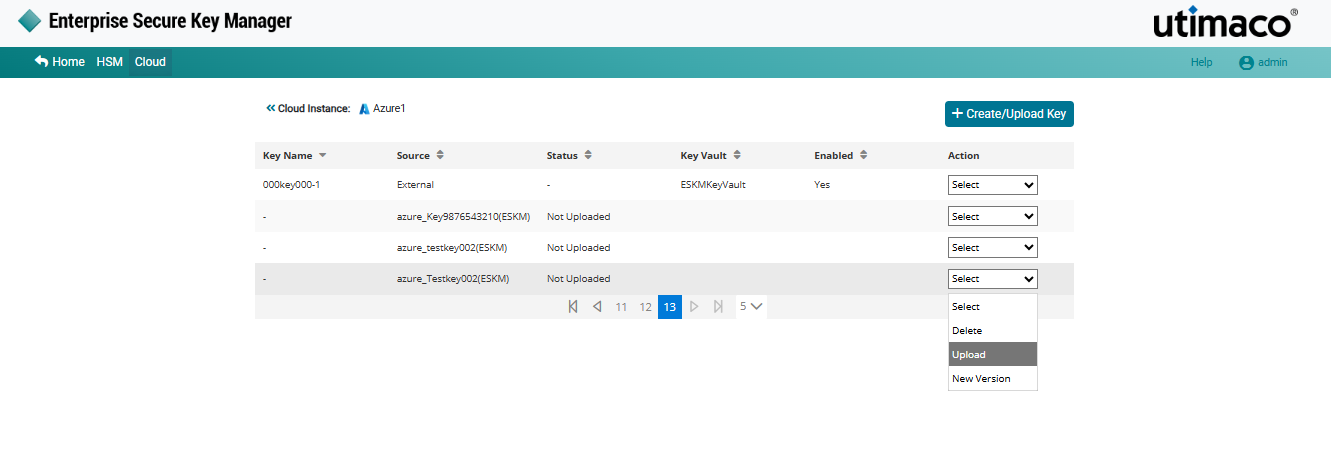
Upload key from ESKM to cloud
-
The Upload key pop-up window appears. Make the necessary changes and click Upload.
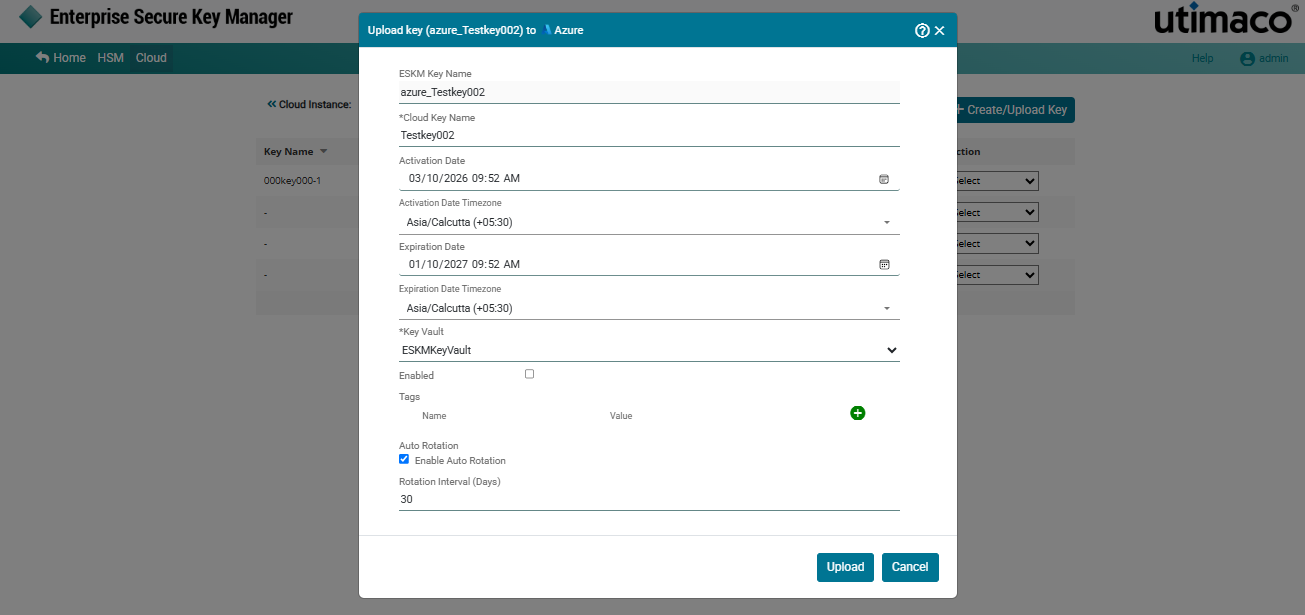
Upload Azure key
Cannot upload the same key that has been deleted and purged from the cloud.
Key[key name] has been successfully uploaded to instance name[Azure].