

This section describes the procedure to create a new version of a key which is already created.
To create a new version of the key
-
Under Action column, select New Version from the drop down to create new version of the key.
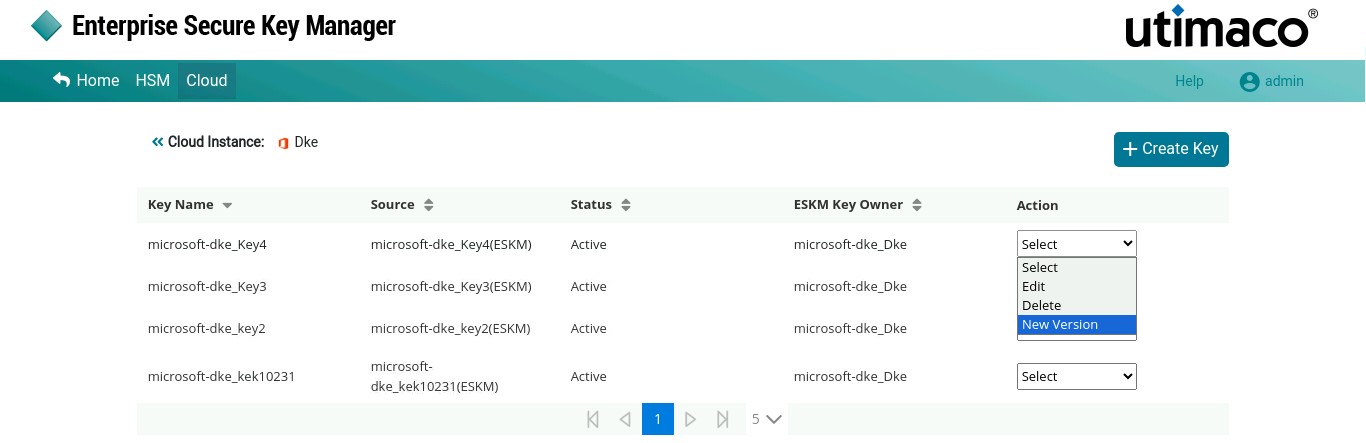
Create New Version
-
The Alert pop-up appears.
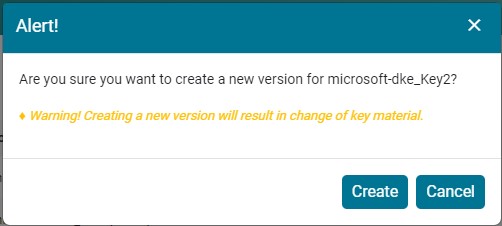
Alert
-
Click Create.
New version 2 for ESKM key [microsoft-dke_Key2] added successfully.
Please refer to the Microsoft DKE-Utimaco ESKM Integration Supplement for the configurations listed below outside of the ESKM.
-
Register DKE service with Azure
-
Create Sensitivity Labels using DKE
-
Publish the Sensitivity Labels
-
Verify Encryption and Decryption with DKE on Microsoft 365 Client