

This section describes the procedure to view key’s information in Microsoft DKE cloud instance.
To view key information
-
Click the Manage Keys icon to view keys list in the Microsoft DKE cloud instance.
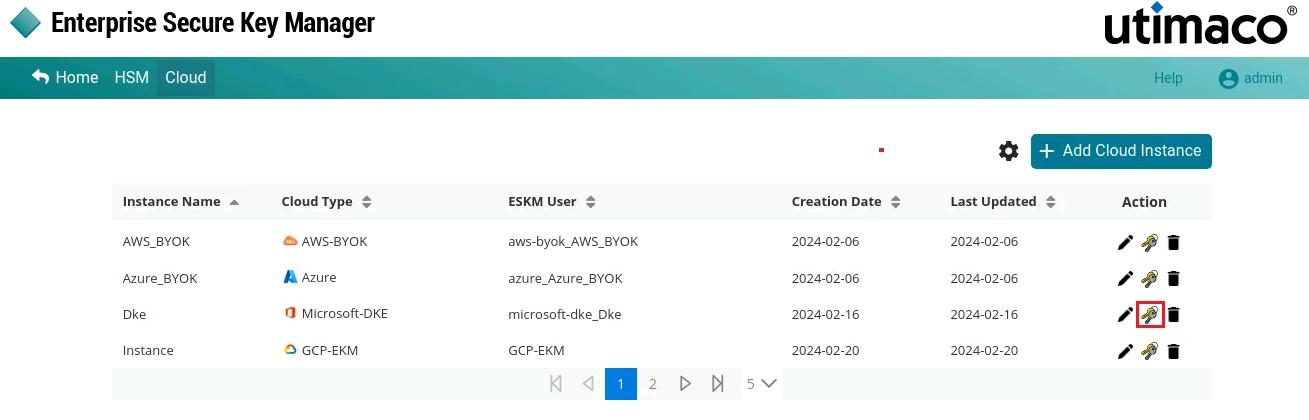
Manage Keys
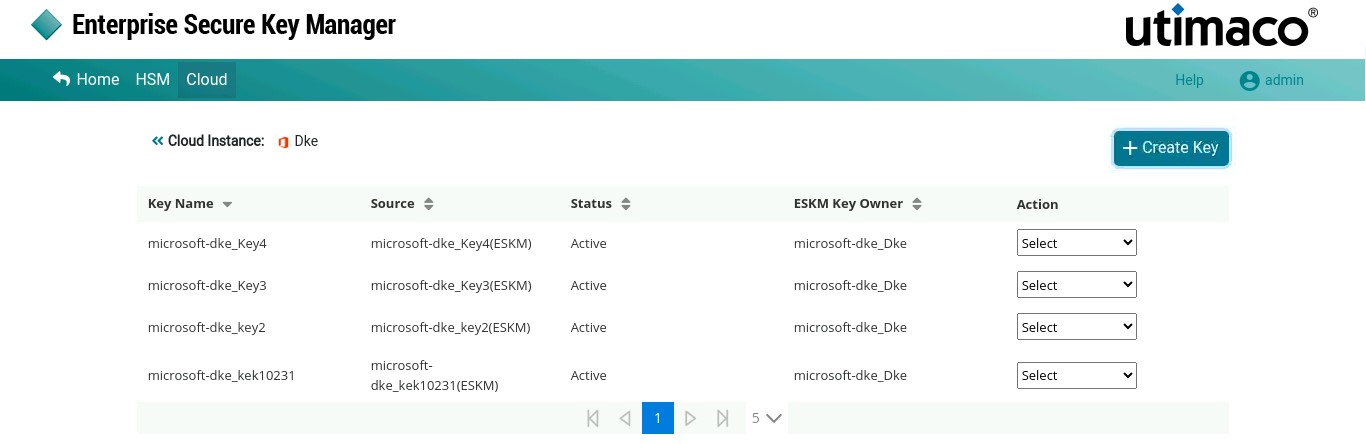
Keys List
-
Select the key from the keys list to view key’s detailed information.
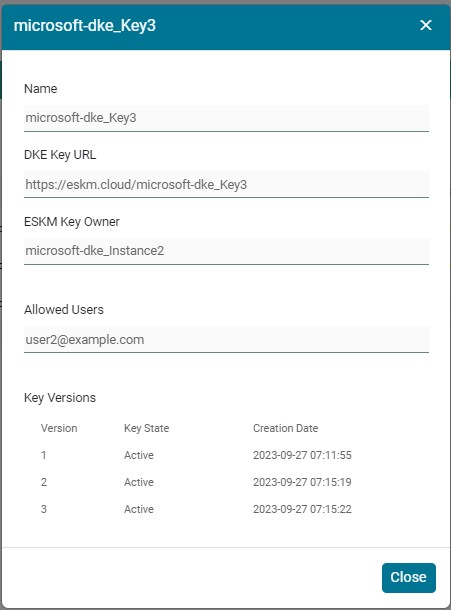
Key Information
|
Parameters |
Description |
|---|---|
|
Key Name |
Name of the Key created in Microsoft DKE |
|
DKE Key URL |
DKE Key URL in the ESKM Cloud |
|
ESKM Key Owner |
Microsoft DKE Instance Name is the ESKM Key Owner |
|
Allowed users |
Users who are allowed to use this key for Microsoft DKE |
|
Key Versions |
It displays number of versions created for a specific key. User can create multiple key versions based on the Number of Active Versions Allowed for a Key in ESKM Management Console (Security > Keys > Key Options). |
Microsoft DKE - Key details